Automate Every Lead.
Route to the Right Agent.
Close More Deals.
Decide once where new leads go, keep follow-up tasks and reminders attached to each one, and manage who owns what across your team.
- Lead Routing
- Follow-up Tasks
- Stages & Ownership
- Team & Roles
- Lead Health
- Reports
Designed for agents affiliated with leading brokerages








Complete Lead Automation & Management
Keep lead assignment, follow-ups, activity and team ownership connected from first enquiry through conversion.
Smart Lead Routing
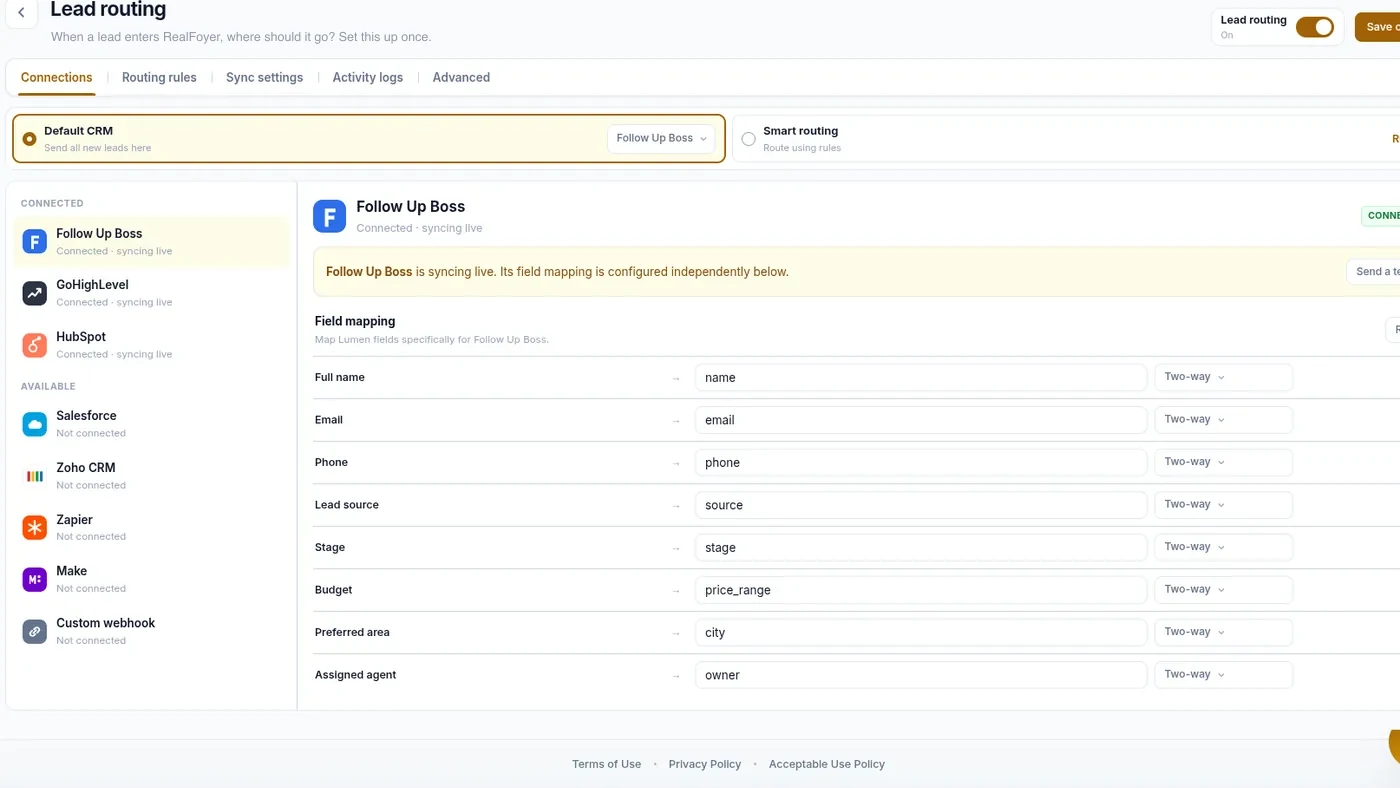
Decide once where a new lead goes — straight to your connected CRM, or by rules — with your fields mapped onto theirs.
Follow-up Tasks & Reminders
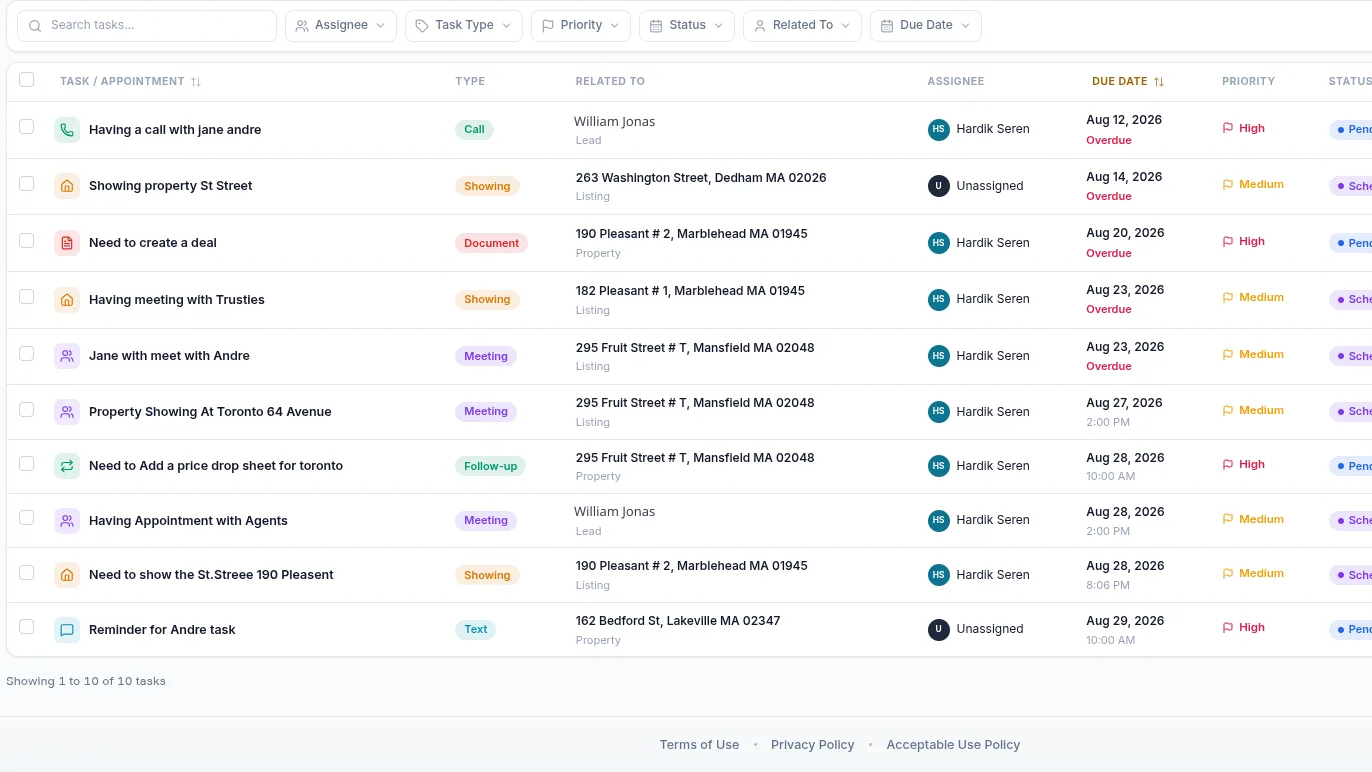
Calls, showings and follow-ups carry a due date, a priority, an assignee and a reminder.
Lead Stages & Ownership
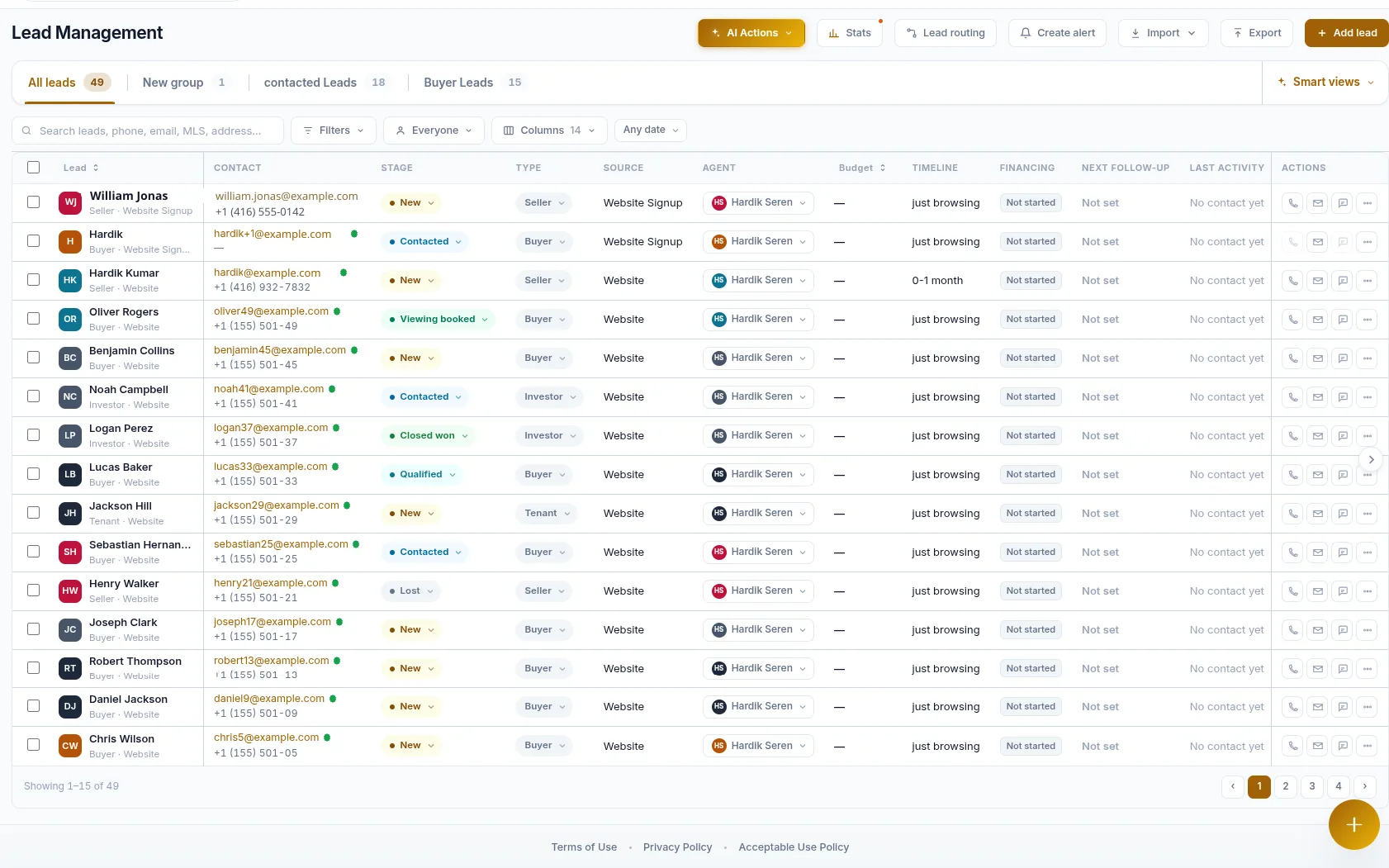
Every lead carries a stage, an owner and a next follow-up, filterable into the views your team works from.
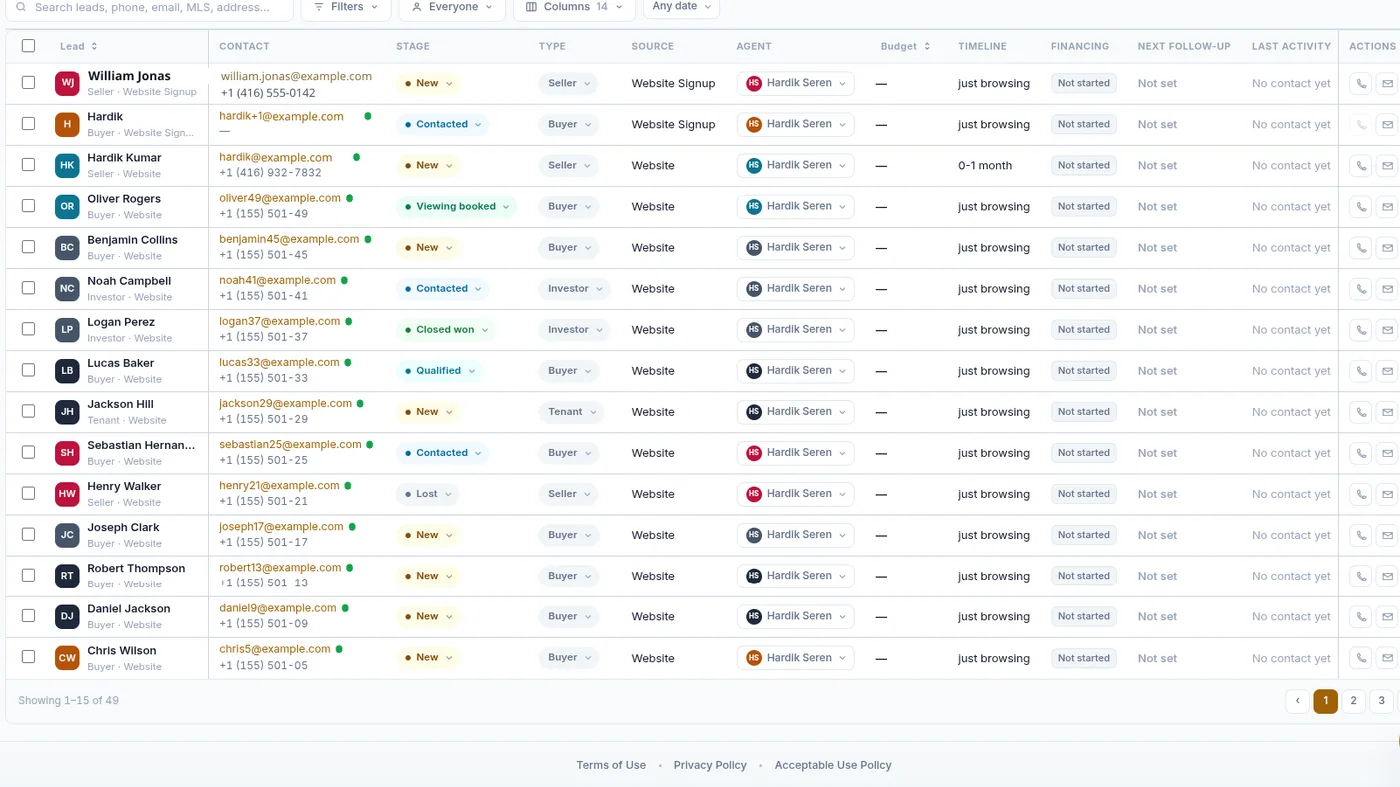
Lead Health & Priority
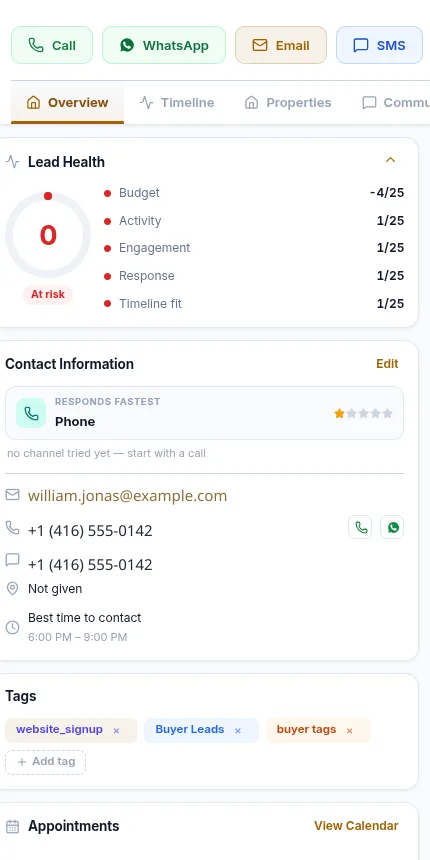
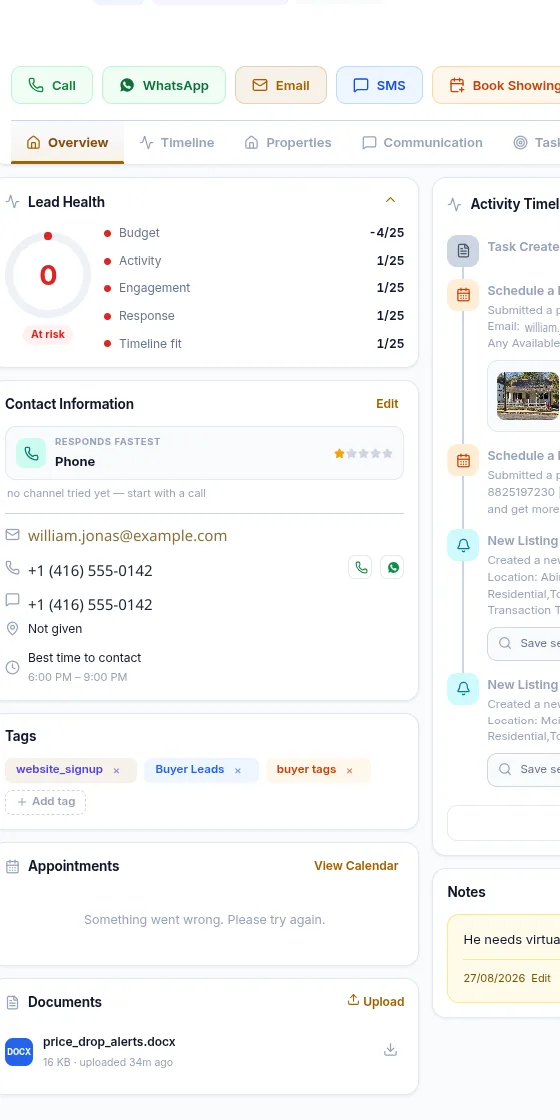
A health score built from budget, activity, engagement, response and timeline fit shows who needs attention.
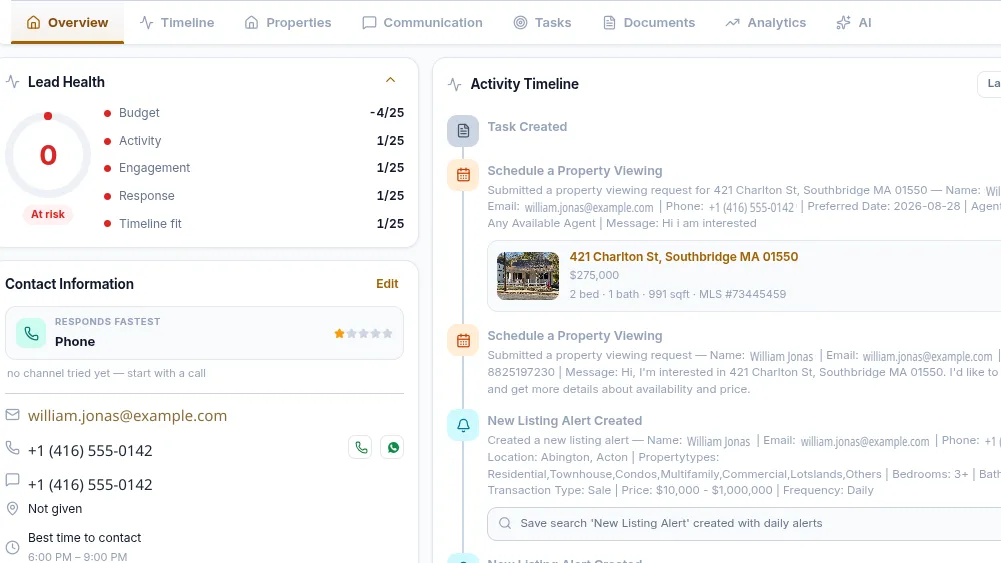
Team & Role Management
Build roles from individual permissions — leads, inquiries, dashboards, website settings — and assign them per person.
Lead & Team Insights
Review lead volume, sources and pipeline movement from the reporting built into the CRM.
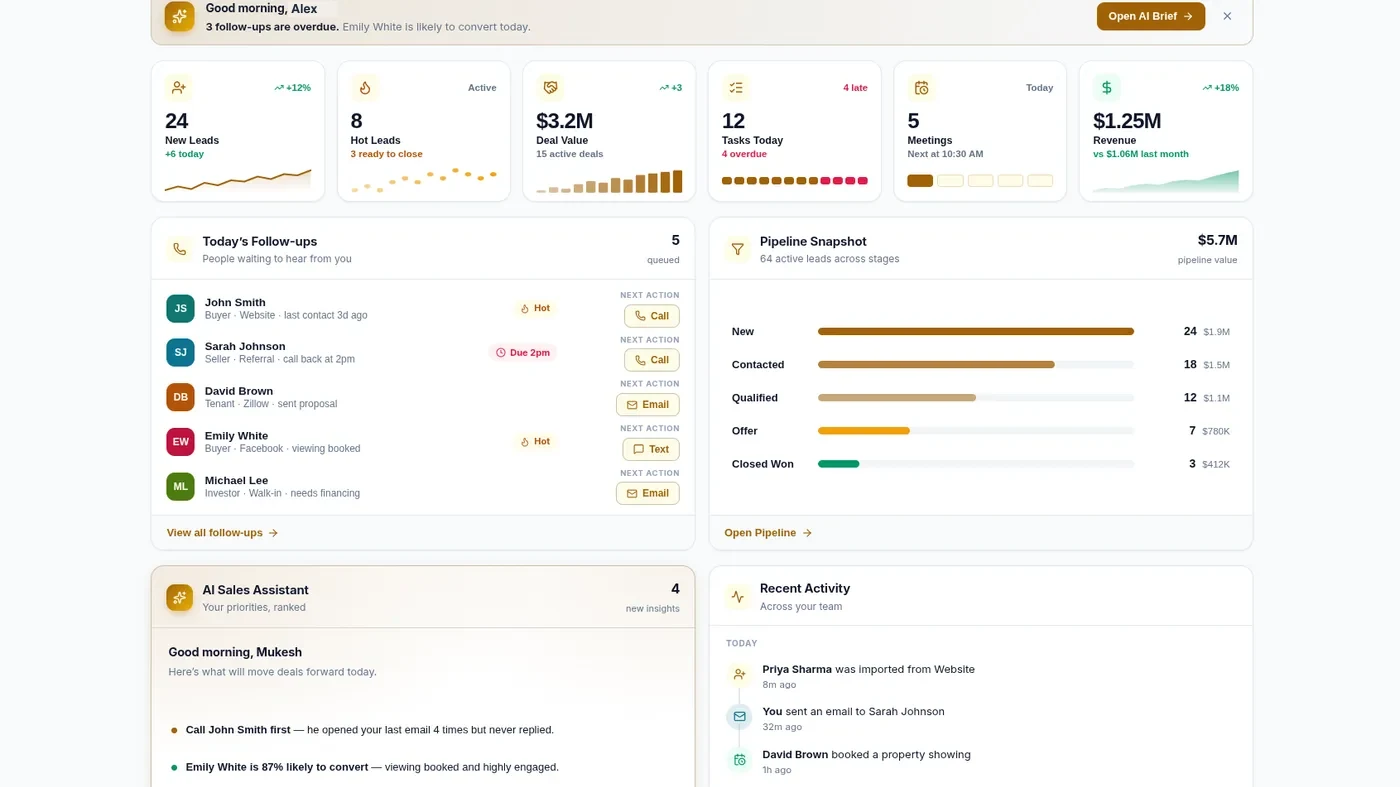
The RealFoyer Lead Flow
1. Capture Lead
Leads arrive from website forms, property inquiries, saved searches and the assistant.
2. Understand Activity
The record carries the source, the listing and what the lead did on your site.
3. Route & Assign
Send it to your connected CRM or to an owner, using the rules you set once.
4. Follow Up
Tasks, reminders, calls and emails stay attached to the lead.
5. Track & Convert
Move the lead through stages and watch it in reporting.
What lead health is made of
Lead health is scored out of 100 from five factors. Each contributes to the total, so the score is explainable — you can see which part is carrying it.
| Factor | What it measures |
|---|---|
| Budget | The price band the lead is working in. |
| Activity | How recently they have been active. |
| Engagement | How far they have moved through your pipeline. |
| Response | Whether follow-up is on time or overdue. |
| Timeline fit | How soon they intend to transact. |
No AI produces this score. It is the five factors above applied to what the lead did, and it orders your attention rather than deciding anything on its own.
What it does not do
The line between recording a conversation and having one runs through the middle of this product. It is worth being precise about which side each feature sits on.
- The CRM records calls, SMS and WhatsApp as communication history. It does not send them. “Log a call” is accurate; “call from the CRM” is not.
- There is no SMS provider connected. SMS exists as a type you can log against a lead, not as a channel you can send through.
- There is no click-to-call. Call outcome, duration and notes are recorded after the conversation, by hand.
- Lead health scores a lead on budget, activity, engagement, response and timeline fit. Those are rules applied to what the lead did — no AI decides the score.
- Leads carry stages, notes, activities and an assigned agent. There are no free-form tags and no custom fields.
Who It Is For
Agents
Every lead carries a stage, an owner and a next follow-up, so what needs doing sits on the record itself.
Teams
Routing rules you set once decide where a new lead goes, so ownership is not left to whoever notices it first.
Brokerages
Roles built from individual permissions, and reporting on lead volume, sources and pipeline movement.
FAQ
Routing and Follow-up, Answered
How does a new lead reach the right agent?
By rules you set once. The lead goes to your connected CRM or to an owner, with your fields mapped onto theirs. Nothing rates your agents or picks one for you.
What is a lead health score?
A score out of 100 from five factors: budget, activity, engagement, response and timeline fit. You can see which factor is carrying it. This score is calculated from those five factors rather than generated by AI.
Can RealFoyer call or text a lead for me?
No. Calls, SMS and WhatsApp are logged as communication history after the conversation. There is no connected SMS provider and no click-to-call.
What stages does a lead move through?
New and contacted, through qualification, viewing and offer, to closed or lost. Every lead carries a stage, an owner and a next follow-up.
Can I control what each team member sees?
Yes. Roles are built from individual permissions — leads, inquiries, dashboards, website settings — and assigned per person.
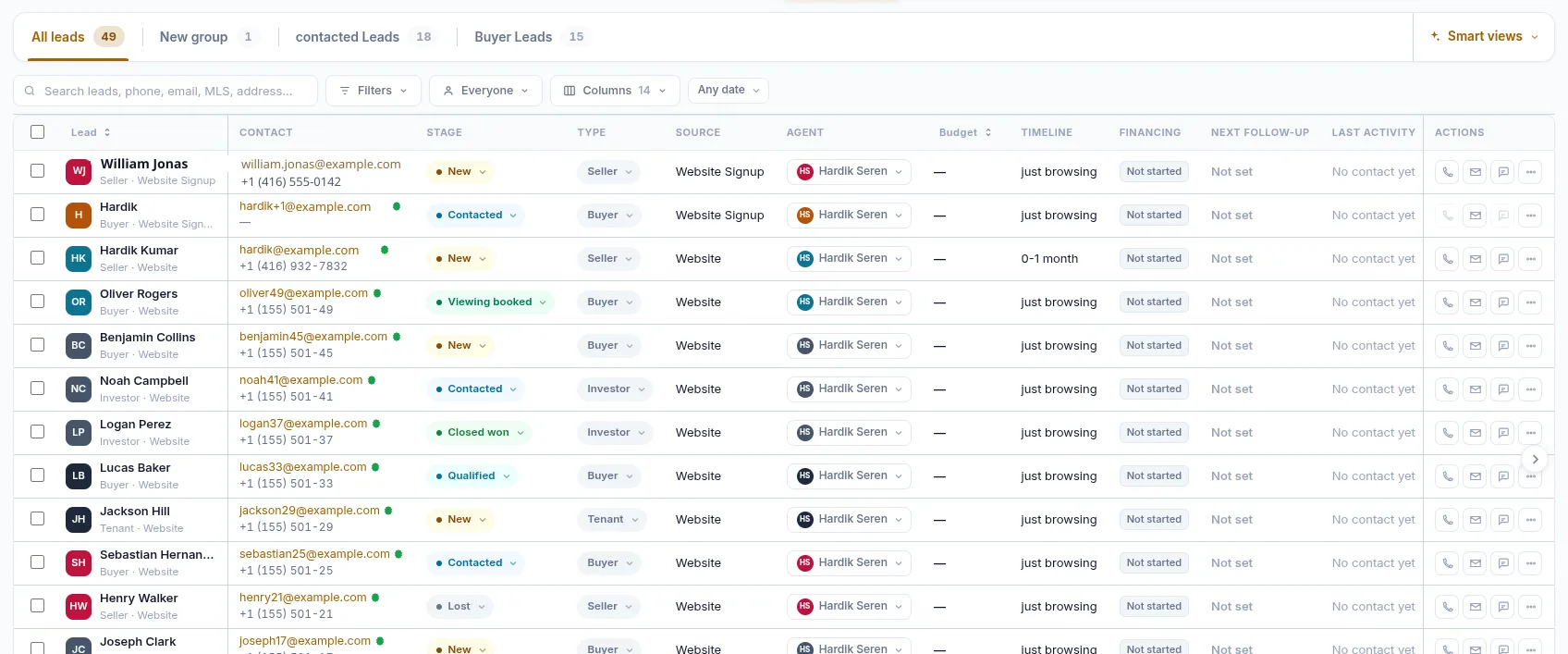
Never Miss a Lead Opportunity.
Route, Follow Up & Close More.
Keep lead ownership, follow-up activity and team workflows connected so agents know what needs attention next.
- 14-Day Free Trial
- No Credit Card Required
- Built for Real Estate
Keep exploring
Further reading
In the Help Centre