Market Listings.
Build Your Brand.
Grow Your Audience.
Create real estate social posts, plan them on a marketing calendar and publish to your connected Facebook, Instagram, LinkedIn and X accounts — from one RealFoyer workspace.
- AI Post Creation
- Multi-Platform Publishing
- Content Calendar
- Listing-Based Posts
- Media & Video
- Content Library
- Brand Kit

Designed for agents affiliated with leading brokerages








Everything You Need to Succeed on Social Media
RealFoyer turns listings, blog posts, flyers and uploads into posts for your connected Facebook, Instagram, LinkedIn and X accounts, with a caption per network and a calendar to publish from.
AI-Powered Post Creation
Start from a real estate post type — new listing, open house, just sold, market update or a custom post — and let AI draft the content.

Multi-Platform Publishing
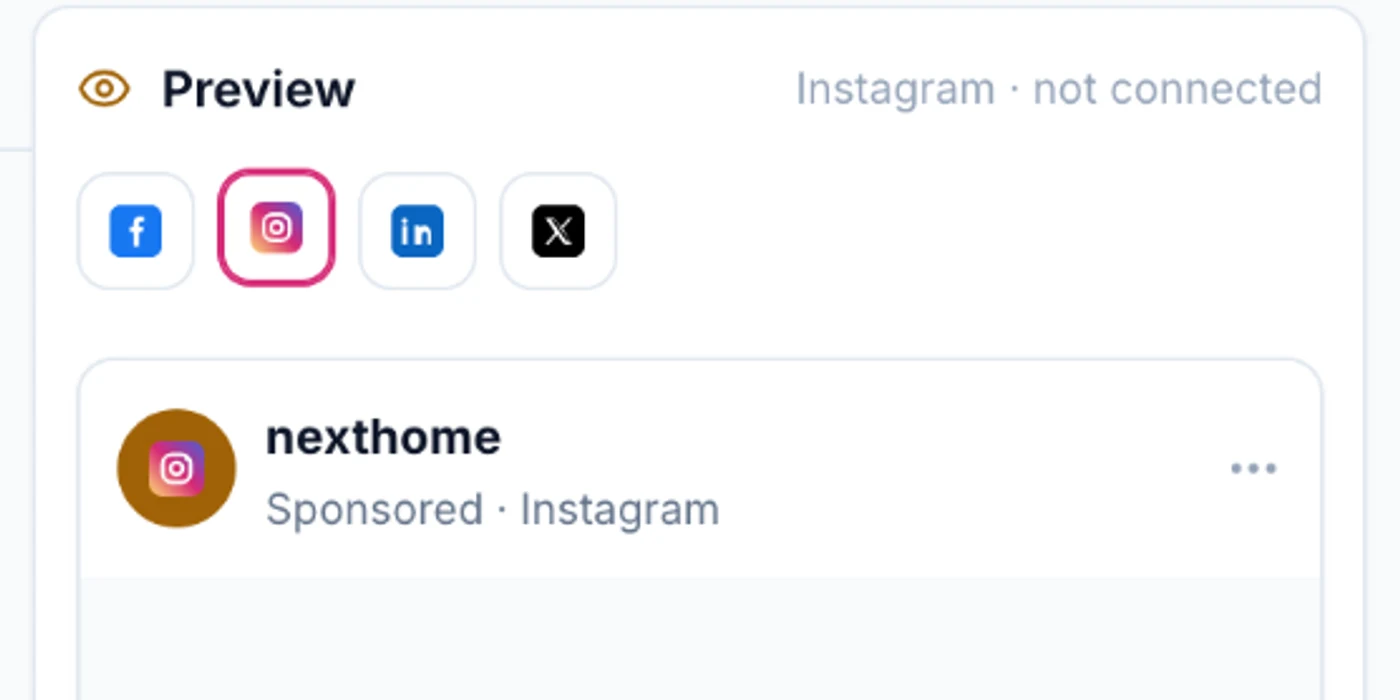
Compose once and publish to Facebook, Instagram, LinkedIn and X, with a live preview for each connected channel.
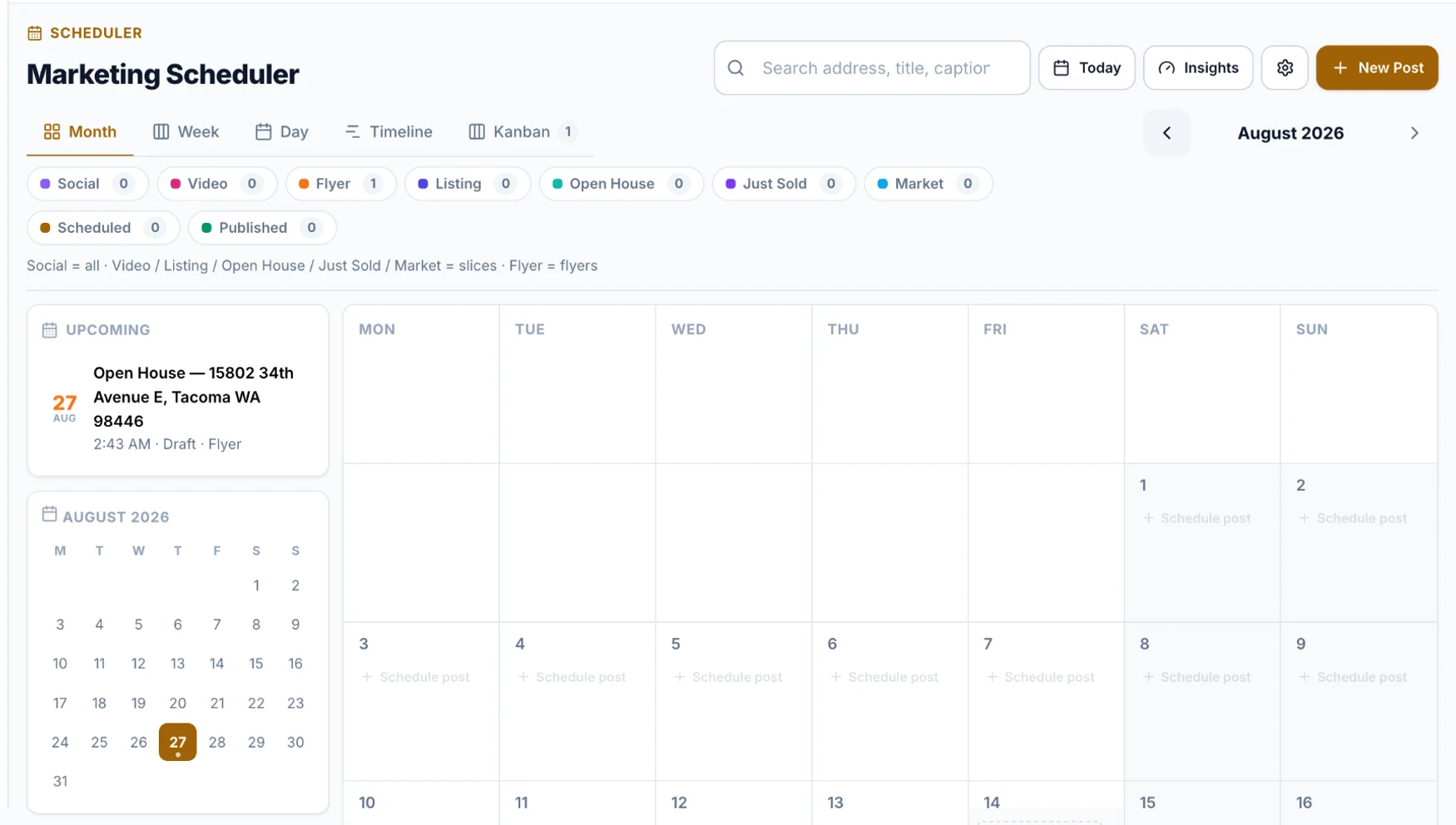
Content Calendar
Plan and organize upcoming marketing content on a visual scheduler, with month, week, day, timeline and board views.

Listing-Based Posts
Build posts around a property, so every draft, scheduled item and published post stays tied to the listing it markets.
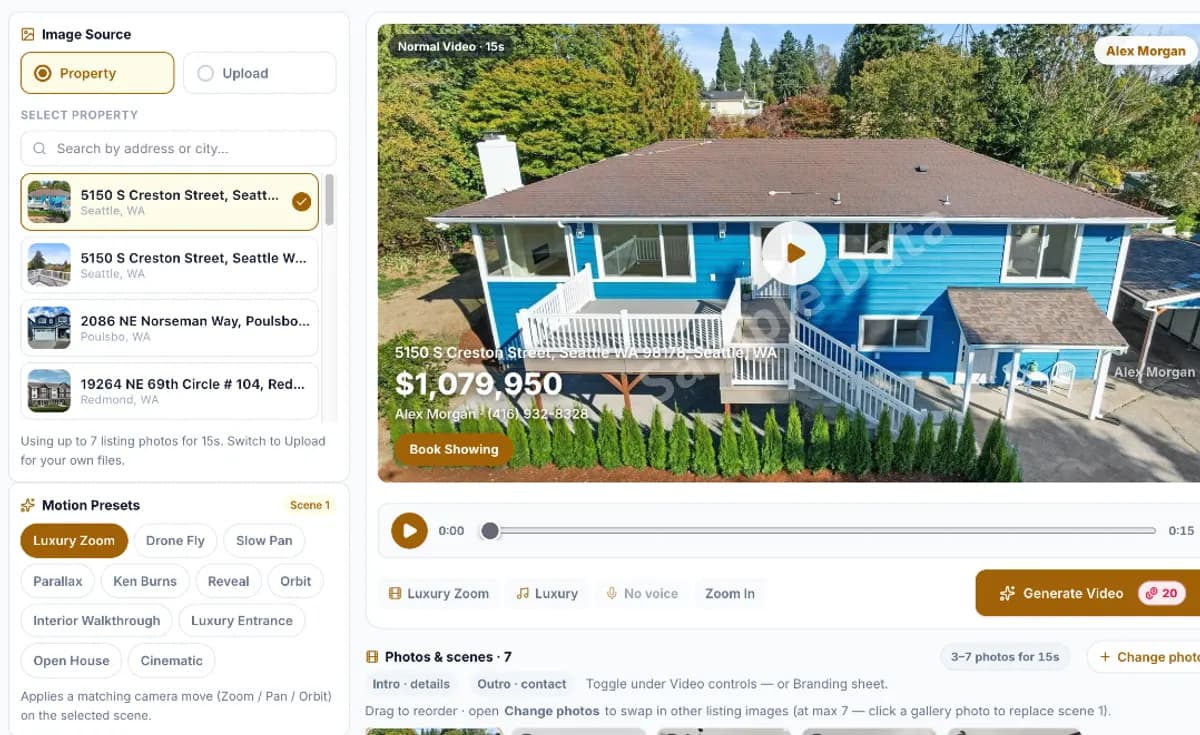
Media & Video Posts
Turn listing photos into a narrated property video with motion presets, music and captions — or upload your own media.
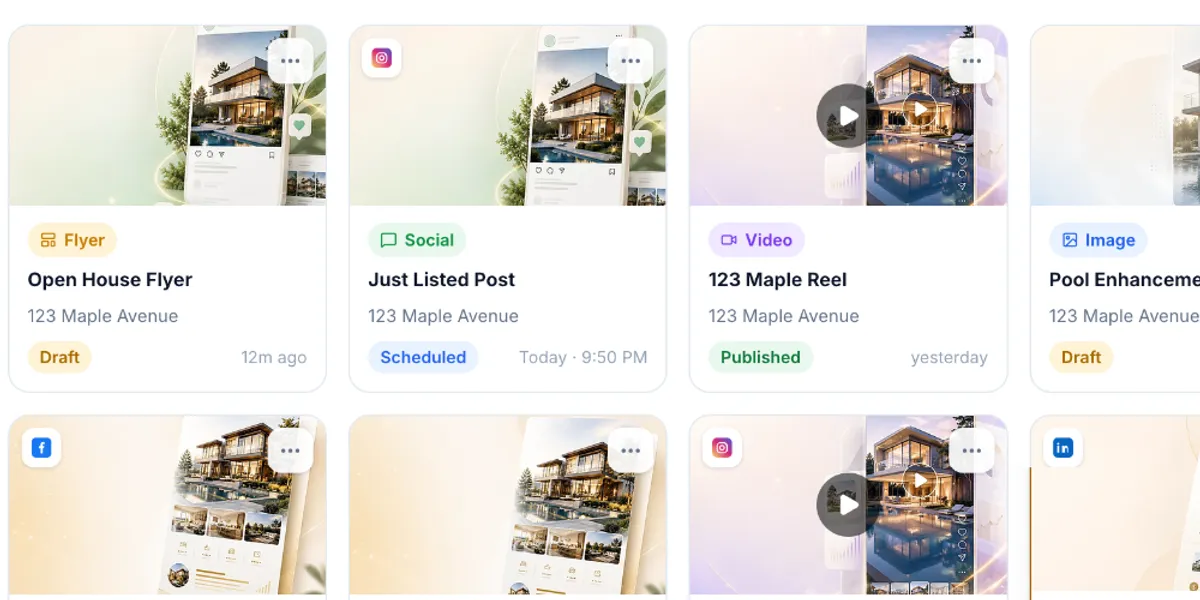
Content Library
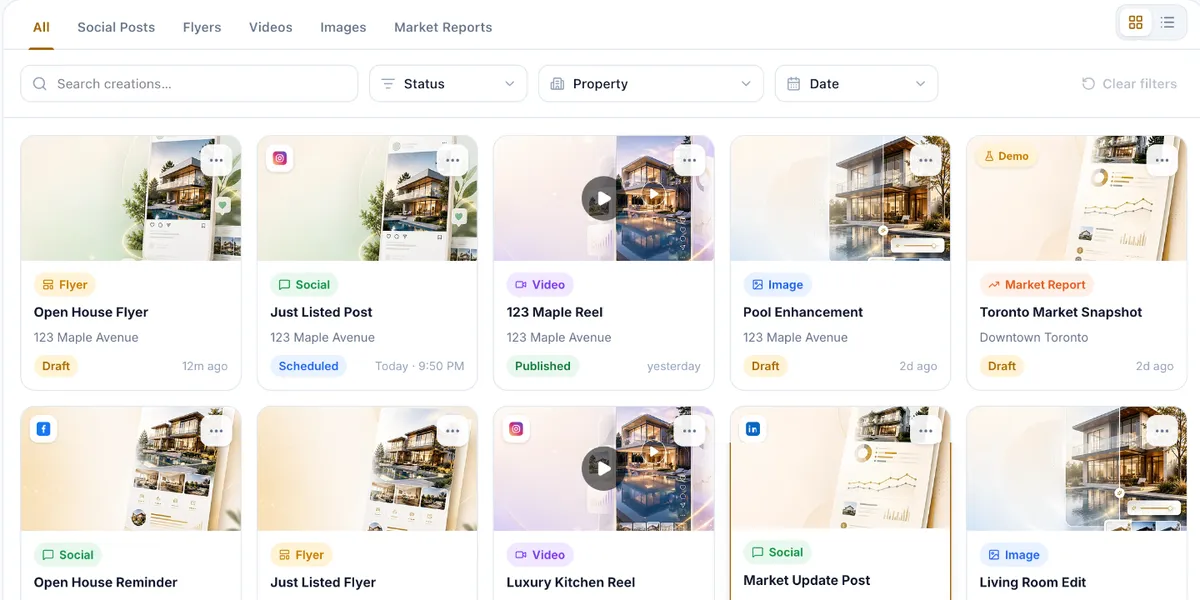
Every draft, scheduled and published item in one place, filtered by type, property, status or date.
What it does not do
Worth knowing before you plan around it. Each of these is a real boundary in the product, not a roadmap hedge.
- It publishes to four networks: Facebook, Instagram, LinkedIn and X. There is no TikTok, Threads, YouTube or Pinterest support.
- There is no approval step. A brokerage cannot require a manager to sign off before a post goes out — anything scheduled will publish.
- Caption generation carries fair-housing phrasing guardrails, but nothing certifies a post as compliant; generated captions still need a human read before publishing.
- Publishing runs through a queue. “Post now” goes out straight away and scheduled posts release at their set time, backed by a periodic fallback; no delivery time is promised.
- It publishes organically. There is no paid promotion, ad creation or ad reporting of any kind.
More social tools
- Brand Kit
- Connected Accounts
- Drafts & Scheduling
- Listing Content
- Video Studio
- Content Library
- Publishing History
How Social Media Marketing Works in RealFoyer
1. Create Content
Start from a real estate post type or your own idea and let AI draft the copy.
2. Customize & Review
Edit the copy, add listing photos or your own media, and check the preview for each channel.
3. Schedule or Publish
Publish straight away, or place the post on your marketing calendar for later.
4. Manage Your Content
Keep drafts, scheduled items and published posts organized in one library.
5. Review Activity
See what went out and when, then reuse what worked from your library.
Inside Social Publishing
Connected accounts
Facebook Pages, Instagram Business, LinkedIn profiles or company pages, and X. Access tokens refresh automatically; if a network revokes access, the channel asks you to reconnect.
Delivery, retries and engagement
Each network is delivered as its own job with a visible status; temporary rejections and rate limits are retried with backoff. Likes, comments, shares, reach and impressions sync back on a schedule, blank where a network reports nothing.
Who It Is For
Agents
Promote listings and posts without switching between social apps.
Teams
Coordinate scheduled content and post consistently.
Brokerages
A steadier presence across every connected account.
FAQ
Social Publishing, Answered
Which social networks can I connect?
Facebook Pages, Instagram Business, LinkedIn and X.
Can I schedule posts?
Yes. Publish now, or pick a date and time; it appears on the calendar.
Can RealFoyer prepare different captions for each network?
Yes. Each network can carry its own caption, yours or AI-drafted.
What happens if a network temporarily rejects a post?
It retries with backoff; if it still fails, the post is marked failed with the reason.
Does RealFoyer create videos or reels?
It builds a reel from listing photos, with optional narration and audio, and publishes video you upload; it does not generate video from a prompt.


Stand Out. Stay Consistent.
Grow Your Real Estate Brand.
Create, schedule and publish real estate content from one connected RealFoyer workspace.
- 14-Day Free Trial
- No Credit Card Required
- Built for Real Estate
Keep exploring
Products
Further reading
In the Help Centre