CRM & Lead
Management
Capture. Nurture. Convert.
Manage every lead, communication, task and opportunity from one connected CRM built for real estate agents, teams and brokerages.
- Lead 360° View
- Smart Lead Routing
- Lead Activity Timeline
- Tasks & Reminders
- Email Campaigns
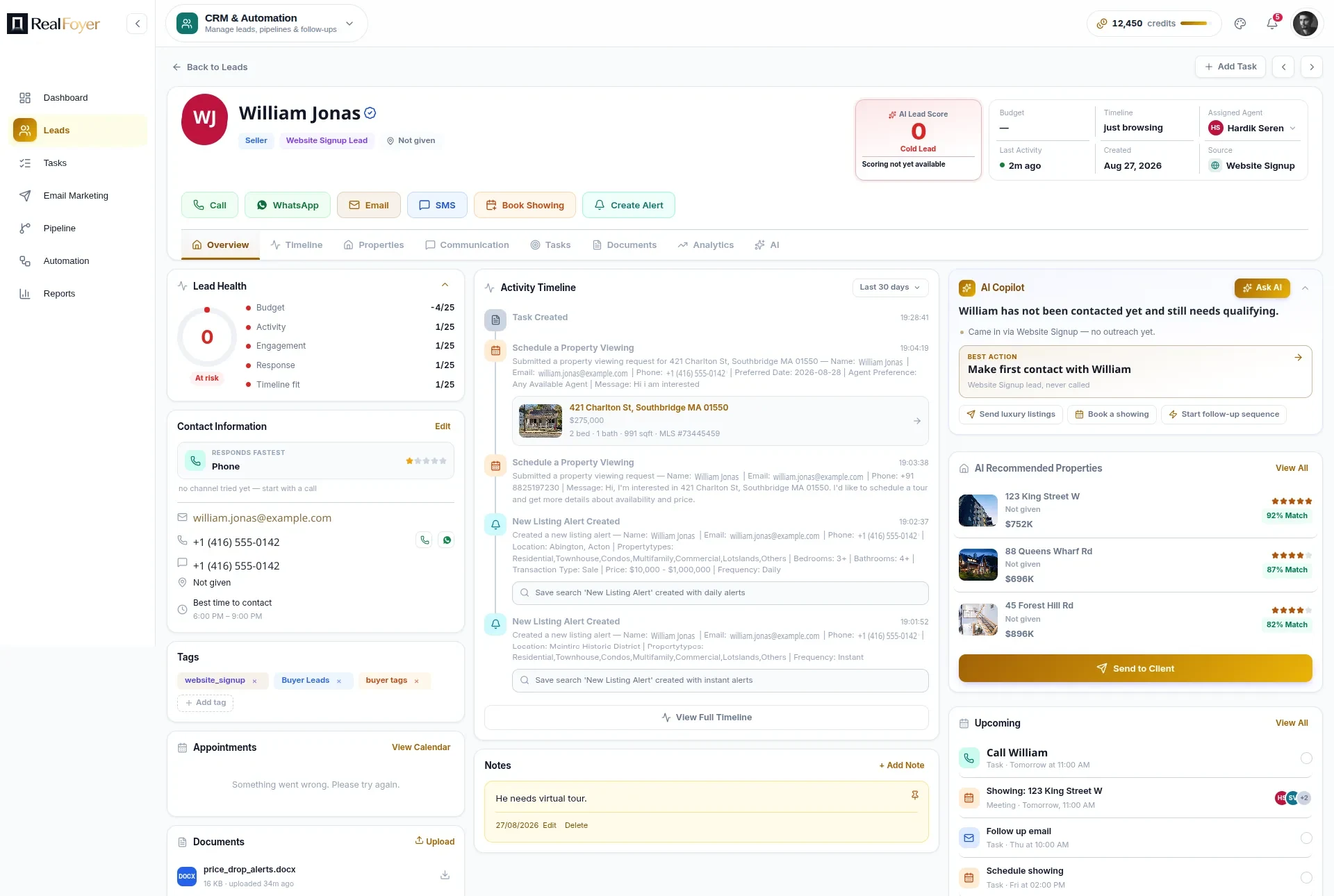
One connected record for every lead, from first visit to closing
- Built for Agents & TeamsAgents, teams and brokerages
- Centralized Lead ManagementStages, sources and ownership
- Multi-Channel CommunicationCalls, email, SMS and WhatsApp, logged
- Task & Calendar ManagementTasks, showings and reminders
- CRM + Website ConnectedSite activity on the record
Everything You Need to Convert More Leads
Powerful tools to manage your leads, build relationships and close more deals.
Lead 360° View
See complete lead information, activity, preferences and engagement in one place.
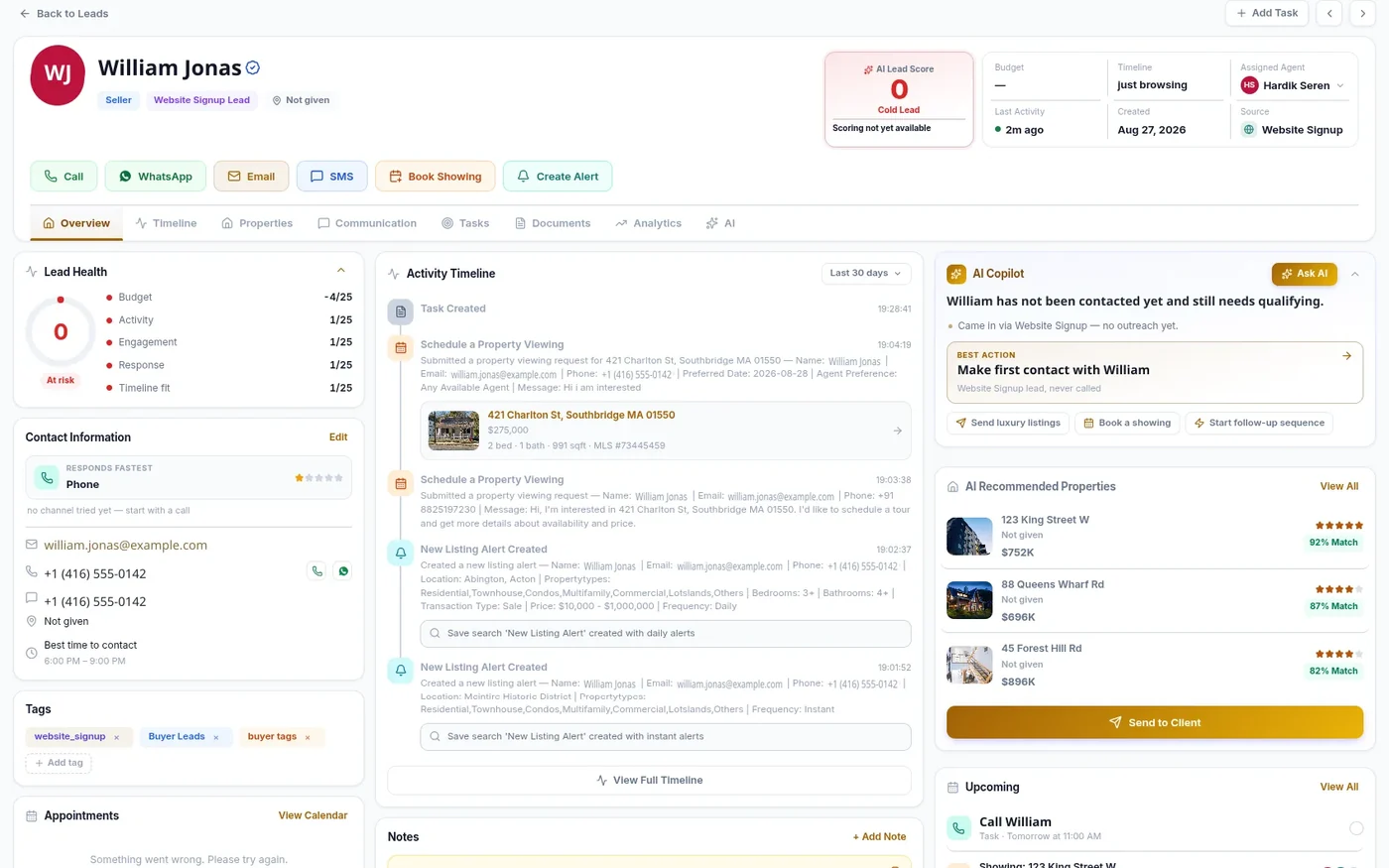
Lead Management & Stages
Track every lead through stages, sources, types and owners with filters and saved views.
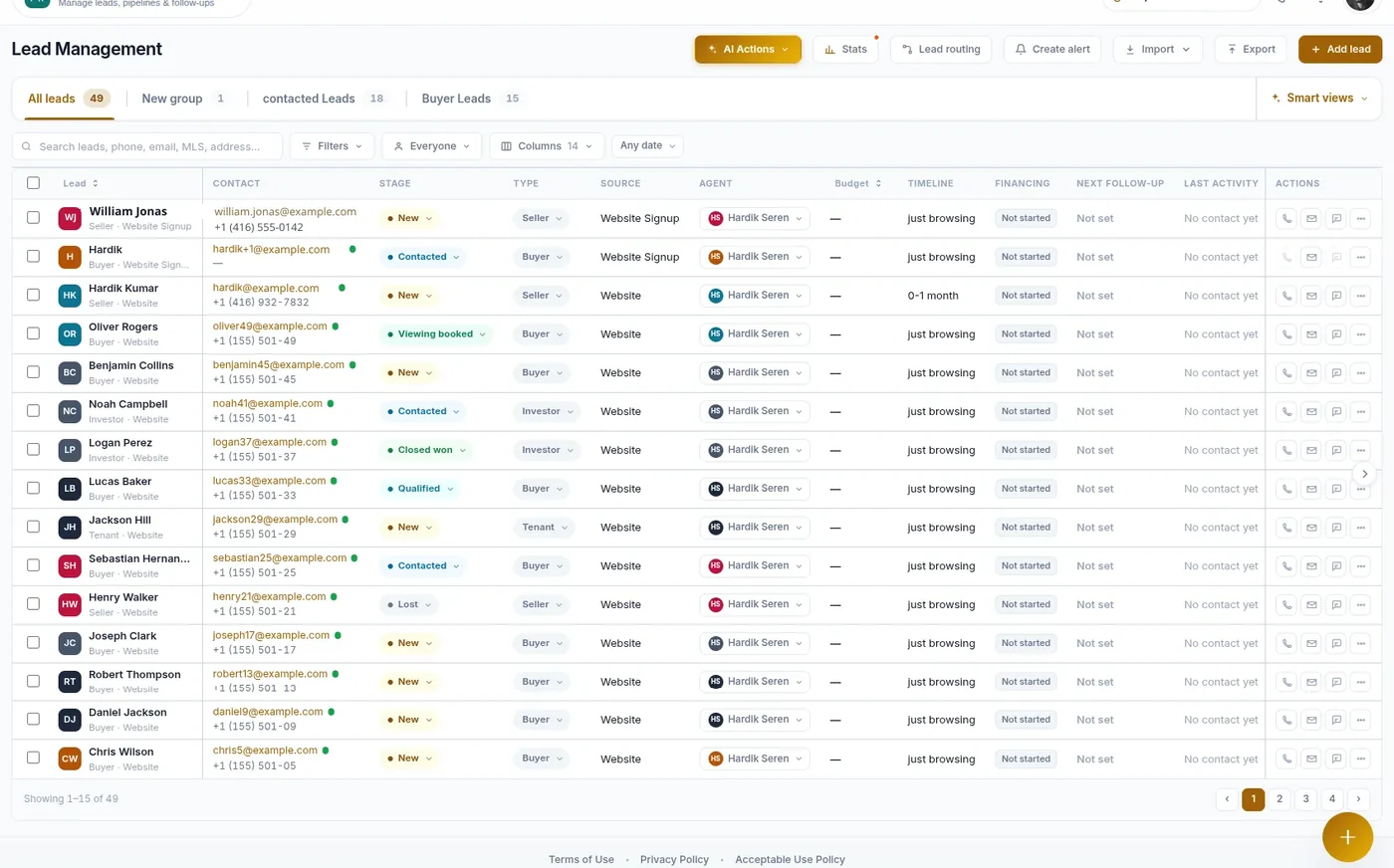
Activity Timeline
An automatic feed of every viewing request, saved search, alert and home evaluation.
Tasks & Reminders
Stay organized with tasks, due dates, priorities and reminders that never slip.
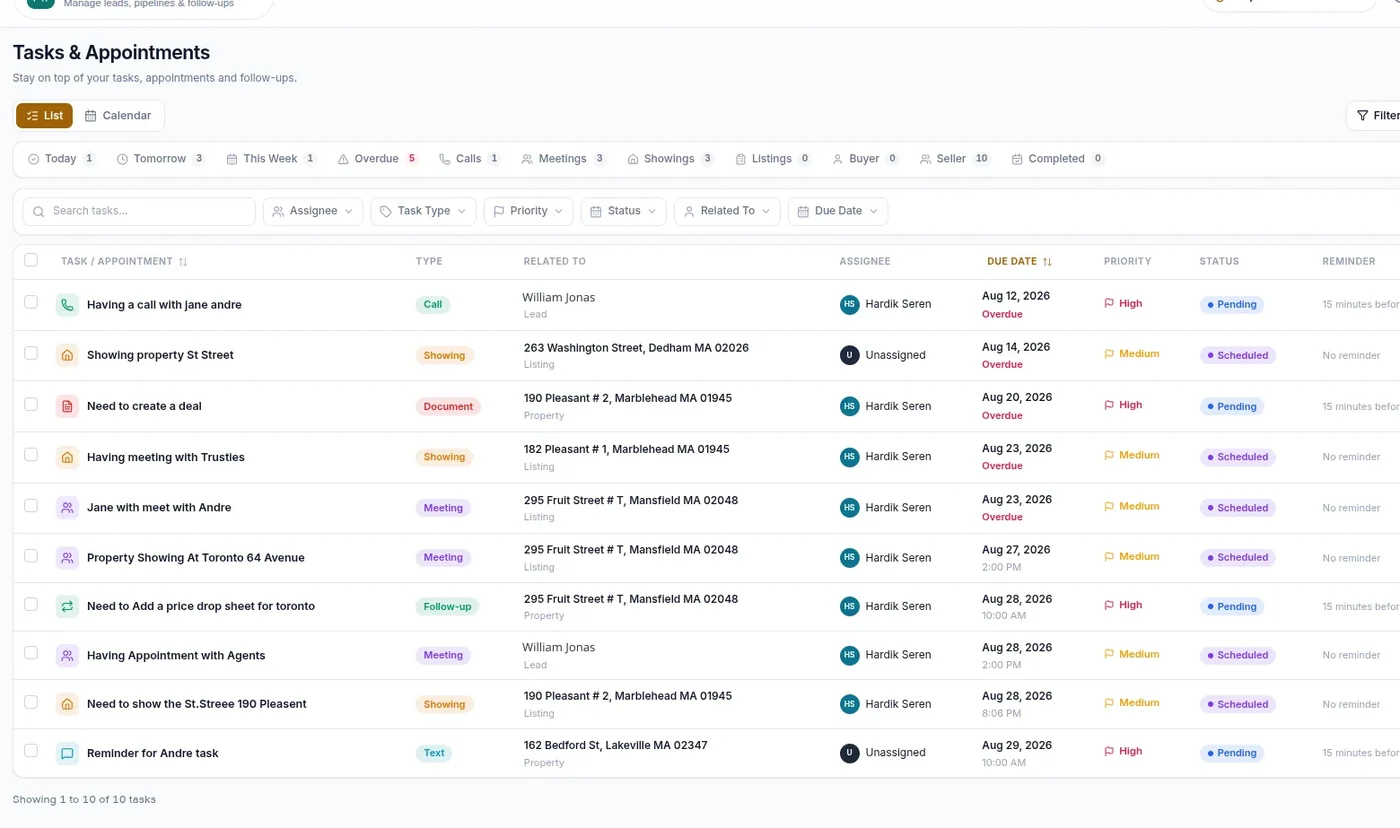
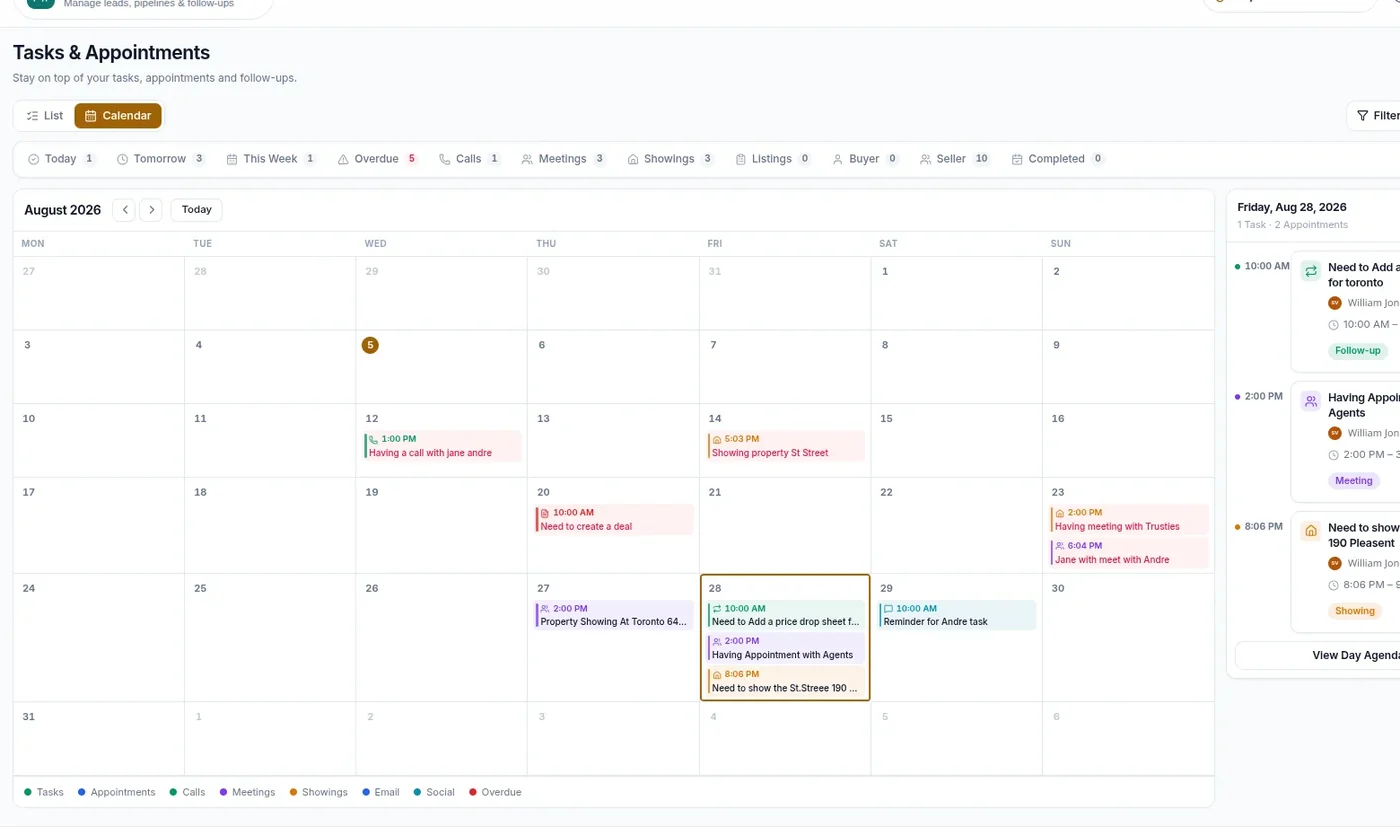
Appointments & Calendar
Schedule showings, meetings and calls on a shared calendar with a day agenda.
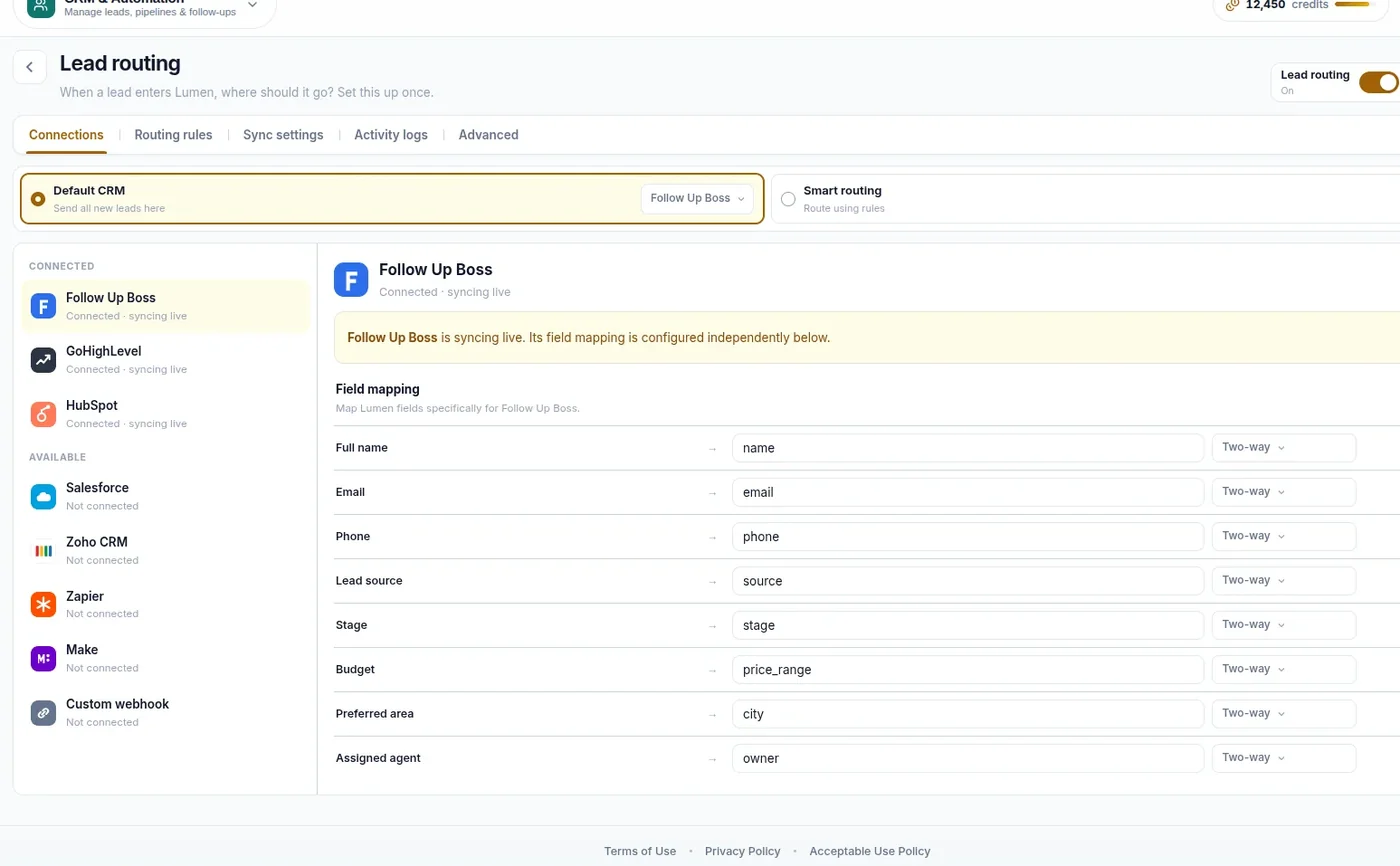
Lead Routing
Send new leads straight to the right agent or the CRM your team already runs on.
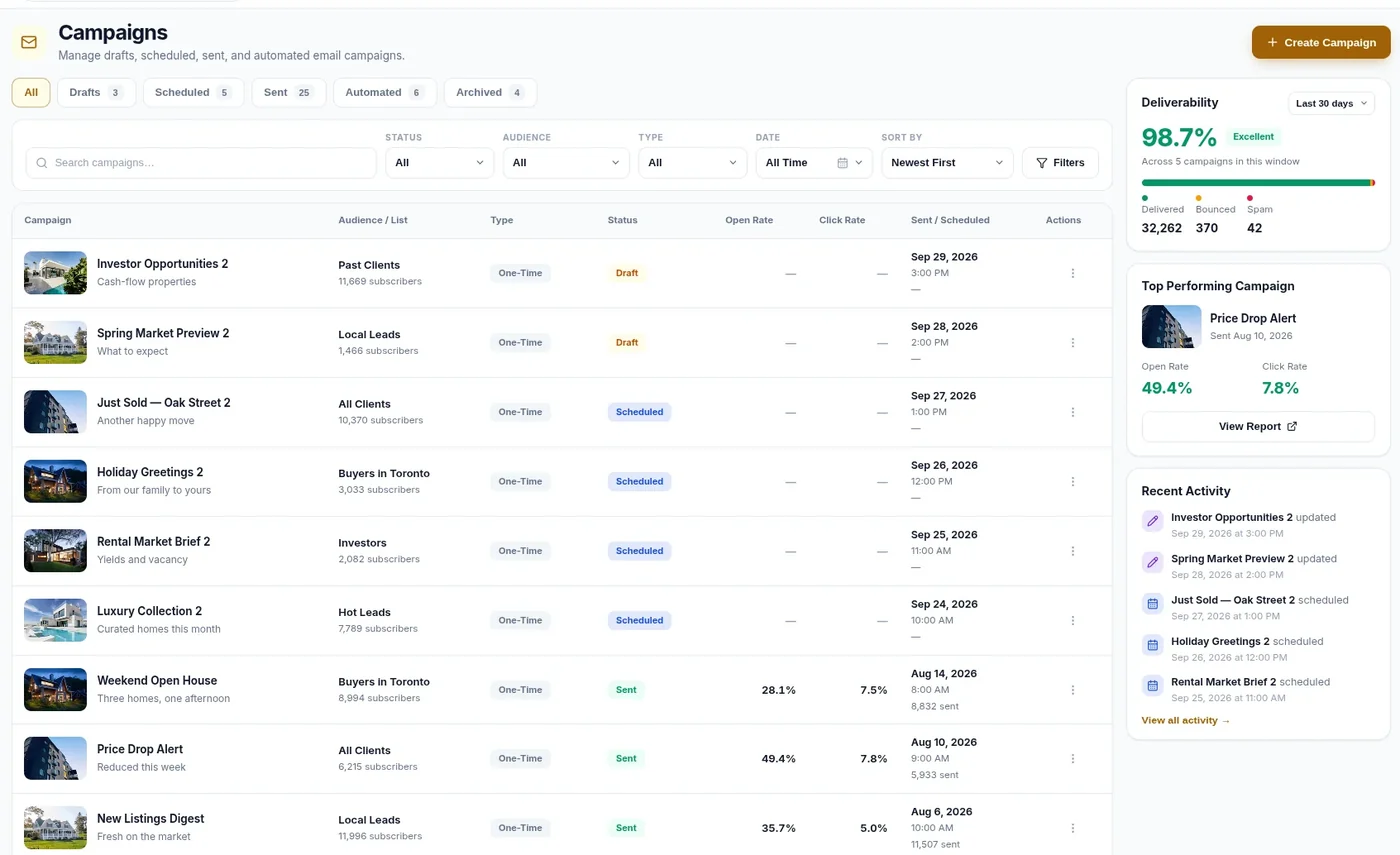
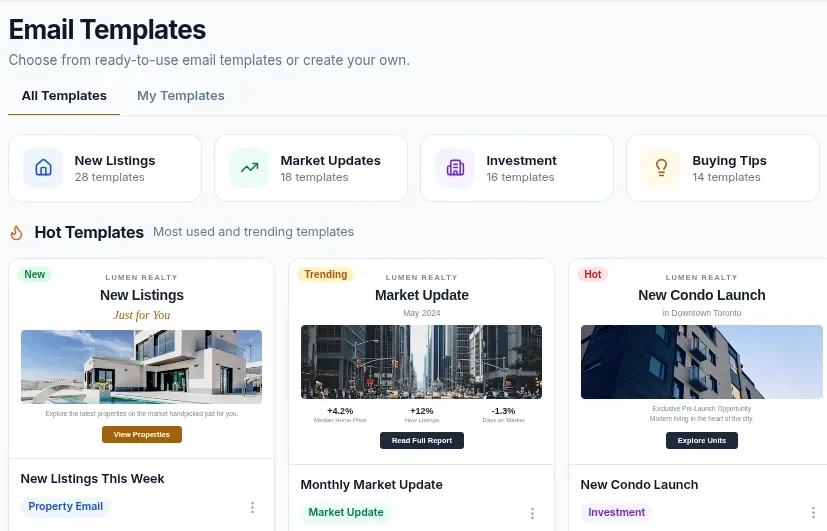
Email Campaigns
Build, schedule and send campaigns to lists, then track opens, clicks and deliverability.
Templates & Communications
Start from a library of ready-made real estate email templates, or build your own.
Listing Campaigns
Build an email around a real listing — photos, price and details pull in automatically.
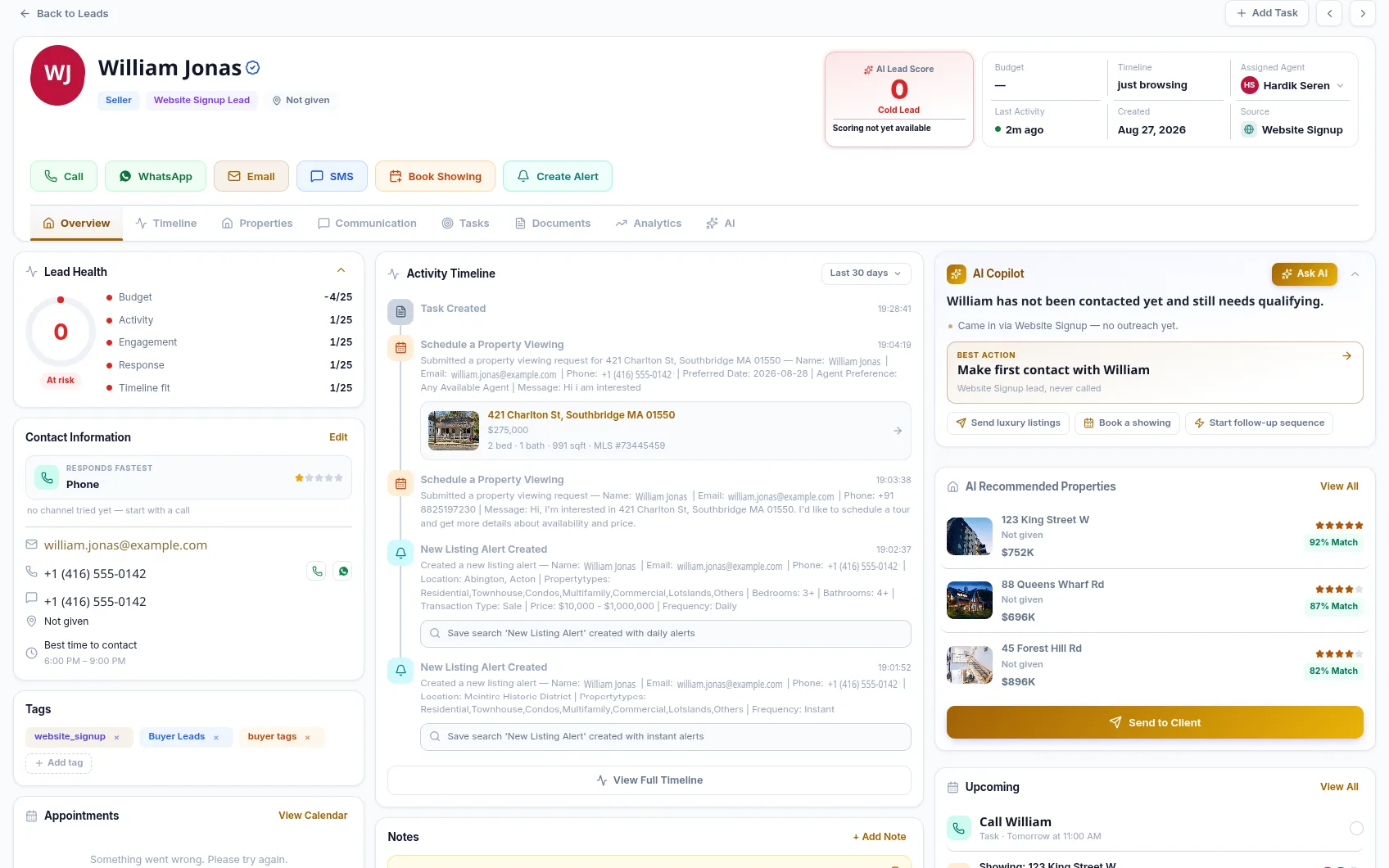
LEAD 360°
See the Full Context Around Every Lead
Everything you know about a lead sits on one record — how they were captured, what they have done on your website, what they told you, and what happens next.
- Lead health scoring across budget, activity, engagement, response and timeline fit
- Contact details with the channel that gets a reply fastest
- Tags, notes, documents and appointments on the record
- Overview, timeline, properties, communication, tasks, documents and analytics tabs
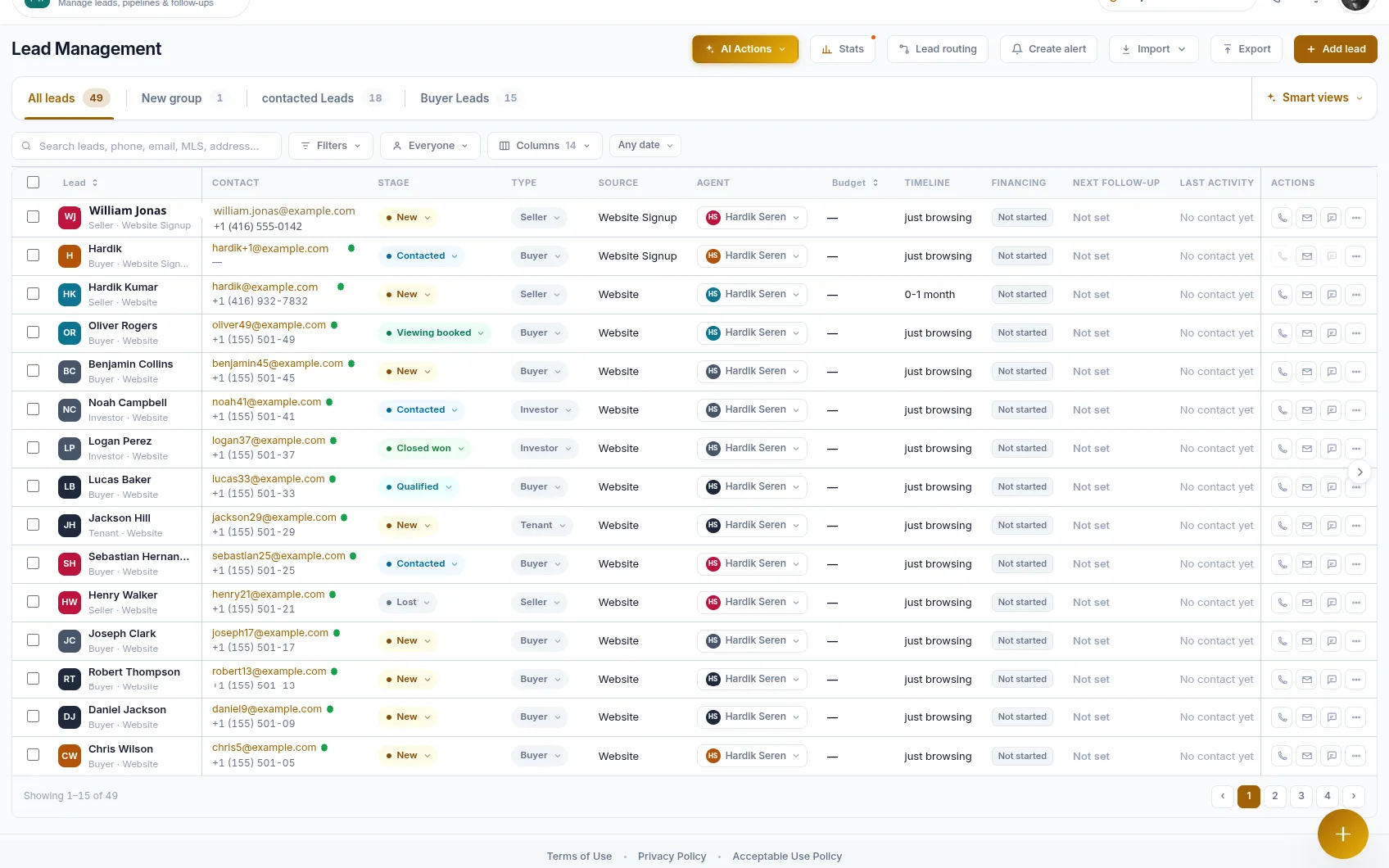
LEAD MANAGEMENT
Every Lead, Stage and Owner in One List
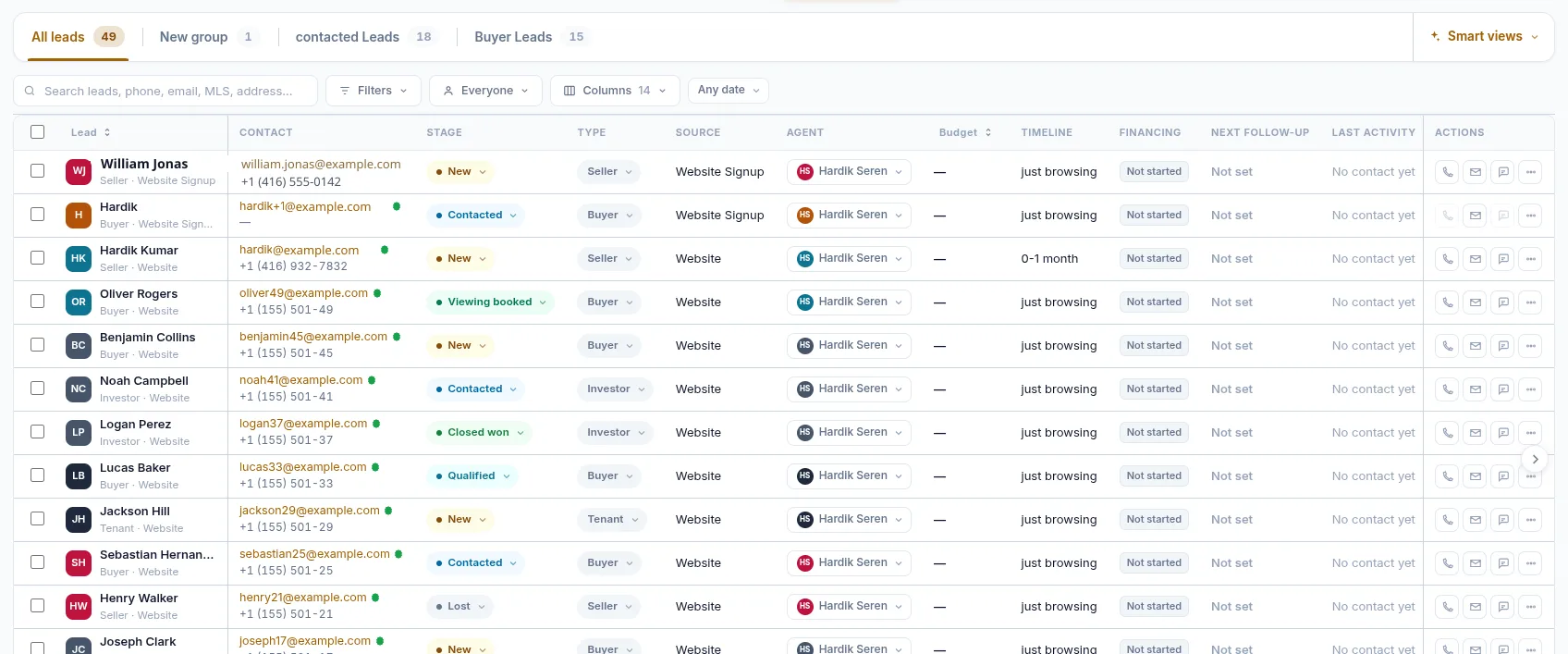
Work the whole book from a single table. Filter it, sort it, save the views you use every morning, and act without opening a record.
- Stages from new and contacted through qualified, viewing booked, closed won and lost
- Lead type, source, assigned agent, budget, timeline and financing as columns
- Search, filters, saved groups and smart views
- Call, email and message straight from the row
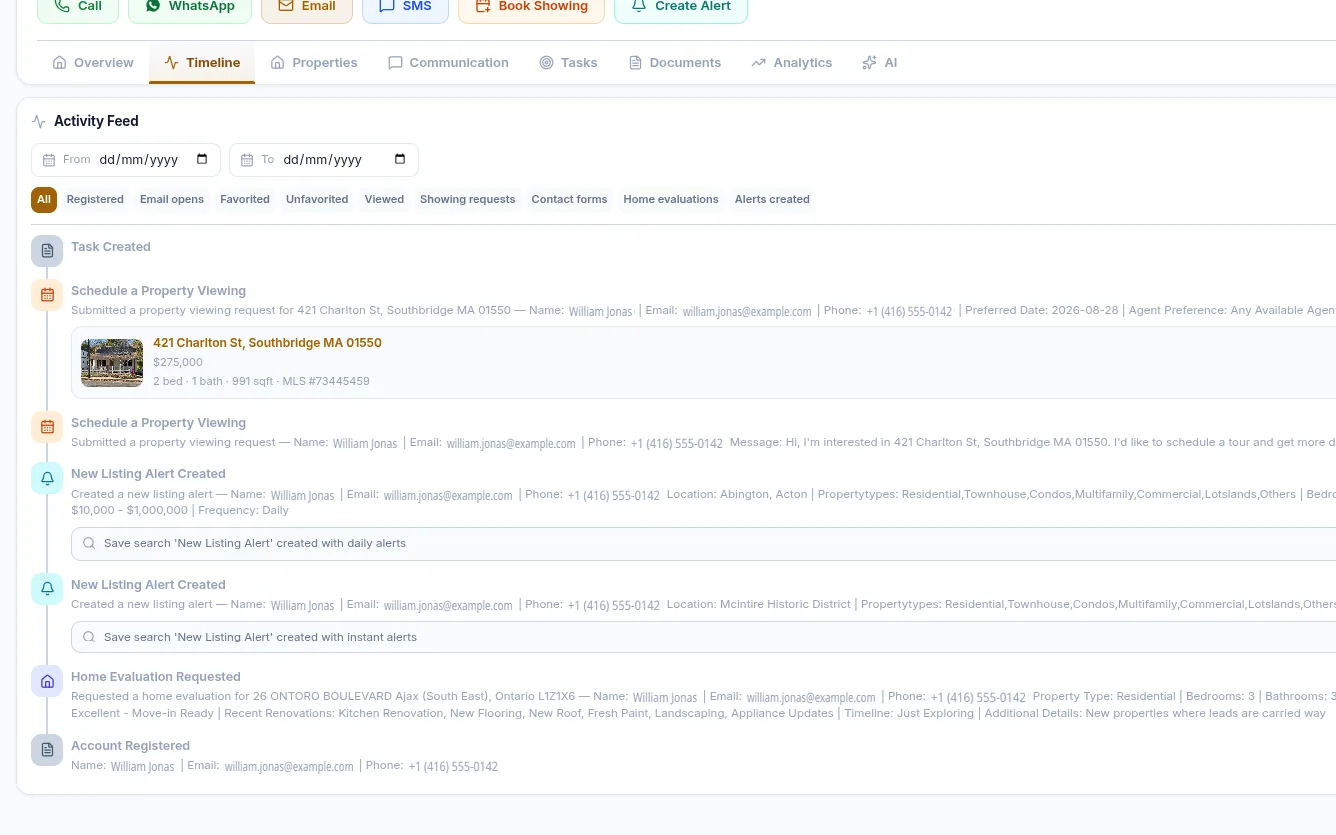
ACTIVITY TIMELINE
Every Interaction in One Timeline
Website activity lands on the lead record on its own. You see what a buyer did between your calls, not just what you typed after them.
- Property views, favourites and saved searches
- Viewing requests, contact forms and home evaluation requests
- Listing and price-drop alerts the lead created
- Filter the feed by event type or date range
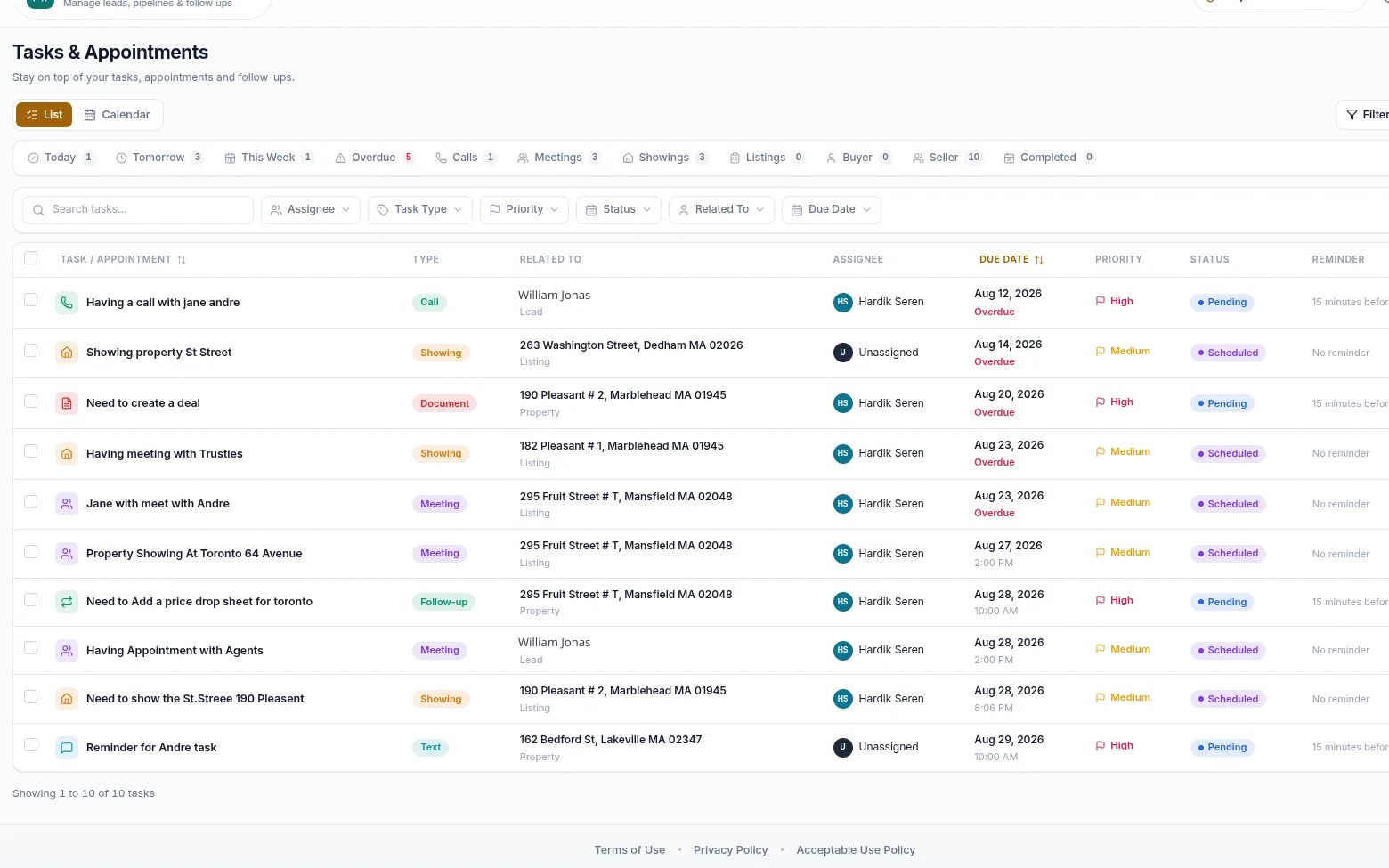
TASKS & APPOINTMENTS
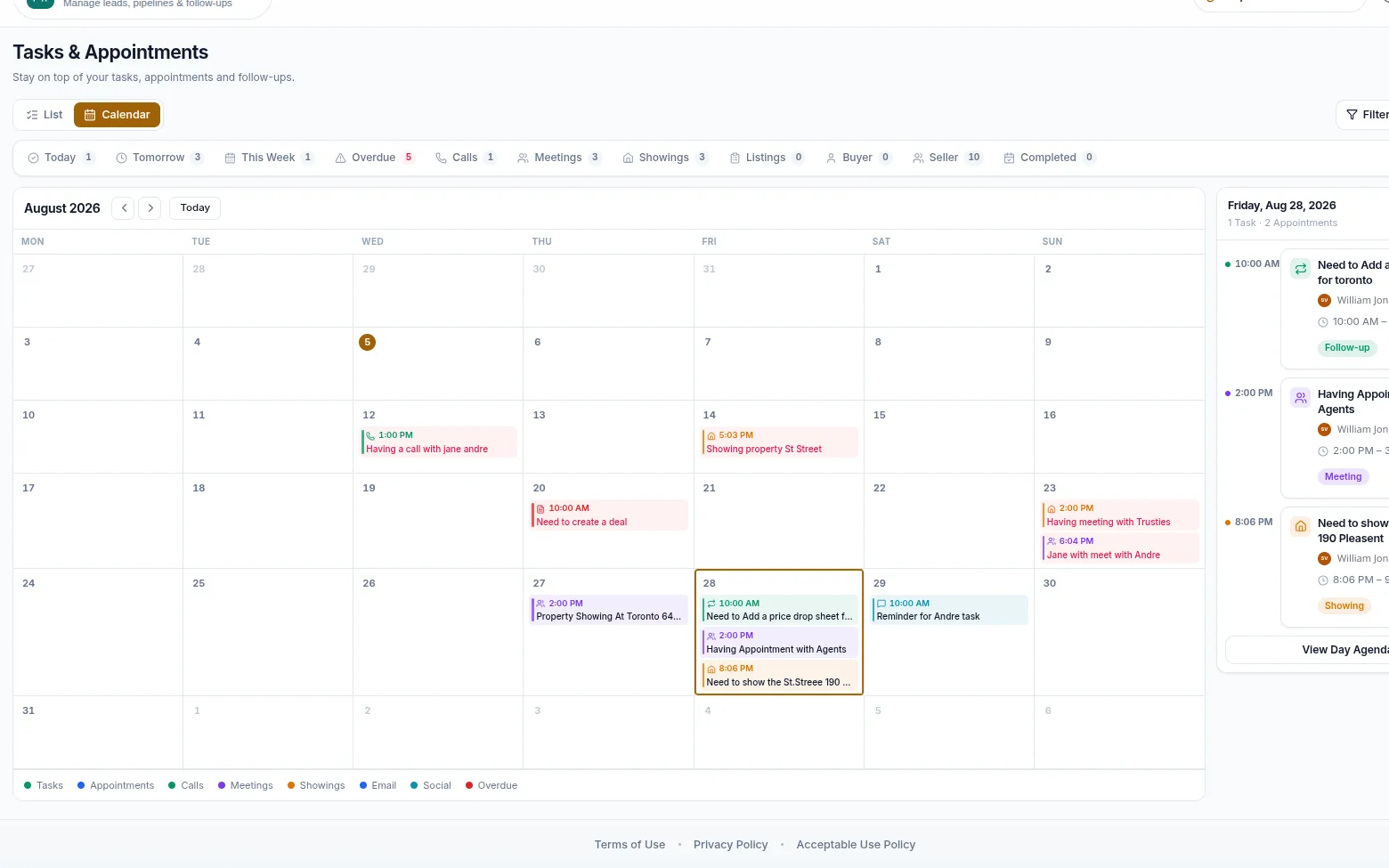
Stay on Top of Every Follow-Up
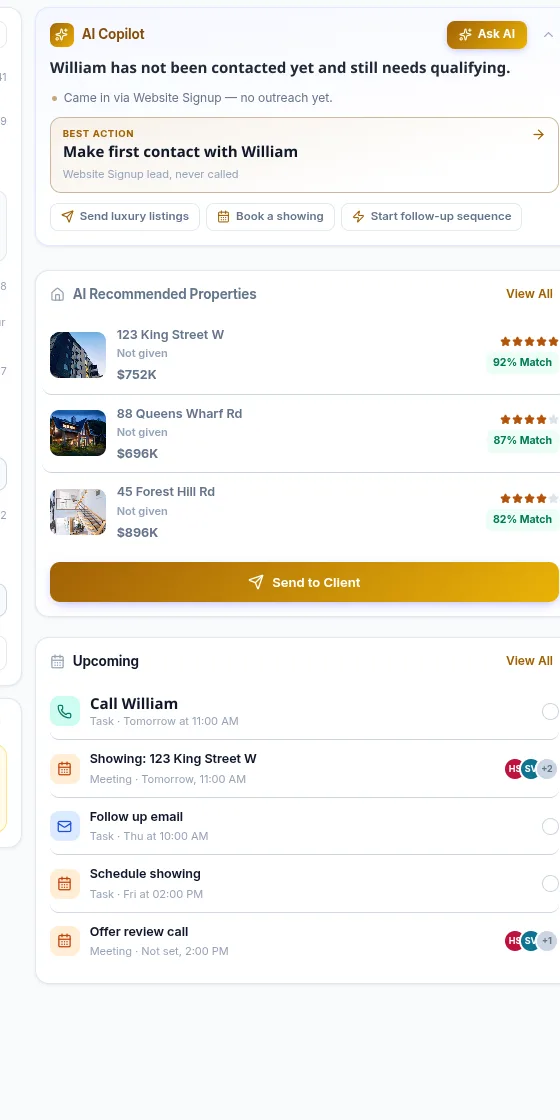
Tasks, showings, calls and meetings share one calendar, so the follow-up you promised on Tuesday is still visible on Friday.
- Calls, showings, meetings, follow-ups and documents as task types
- Due dates, priorities, assignees and reminders
- Today, tomorrow, this week and overdue filters
- List and calendar views with a day agenda
LEAD ROUTING
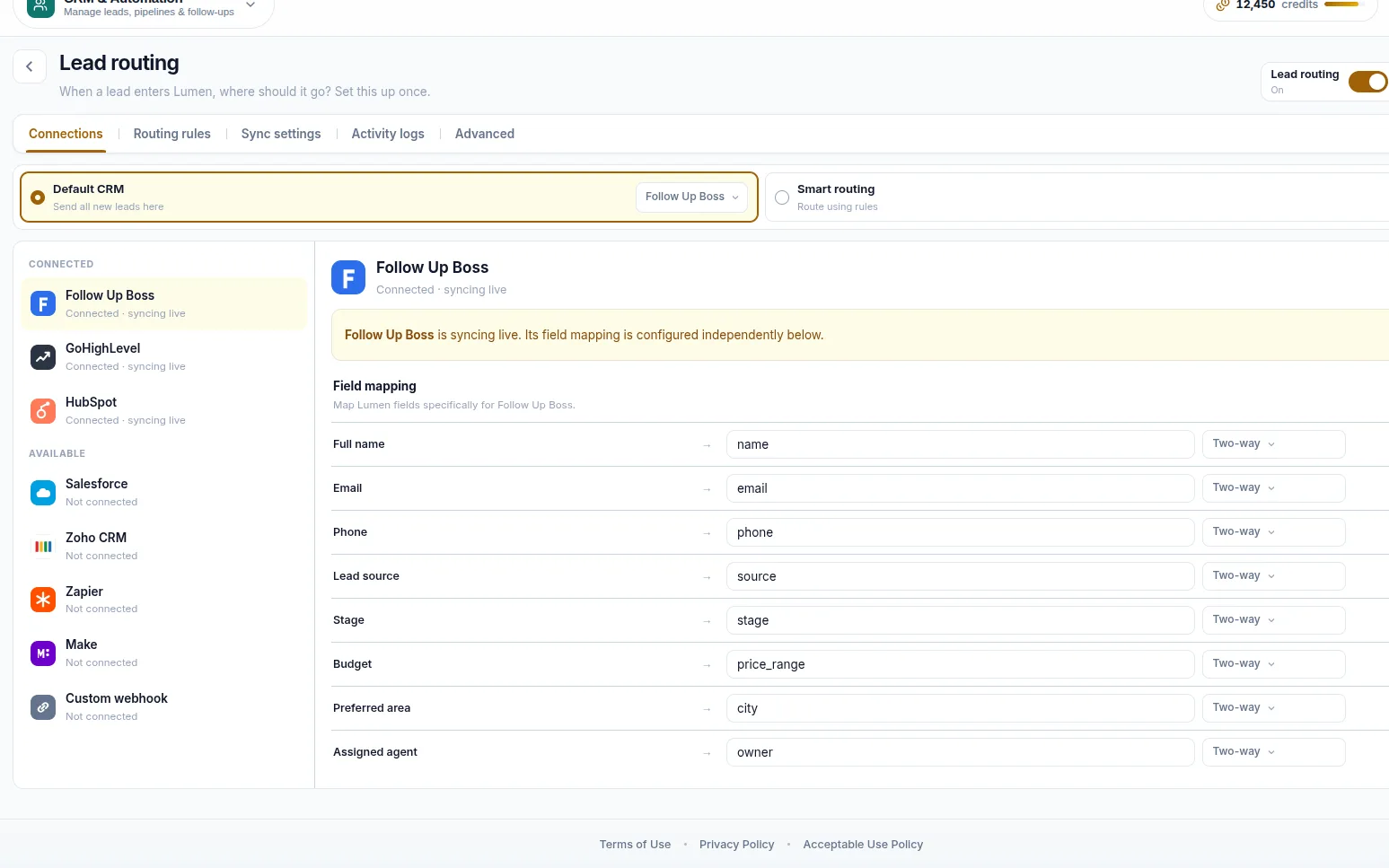
Route Every Lead to the Right Place
Set it up once. New leads go to the agent who should have them, and to the CRM your brokerage already runs on.
- Send all new leads to a connected CRM, or route with rules
- Map RealFoyer's lead fields onto your own field names in Zoho
- Live sync status, activity logs and a bulk sync of existing leads
- Connect Zoho CRM, GoHighLevel or Zapier
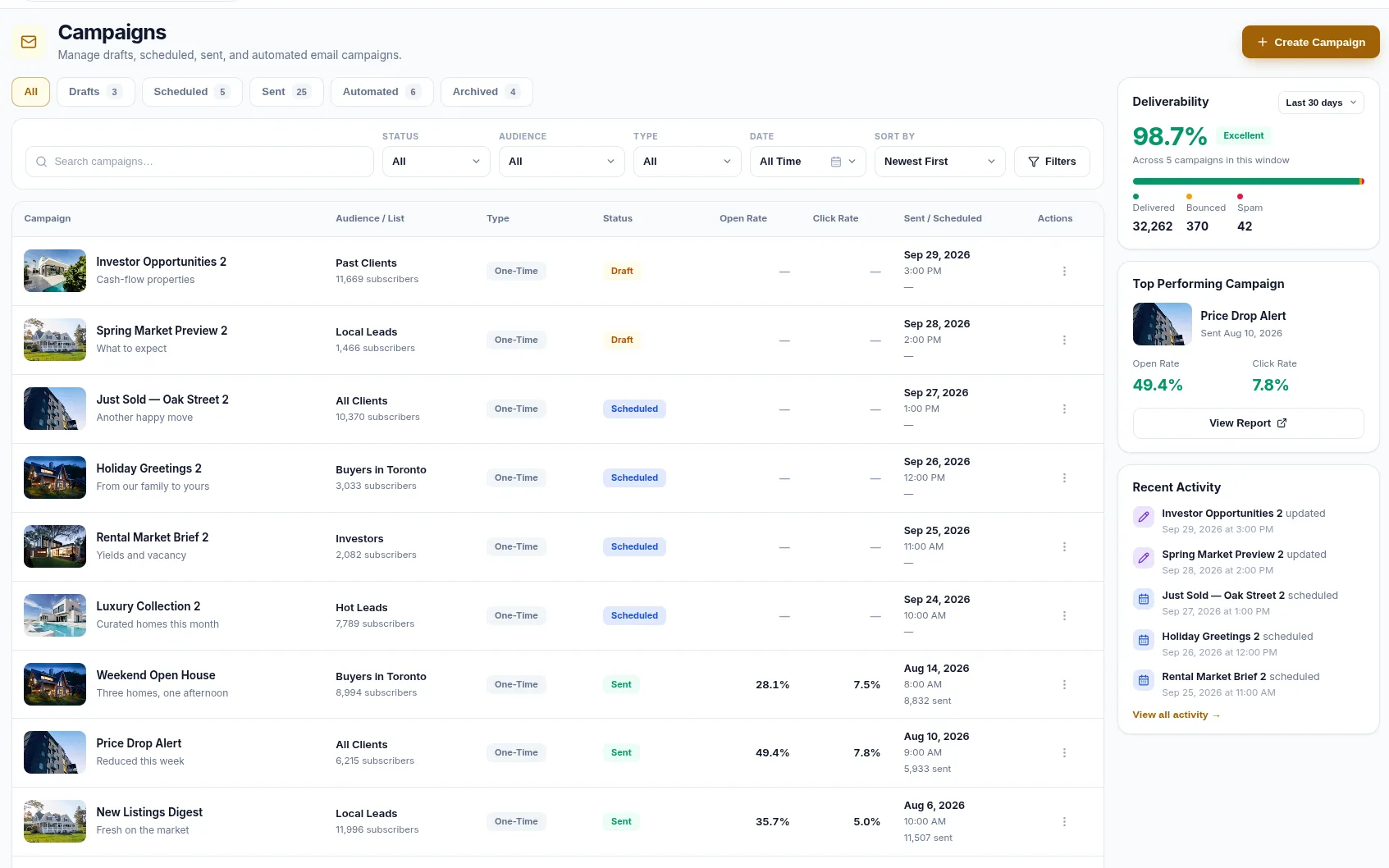
EMAIL CAMPAIGNS
Email Campaigns Built Into Your Workflow
Campaigns run against the lists already in your CRM. Draft, schedule, send, and see what happened — without exporting a spreadsheet.
- Drafts, scheduled, sent, automated and archived campaigns
- Audience lists such as hot leads, buyers, investors and past clients
- Open rate, click rate and deliverability reporting
- A guided editor with a live desktop and mobile preview
- Send a test, save as a template, or schedule the send
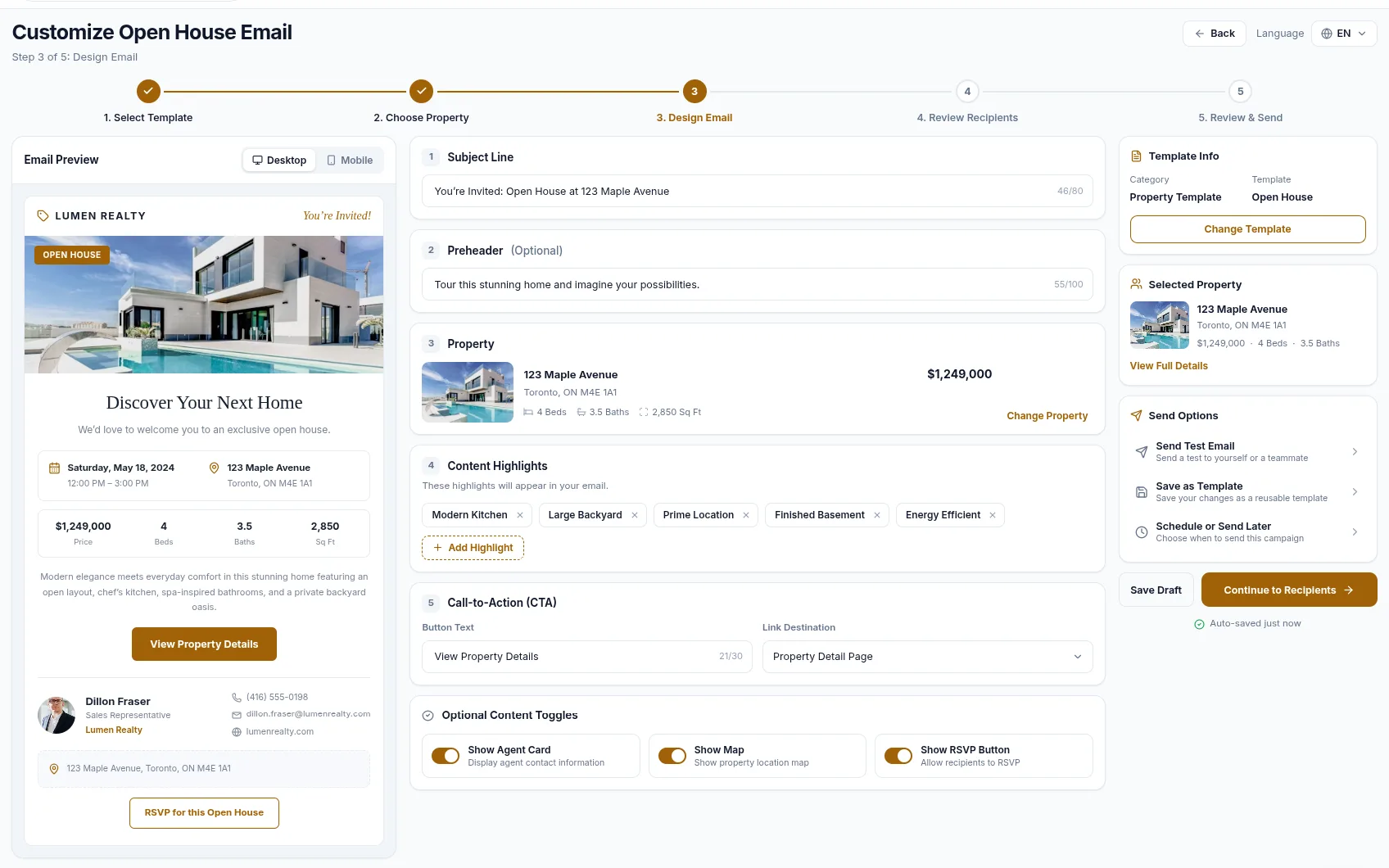
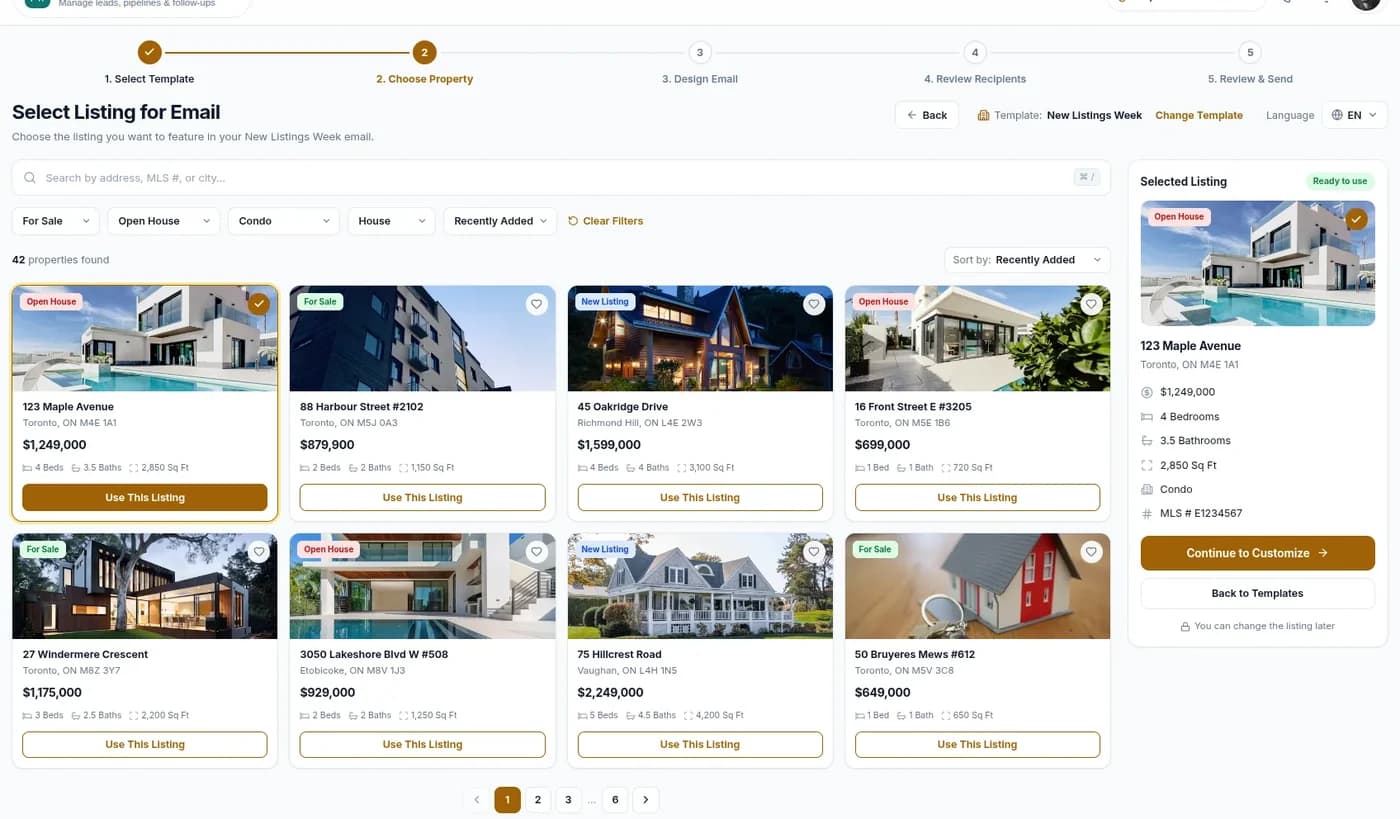
LISTING CAMPAIGNS
Build a Campaign Around a Real Listing
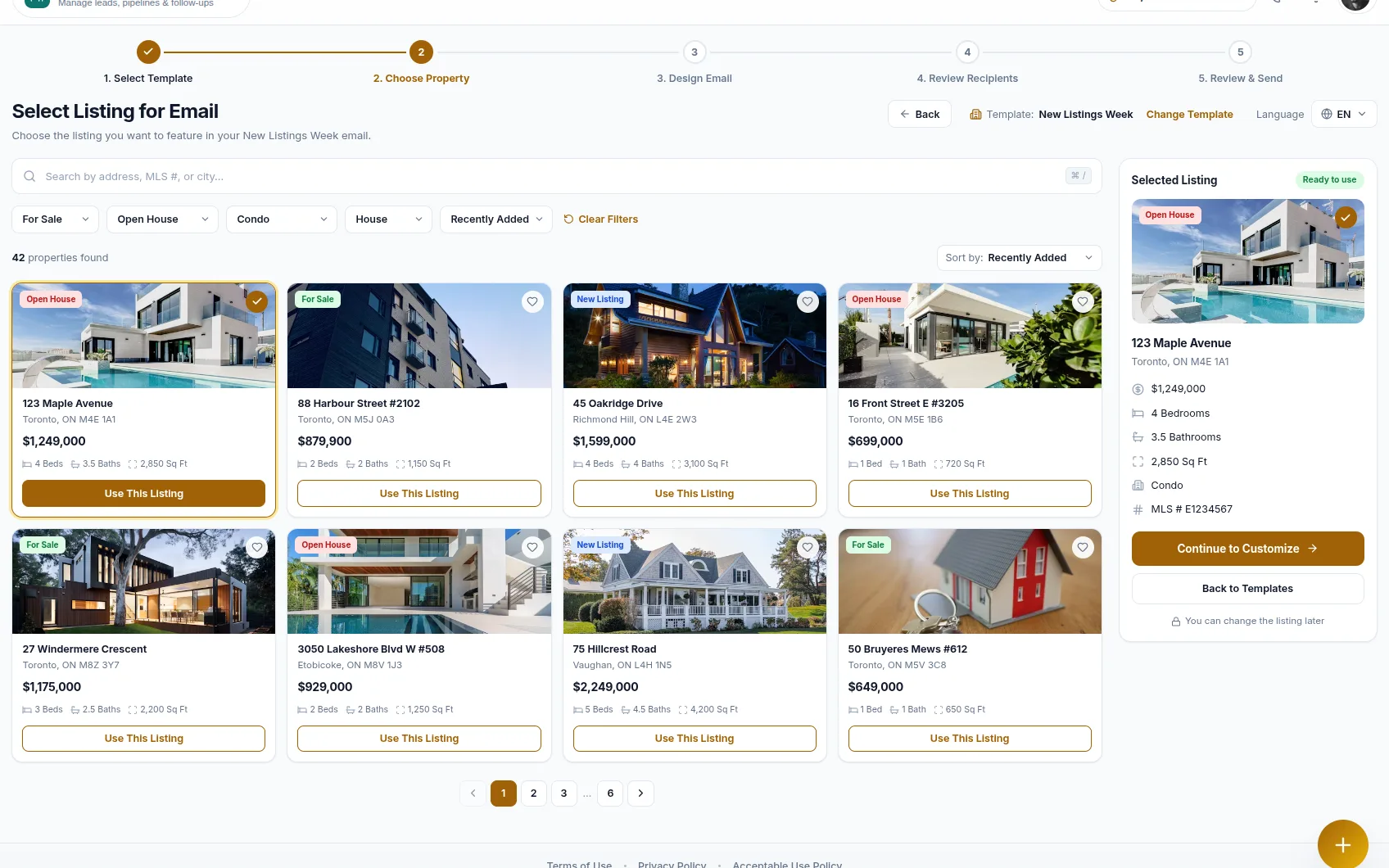
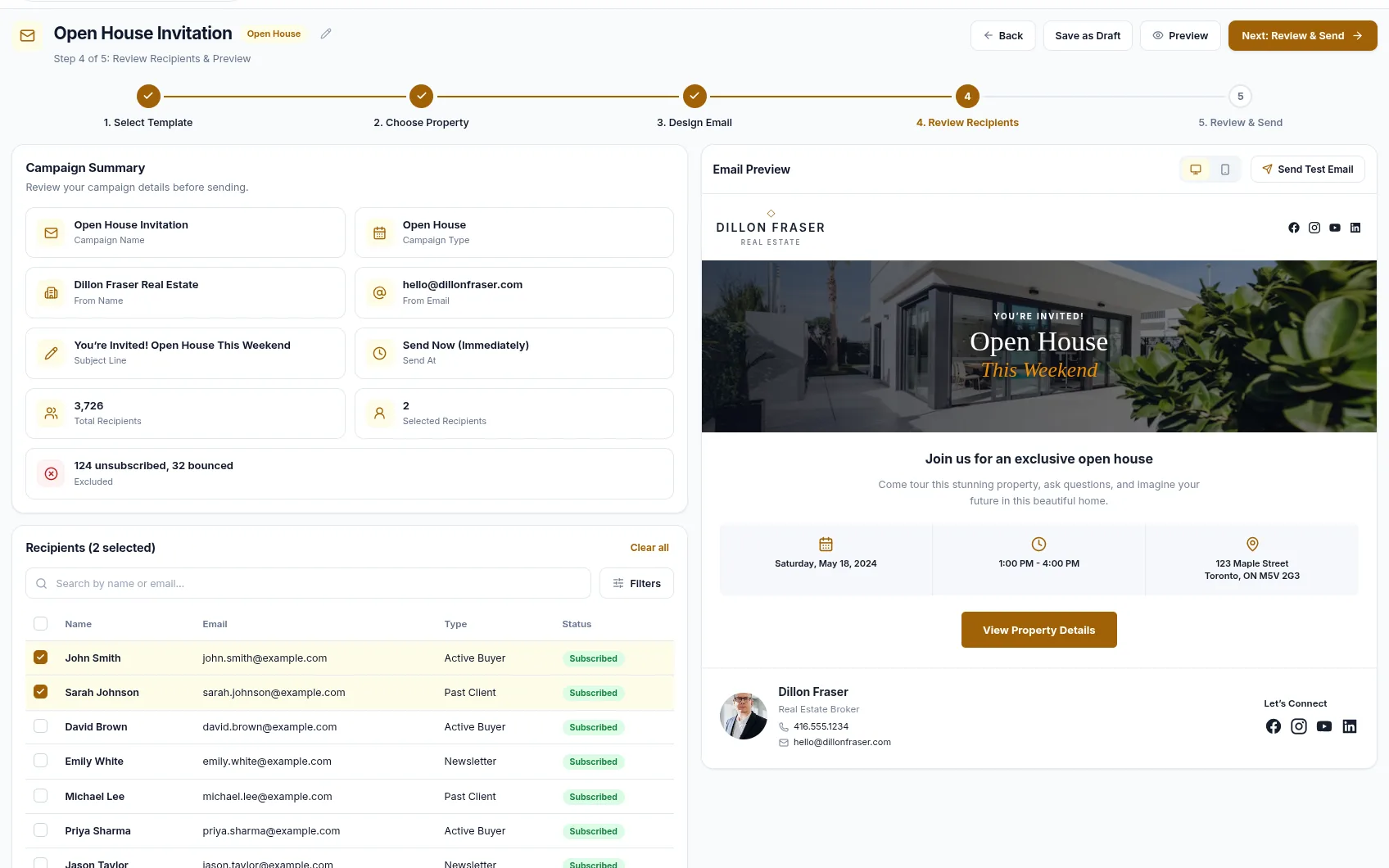
Pick the template, pick the property, and the listing's photos, price and details flow into the email — then review the recipients before anything sends.
- Five steps: template, property, design, recipients, review and send
- Search and filter your listings by status, type and MLS number
- Listing photos, price, beds, baths and square footage pulled in automatically
- A full preview before the send
Route Leads Into the CRM You Already Use
New leads can be pushed to a connected CRM as they arrive. Connect the one your brokerage runs on, or send to Zapier and on to whatever you use.
 Zoho CRMCRM
 GoHighLevelCRM
 ZapierAutomation
Each connection is set up with your own credentials and can be turned off at any time. Leads can also be brought in the other way: RealFoyer issues an inbound webhook URL another system can post to.
FAQ
The CRM, Answered
Does RealFoyer include a CRM?
Yes. The CRM is part of the same subscription as the website rather than a separate product, and leads captured on your RealFoyer site arrive in it automatically.
What does the CRM record about a lead?
Contact details, the properties they viewed and how recently, the searches and listing alerts they set for themselves, your notes and call logs, their stage, and any appointments booked against the record.
Can the CRM call or text a lead?
No. Communication is logged rather than sent: you record a call, its outcome and your notes on the lead's timeline. There is no dialler, and no SMS or WhatsApp sending.
How are new leads assigned to agents?
Through round-robin distribution or configurable routing rules, with automatic assignment and reassignment. Any assignment can be overridden manually, and the assignment history stays visible on the record.
Can teams and brokerages use it?
Yes. Staff are added with roles and permissions, leads are routed to the right owner, and the dashboard reports on leads, listings, activity and marketing.
Close More Deals with
RealFoyer CRM
Bring your leads, communication, tasks and campaigns into one place — and start every follow-up already knowing what the buyer has been doing.
- 14-Day Free Trial
- No Credit Card Required
- Setup in Minutes
Keep exploring
Further reading
- Real Estate CRM: How Agents & Teams Should Actually Use One
- Speed to Lead in Real Estate: How Fast Should You Respond?
- Real Estate Lead Routing: Assigning Leads to the Right Agent
- Real Estate CRM Migration: Keeping Your Lead History Intact
- Migrating from Follow Up Boss to RealFoyer
- Migrating from kvCORE to RealFoyer
- Lead Scoring for Real Estate: Which Leads to Call First
In the Help Centre