Build Stunning Real
Estate Websites
Without Limits.
The powerful CMS & Builder that gives you complete control over your website — design, content and features — without touching code.
- No Coding Required
- Drag & Drop Ordering
- Ready-Made Templates
- Full Design Control
- Built-in SEO Controls
- Preview & Publish
One connected CMS behind every page of your website
- Built for Agents & TeamsAgents, teams and brokerages
- Visual Website EditingNo code, no deployments
- Ready-Made TemplatesSite, header and footer layouts
- Pages, Menus & ContentBlogs, areas and testimonials
- Built-in SEO ControlsMeta, keywords and analytics
Everything You Need to Build & Manage Your Website
The CMS is the control layer behind your RealFoyer IDX website: pages, menus, homepage sections, theme, branding, content and SEO settings, managed from the admin while listing search and lead capture stay wired underneath. Configurable sections and page controls, not a freeform canvas.
Drag & Drop Builder
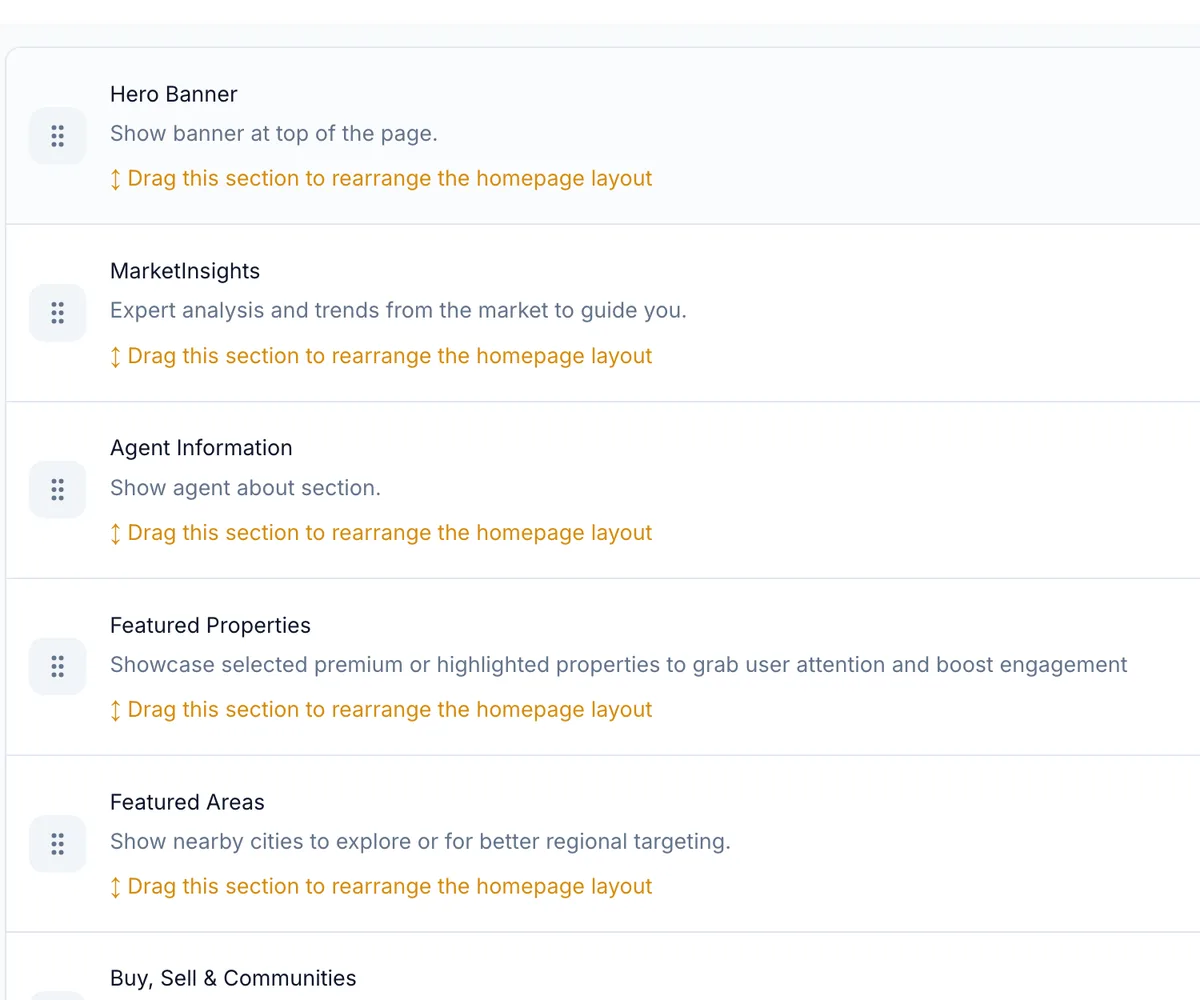
Drag your homepage sections into the order you want, then save.
Pre-built Sections
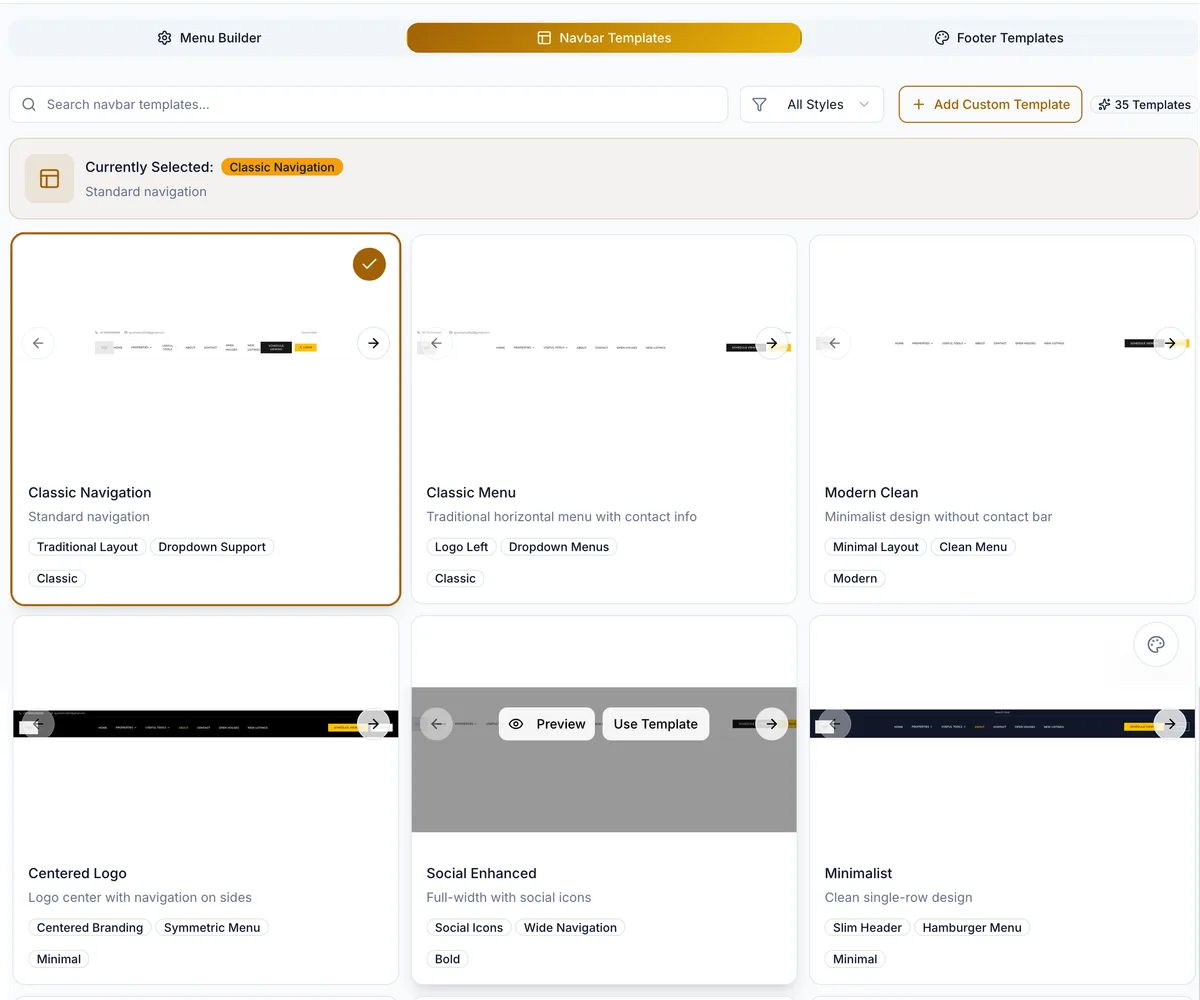
35 header layouts and matching footers, ready to preview and apply.
Theme & Design Control
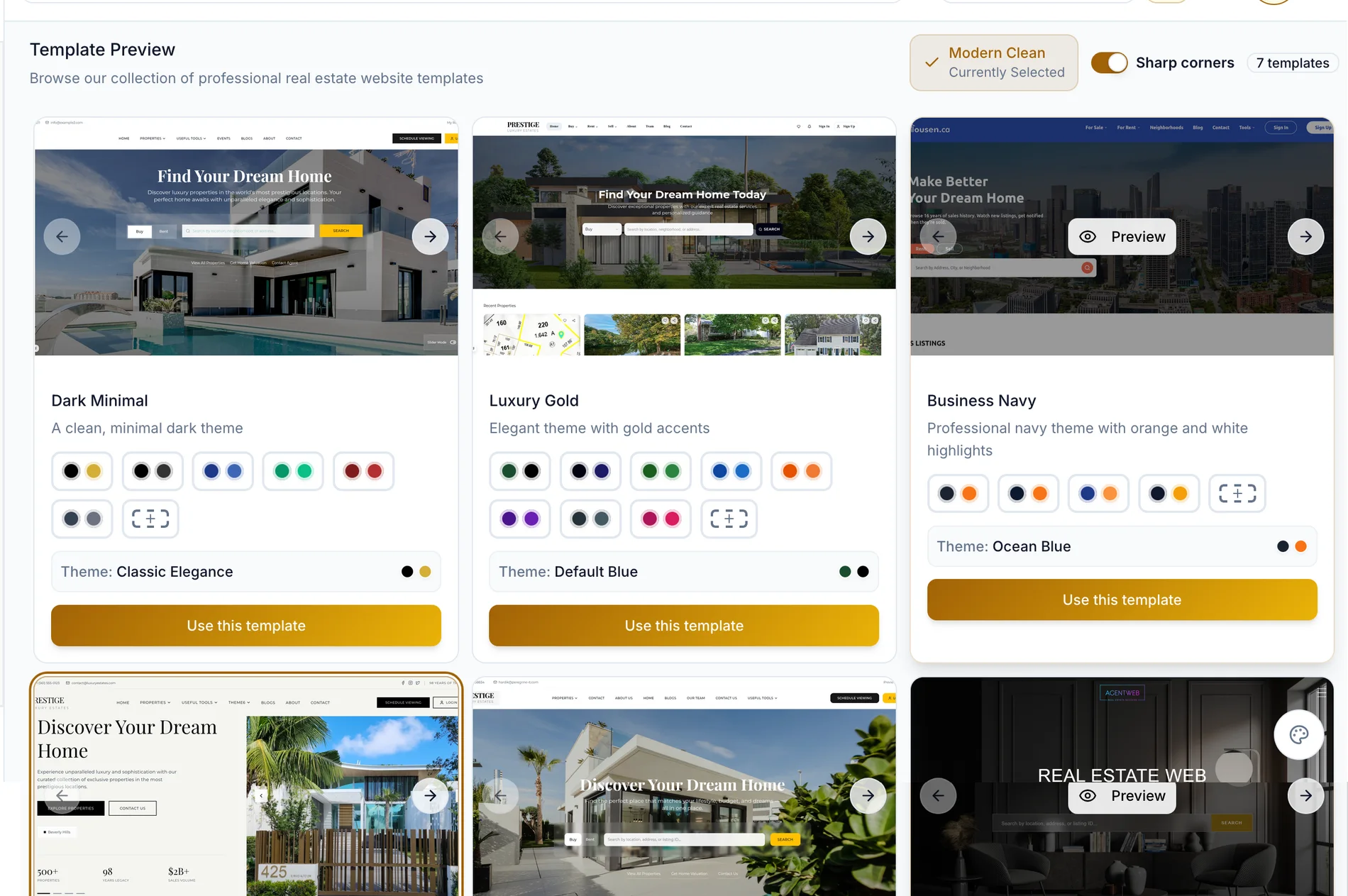
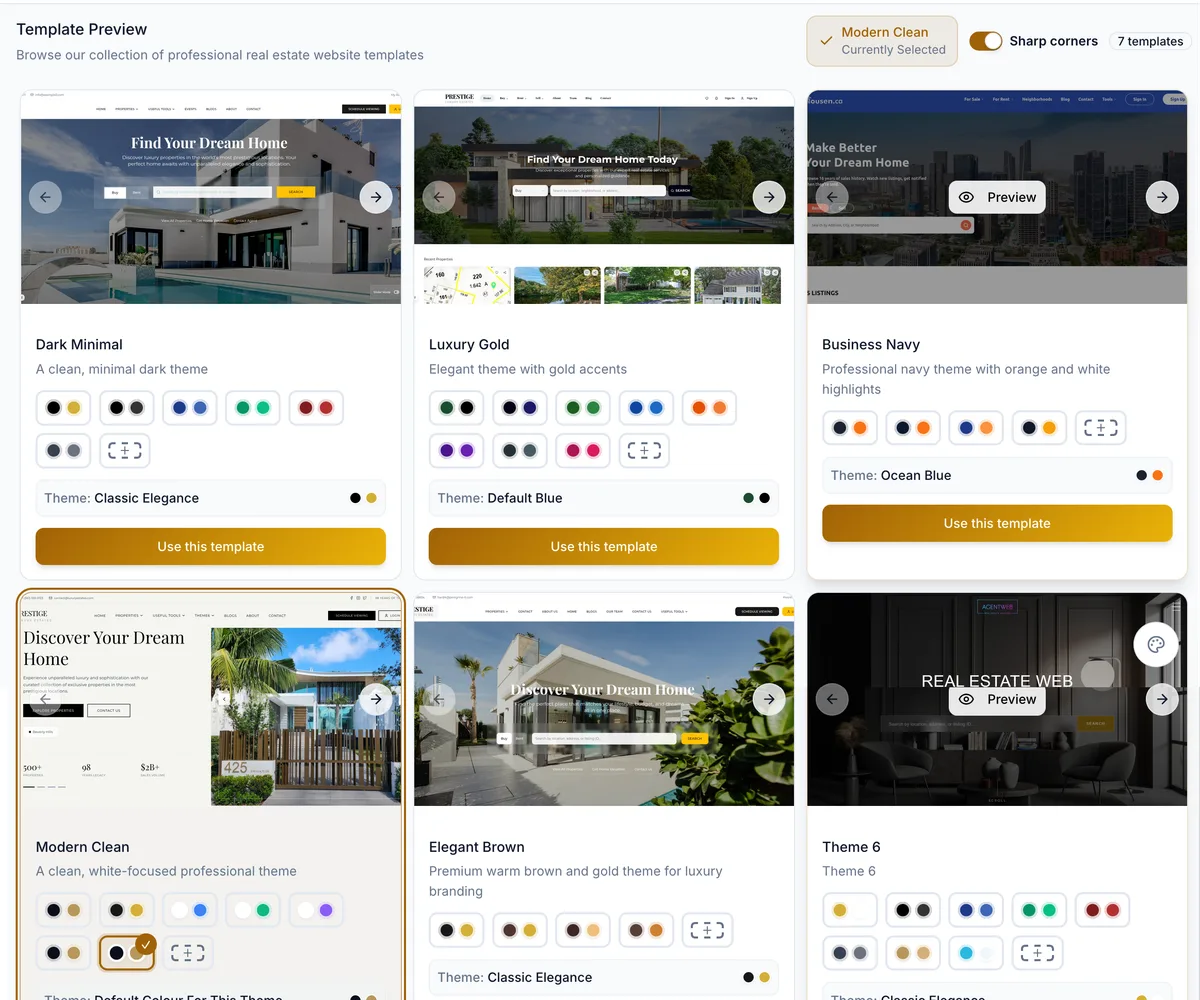
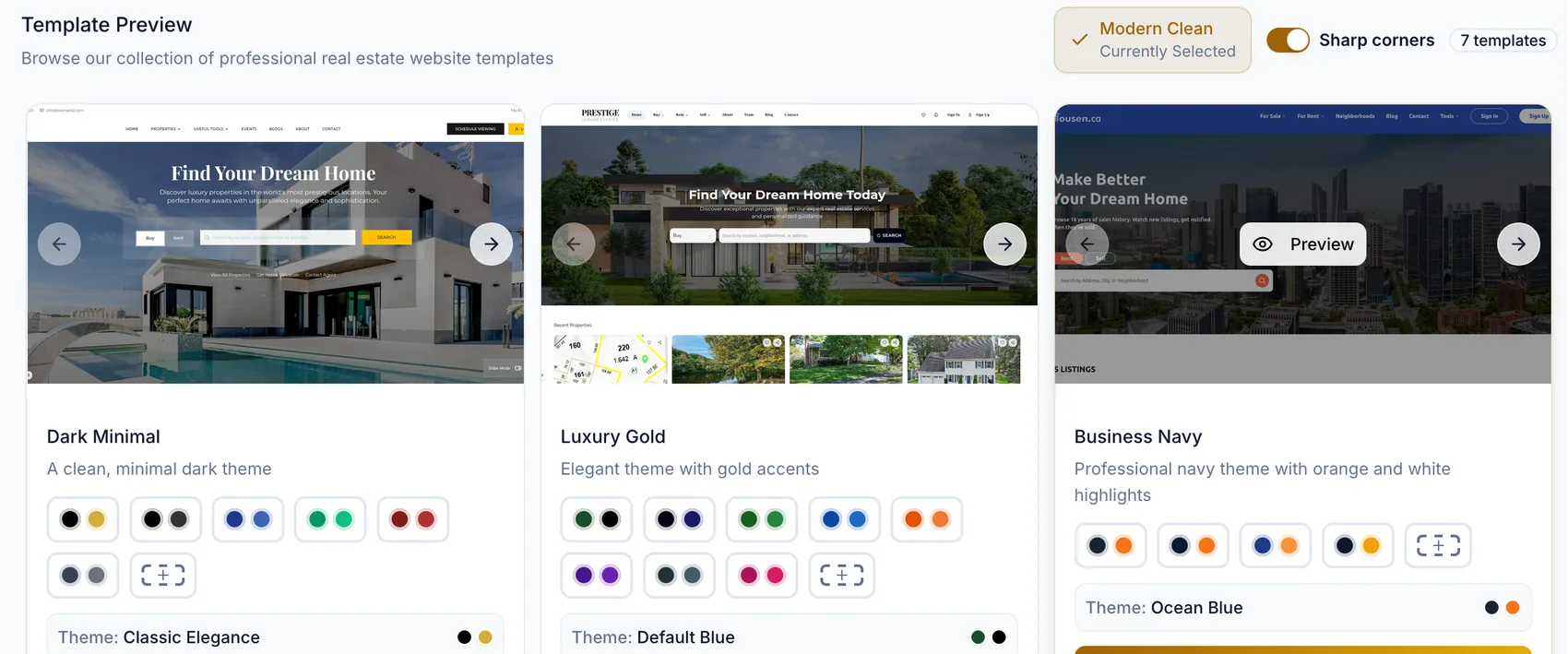
Seven website themes, each with its own colour schemes and corner style.
Pages & Menus
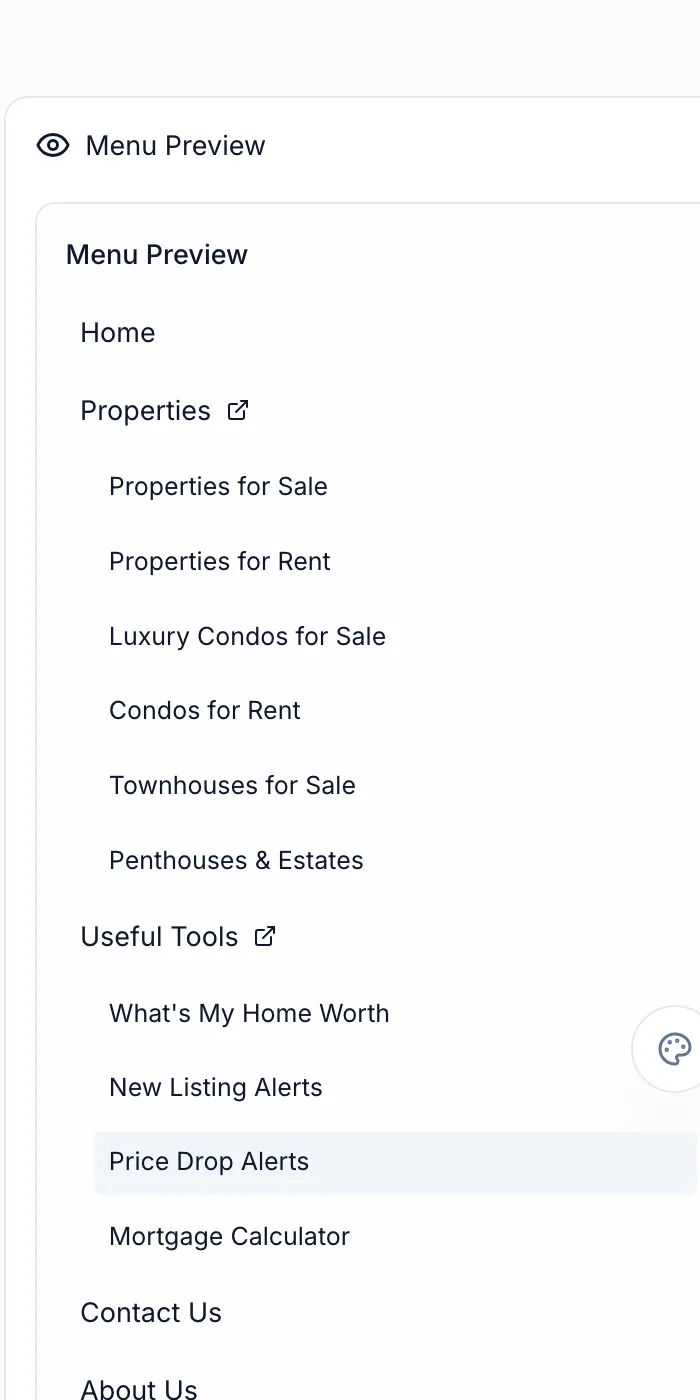
Create pages, set slugs, choose a homepage and build header and footer menus.
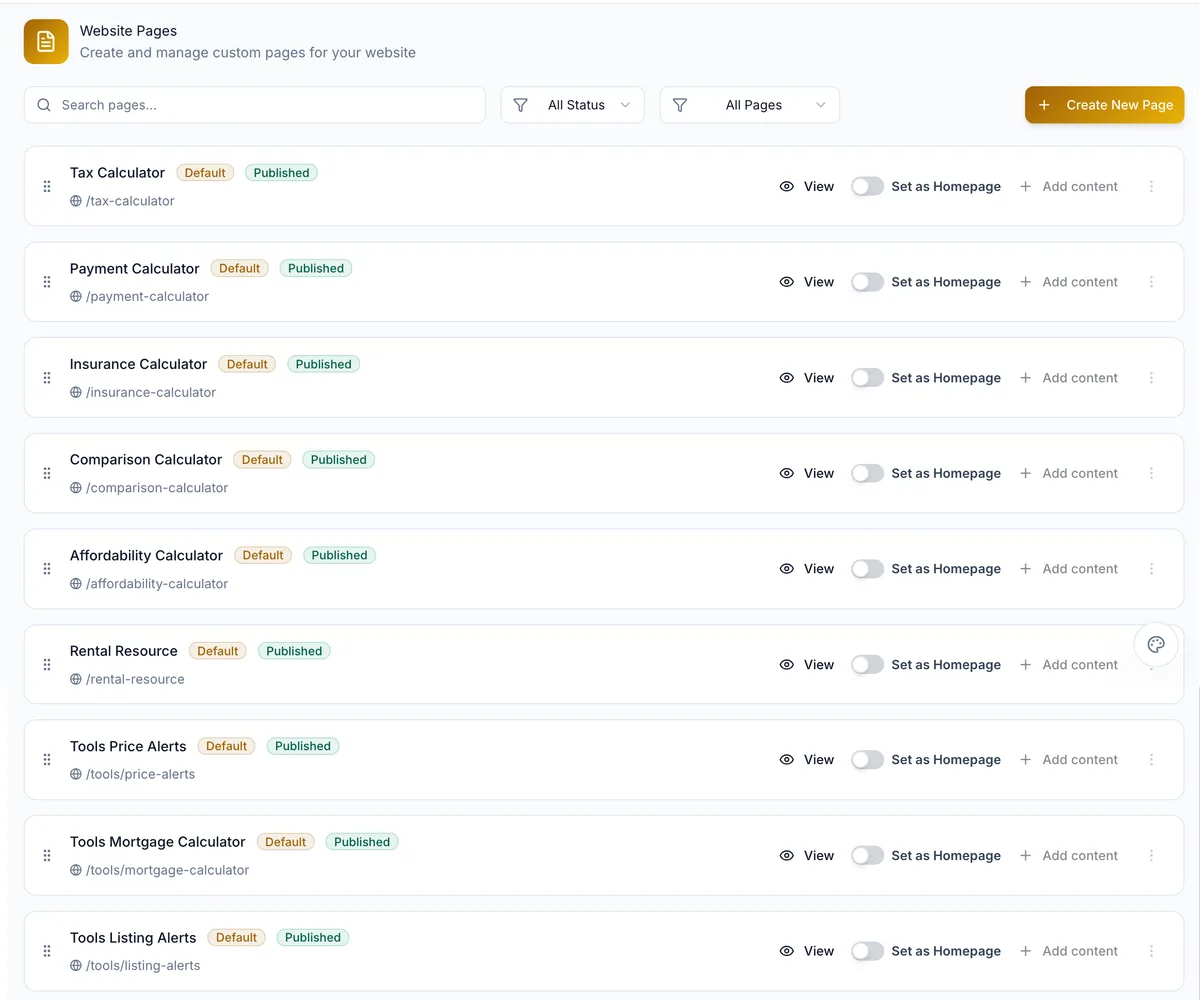
Homepage Builder
Show, hide, reorder and add sections that make up your homepage.

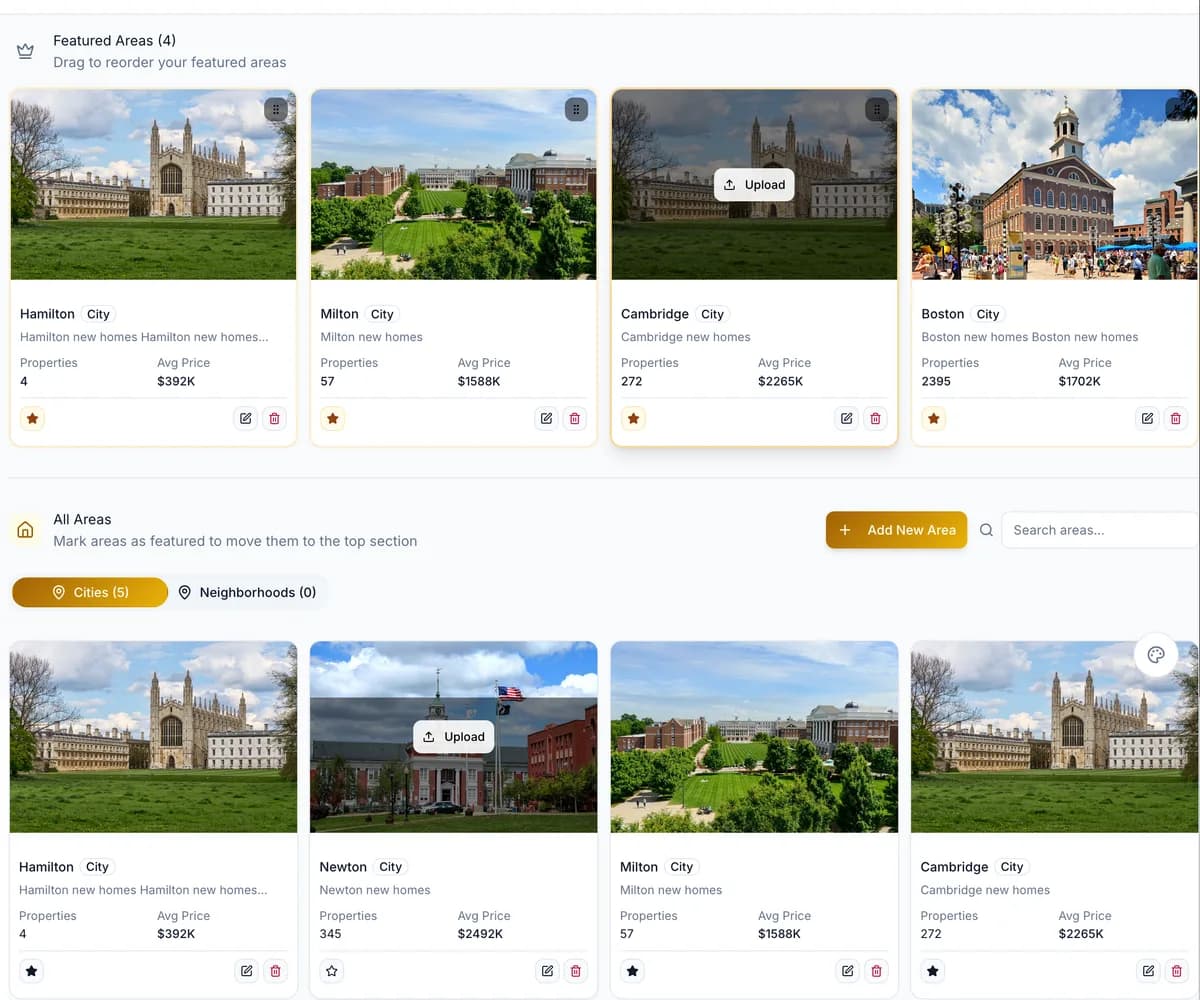
Featured Areas
Feature cities and neighbourhoods, each with its own photo and stats.
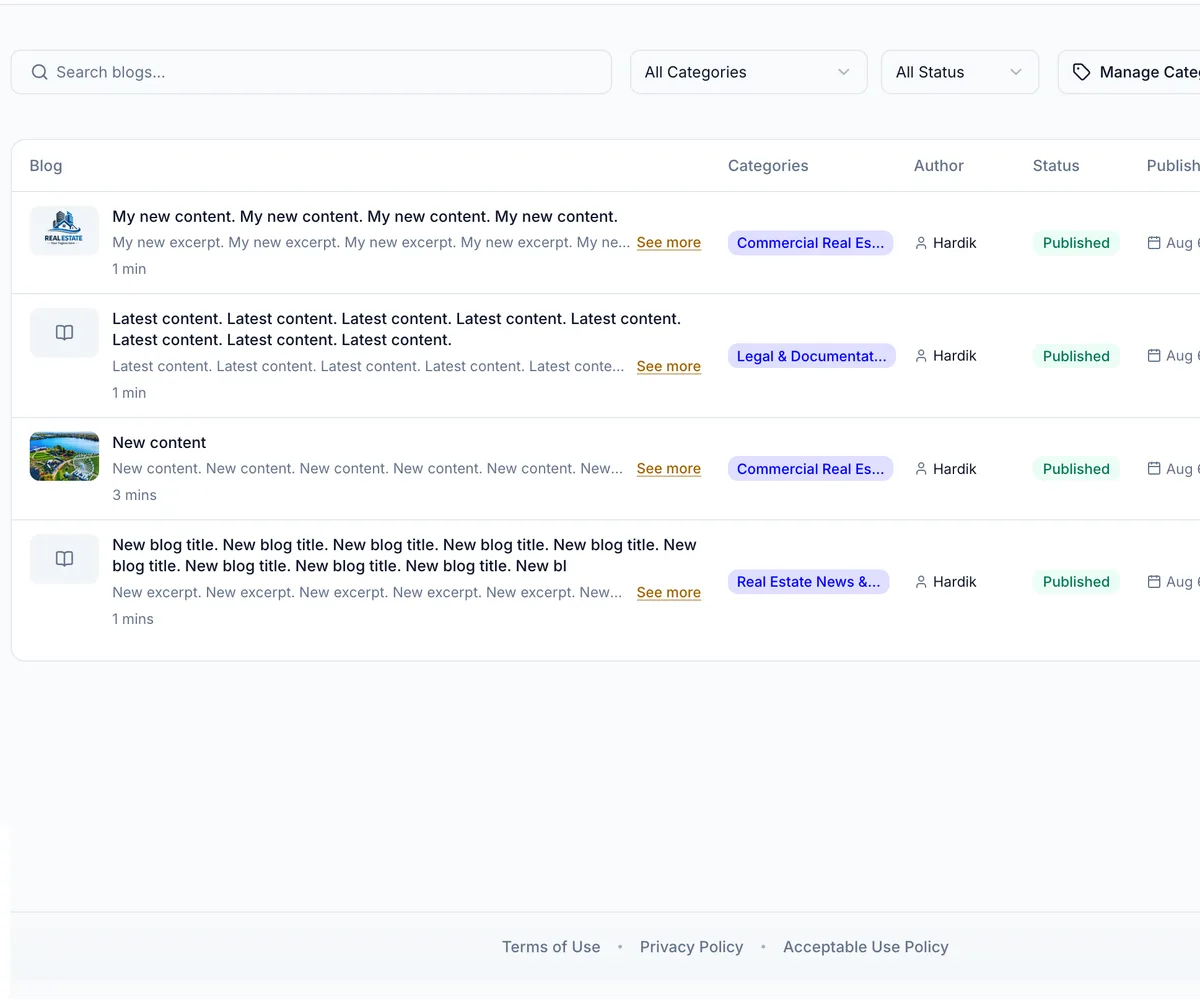
Blog Management
Write, categorise and publish posts, and see what is being read.
Testimonials
Add reviews by hand or import them straight from Google.
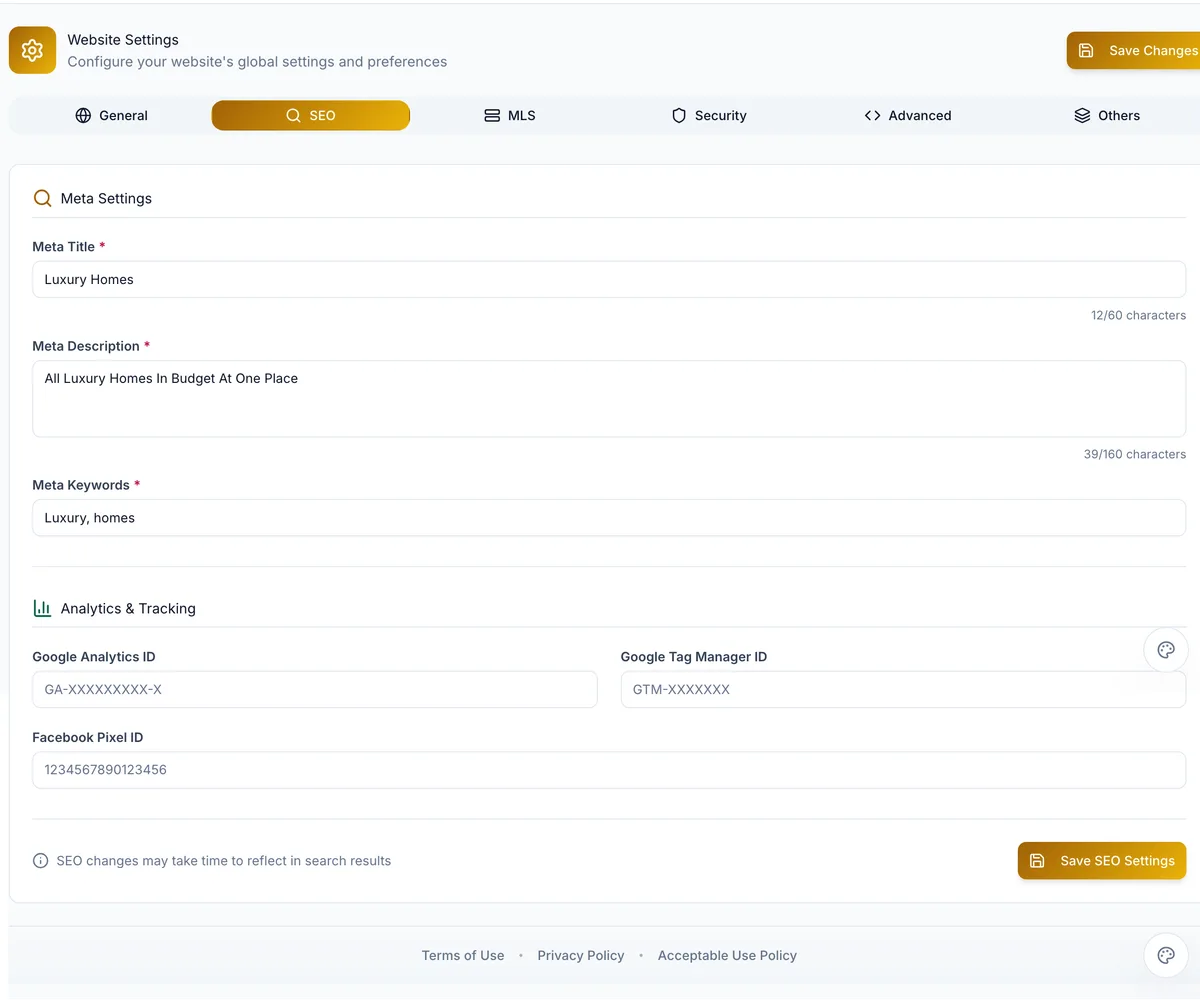
SEO & Settings
Meta titles and descriptions, keywords, and your analytics and pixel IDs.
Preview & Publish
Preview a template before applying it, and save changes to your live domain.
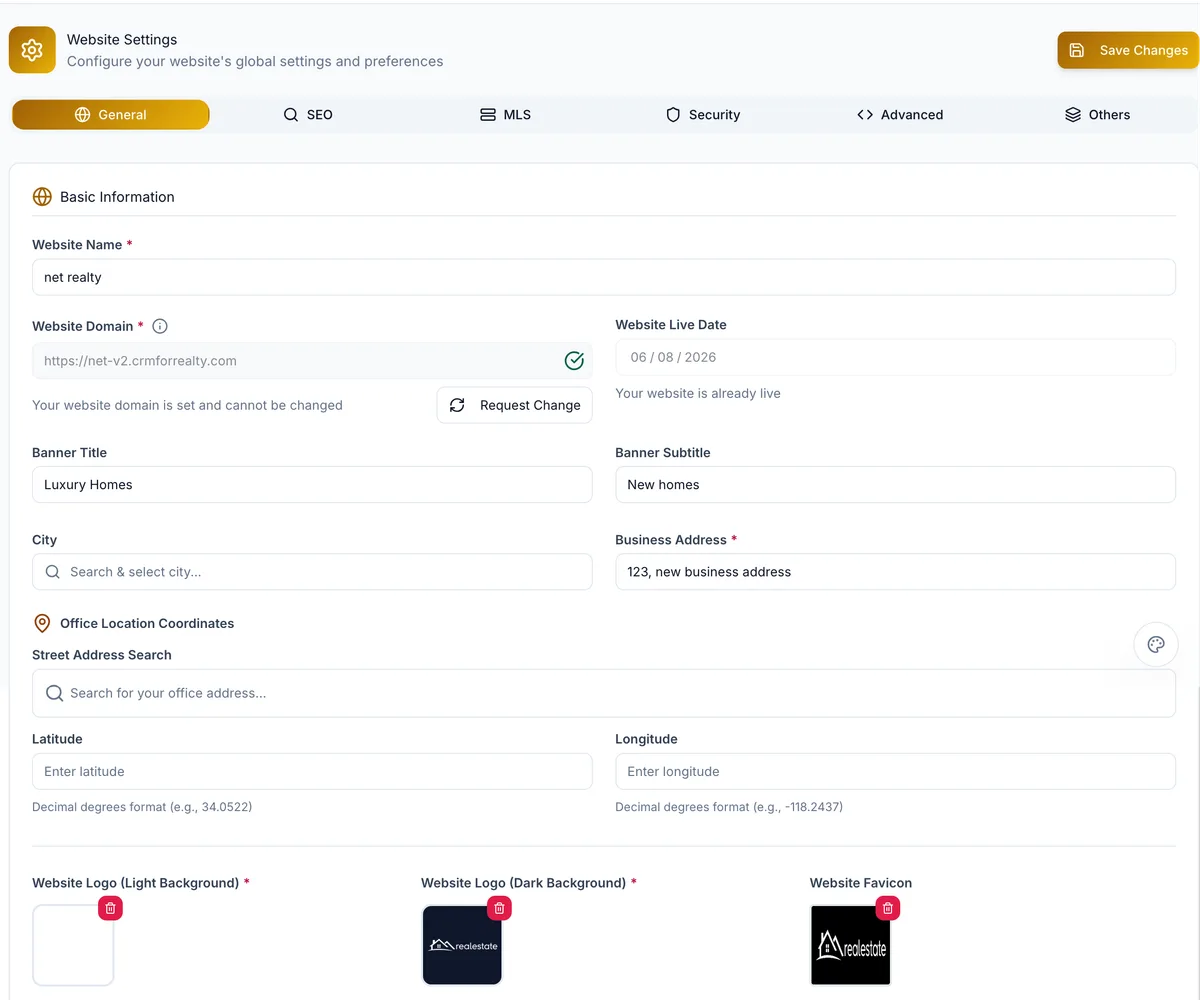
How Website Management Works
1. Pick a theme
Choose a theme and colour scheme, then a header and footer layout.
2. Set up pages and menus
Create pages with their own slugs, choose the homepage, build the menus.
3. Arrange the homepage
Show, hide, reorder and add the homepage's sections.
4. Add your content
Logo, colours, featured areas and properties, testimonials, team, blog.
5. Settings and domain
Per-page SEO fields, analytics IDs, your domain with SSL; saves go live.
The Controls Behind the Site
Pages, navigation and structure
- Pages with title, slug and draft, published or archived status; any page can be the homepage.
- Header and footer menus built from your pages and links.
- Duplicate a page to start from one you have; FAQ pages from their own module.
Branding and theme
- Themes with colour schemes, and header and footer layouts previewed before applying.
- Light and dark logos, footer logo, favicon, brokerage logo and site colours.
- Light or dark mode and an accent colour.
Content and homepage
- Homepage sections shown, hidden, reordered and added; featured areas with photo and stats.
- Featured properties, testimonials added or imported from Google, and a team section.
- Blog posts with categories; social links, address and copyright text in the footer.
SEO, domain and publishing
- Per-page meta title, description and keywords; a generated sitemap.
- Your own domain, validated and issued an SSL certificate by the platform, or a RealFoyer subdomain.
- Google Analytics and pixel IDs. Saves publish to the live site; no separate deploy.
Who It Is For
Agents
Keep branding, pages, menus and local content current without a developer.
Teams
One site with consistent shared content, a team section and featured areas.
Brokerages
Brokerage branding, structure and content in the same admin as listings and leads.
FAQ
Website CMS, Answered
What can I edit with the RealFoyer CMS?
Everything above: pages, menus, homepage sections, theme and branding, featured content, testimonials, team, blog, SEO fields and settings.
Can I use my own domain?
Yes. Point it, validate it in settings and the platform sets up SSL, or use a RealFoyer subdomain.
Can I change my theme and branding?
Yes. Themes, colour schemes, header and footer layouts, logos, favicon, accent colour and light or dark mode.
Can I control SEO titles and descriptions?
Yes, per page, with slug and keywords. A sitemap is generated. No platform can promise rankings.
Do I need a developer for everyday updates?
No. Content, pages, menus, sections, branding and settings are managed in the admin and publish on save.
Is it a freeform drag-and-drop page designer?
No. You reorder and toggle predefined sections, choose layouts and themes, and edit page content; no pixel canvas or code editor.
Create. Customize. Publish.
All in One Powerful Builder.
Build and manage your real estate website from one connected platform — themes, pages, content and SEO in the same place as your leads.
- 14-Day Free Trial
- No Credit Card Required
- Cancel Anytime
Keep exploring
Further reading
- Real Estate Agent Website: 15 Features That Earn Their Place
- What Is an IDX Website? A Guide for Agents & Brokerages
- Real Estate CRM: How Agents & Teams Should Actually Use One
- AI for Real Estate Marketing: What Works, What to Watch
- Neighborhood Pages That Rank: A Practical Guide
- Real Estate City & Market Pages: Building Them Properly
- Local SEO for Real Estate Agents: Ranking in Your Market
In the Help Centre