Skip to content

IDX WEBSITES FOR REAL ESTATE

IDX Websites Built to Turn Property Search Into Leads

Launch a fast, branded real estate website with MLS property search, advanced filters, community pages, lead capture and built-in website management.

  • MLS Search
  • Advanced Maps
  • Lead Capture
  • SEO Ready
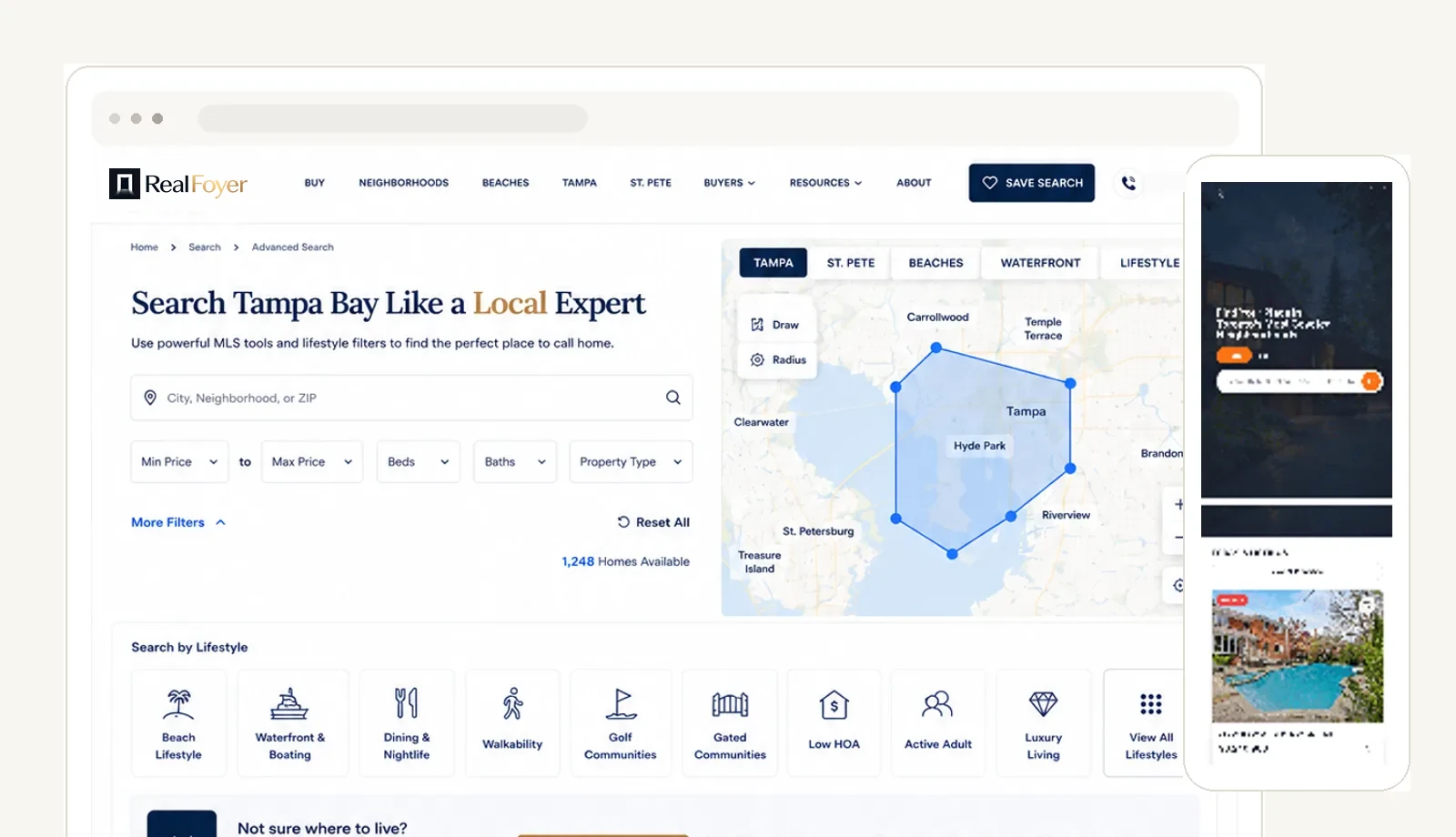
RealFoyer IDX website showing advanced MLS search with map and lifestyle filters, with the mobile site alongside
  • MLS / IDX Search

    Listings from your board, searchable on your own domain.

  • Advanced Map Search

    Map, list and draw-area search over live inventory.

  • Custom Branding

    Your logo, colours, type and pages — not a template shell.

  • Lead Capture

    Enquiries arrive with the property the visitor was viewing.

  • SEO-Ready Pages

    Titles, descriptions, canonicals and index control per page.

ADVANCED PROPERTY SEARCH

The Search Buyers Expect

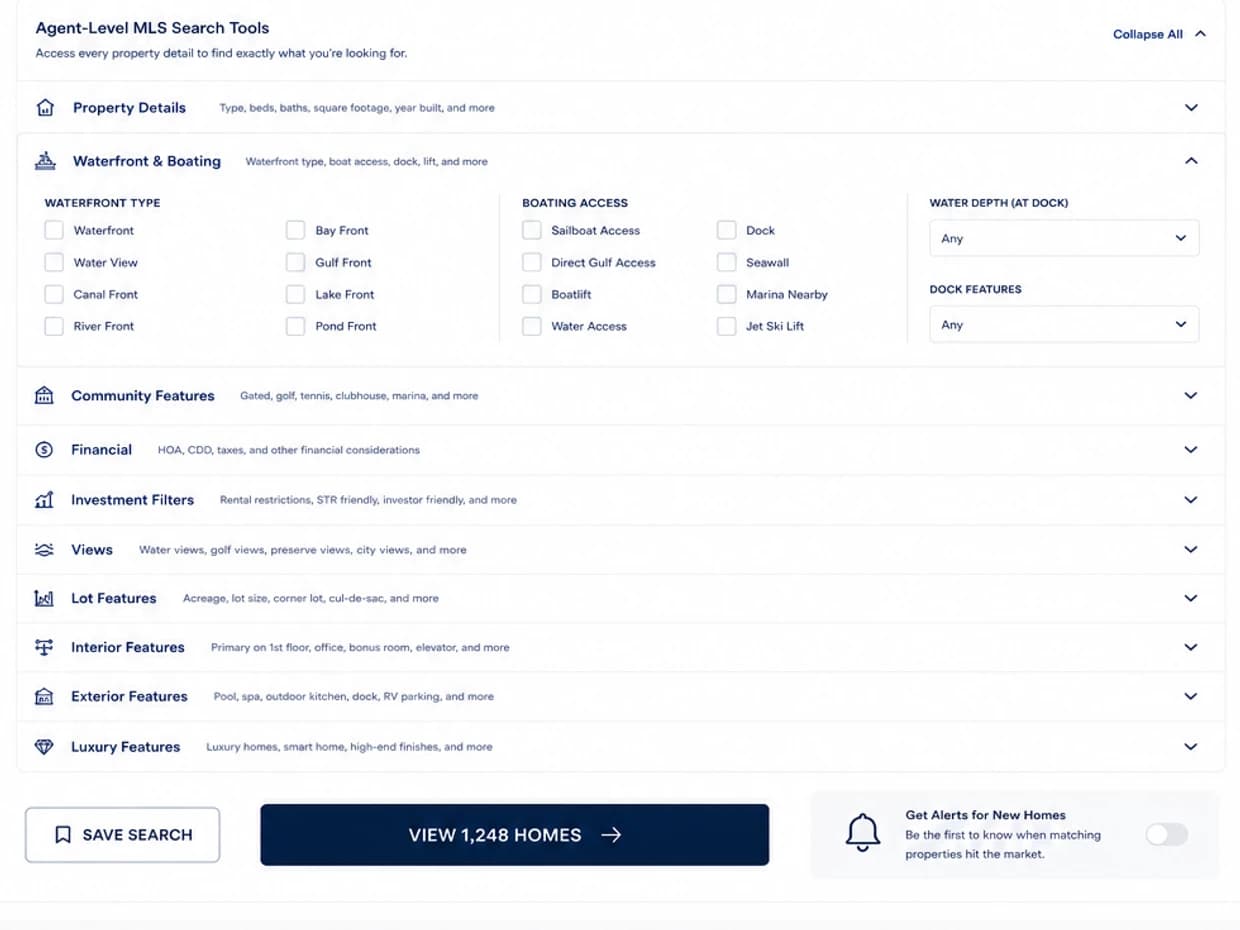
Location, price, beds and baths are the start. Buyers filter by property type and lifestyle, then save the search and let it keep working.

  • City, neighbourhood or ZIP search
  • Price, beds, baths and property type
  • Lifestyle filters — waterfront, walkability, golf, gated
  • MLS-specific fields where the board supplies them
  • Saved searches and email alerts
Agent-level MLS search tools with waterfront and boating filters expanded, alongside save search and new-listing alerts

MAP SEARCH

Search the Market Visually

Buyers rarely think in postal codes. They think in areas — so the map is a first-class way in, not a tab nobody opens.

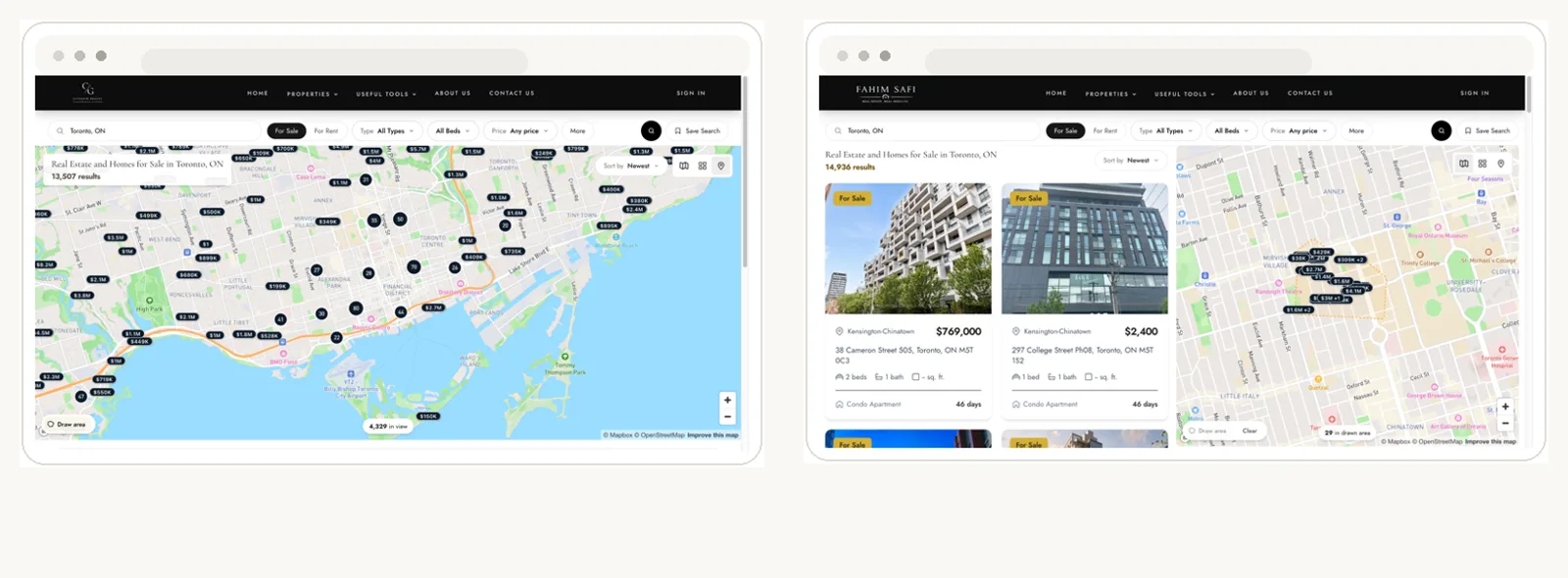
  • Interactive map with price markers and clusters
  • Draw-area search for a shape a buyer chooses
  • Map and list side by side, or either on its own
  • Results update as the map moves
Full map search with price markers beside a combined list and map view with a drawn search area

PROPERTY DETAIL

Every Listing, Given Room to Sell

The listing page is where interest turns into an enquiry. Galleries, the detail a buyer asks for next, and a way to reach you on the same screen.

  • Photo and video galleries
  • Listing details, features and amenities
  • Map and neighbourhood context
  • Mortgage calculator
  • Property history where the board supplies it
  • Showing requests and contact straight to you
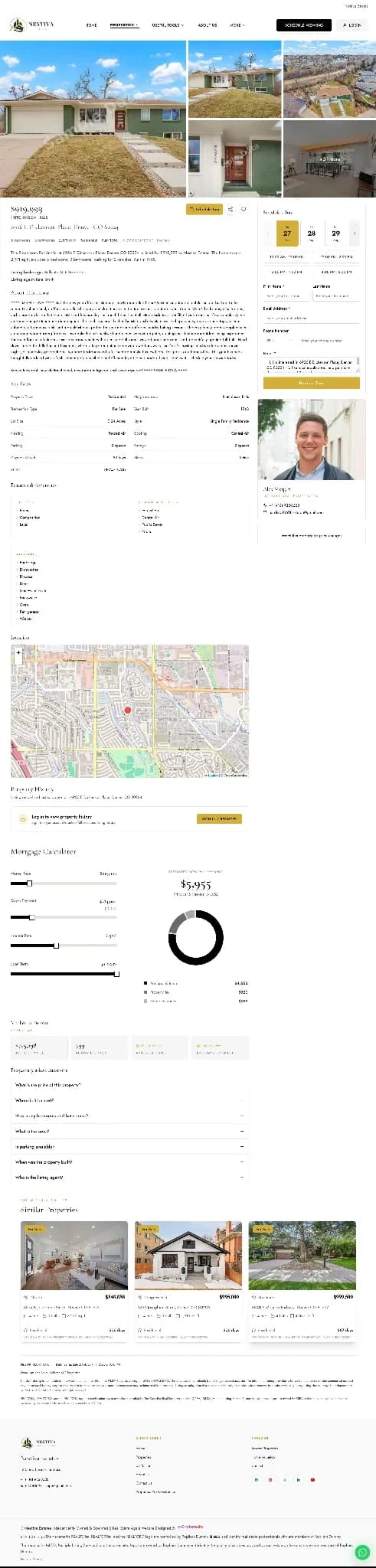
Property detail page with gallery, listing facts, agent contact, map and mortgage calculator

Field availability follows your MLS. Not every board publishes every field.

MOBILE

Built for Buyers Searching on Their Phones

Most property search starts on a phone. The site is built mobile-first rather than shrunk to fit one.

  • Mobile-first layout across every page
  • Search and filters designed for touch
  • Galleries and listing pages built for small screens
  • Enquiry and saved-search actions within reach
RealFoyer website on a phone showing property listing cards with prices
RealFoyer website on a phone showing neighbourhood browsing cards

WEBSITE TO LEADS

Search Becomes a Lead, With Its Context Intact

An enquiry is worth more when you can see what prompted it.

  1. A buyer searchesFilters, map, saved search — activity on your own site.
  2. They enquire or registerA showing request, a question, or an alert signup.
  3. The lead lands in RealFoyerWith the property and the search that produced it attached.
See the CRM
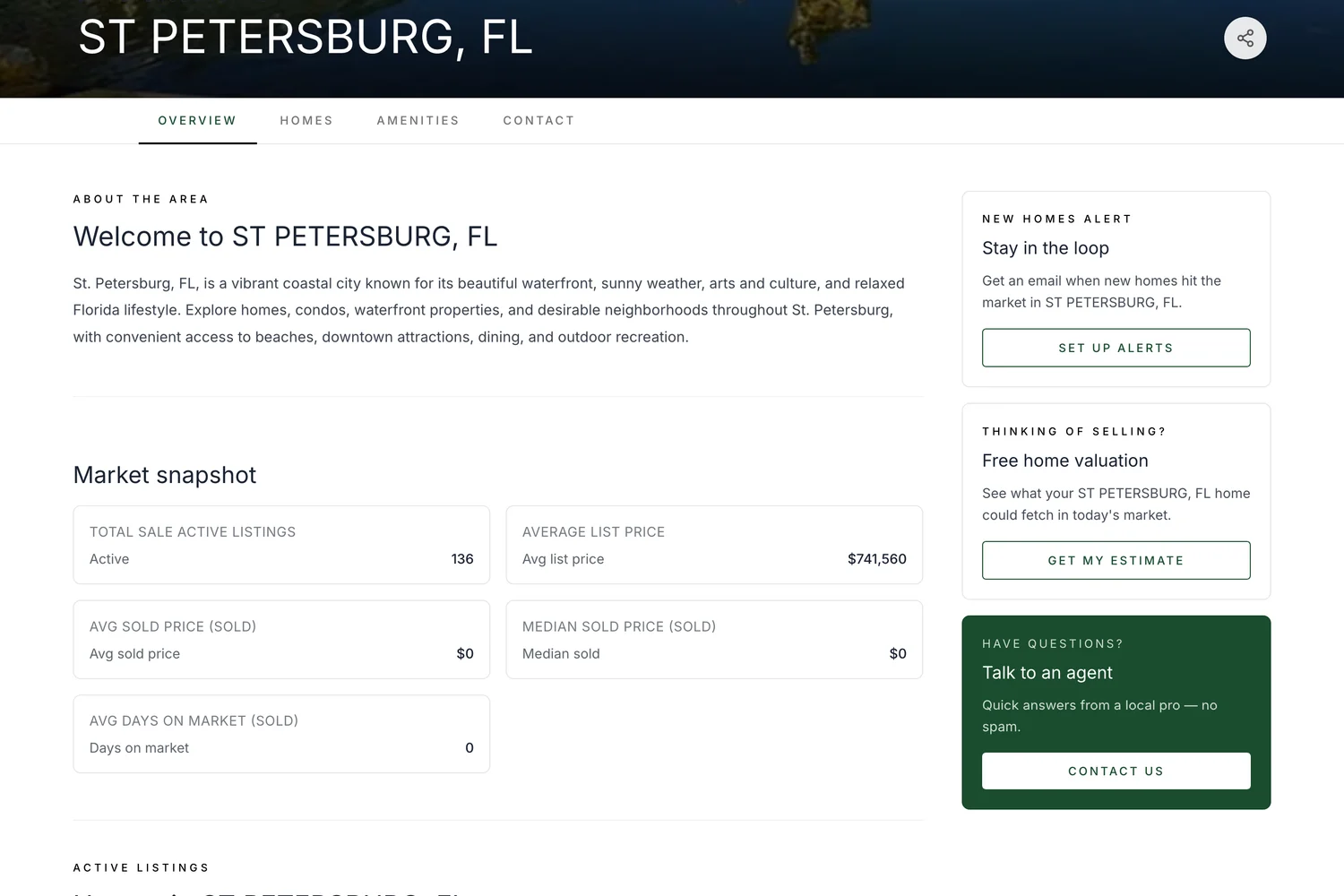
Community area page for St Petersburg with market snapshot and homes in the area

COMMUNITY & AREA PAGES

Turn Every Market You Serve Into a Search Destination

A page per city and neighbourhood, each with its own listings, its own content and its own reason to exist — so local searches have somewhere on your site to land.

  • City and neighbourhood pages
  • Live listings within the area
  • Market snapshot for the area
  • Your own local content and imagery
  • Local agent CTA on every page
  • Internal links between areas and listings
Check MLS coverage for your board

WEBSITE BUILDER

Build and Edit Without Waiting on a Developer

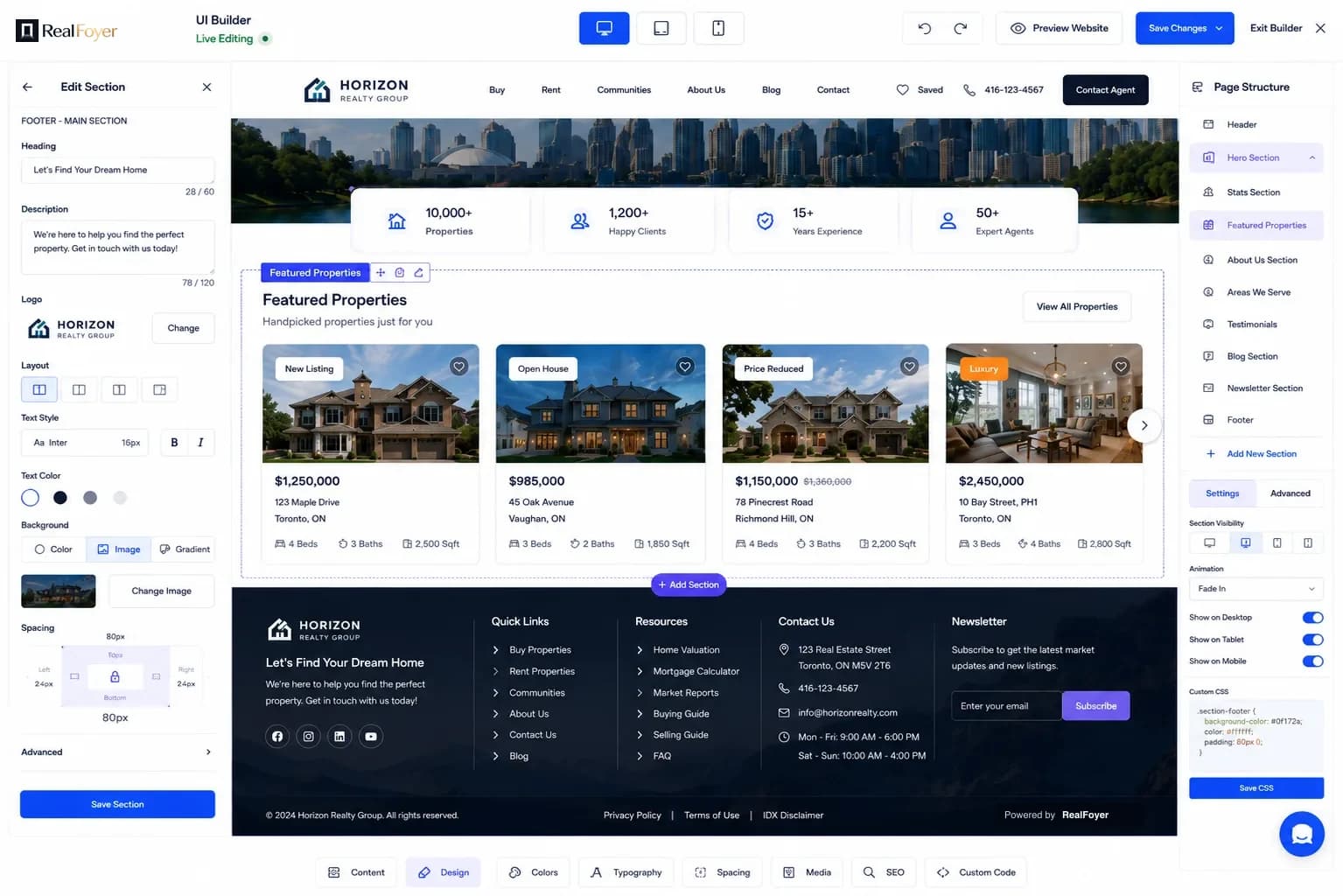
Edit the live page. Change a section, reorder the page, adjust type and spacing, and preview desktop, tablet and mobile before anything ships.

  • Edit sections in place
  • Reorder and toggle page structure
  • Type, colour, spacing and media controls
  • Desktop, tablet and mobile previews
  • Custom code where you need it
RealFoyer UI Builder editing a live homepage section with the page structure panel open

SEO CONTROLS

SEO Controls Built Into the Website

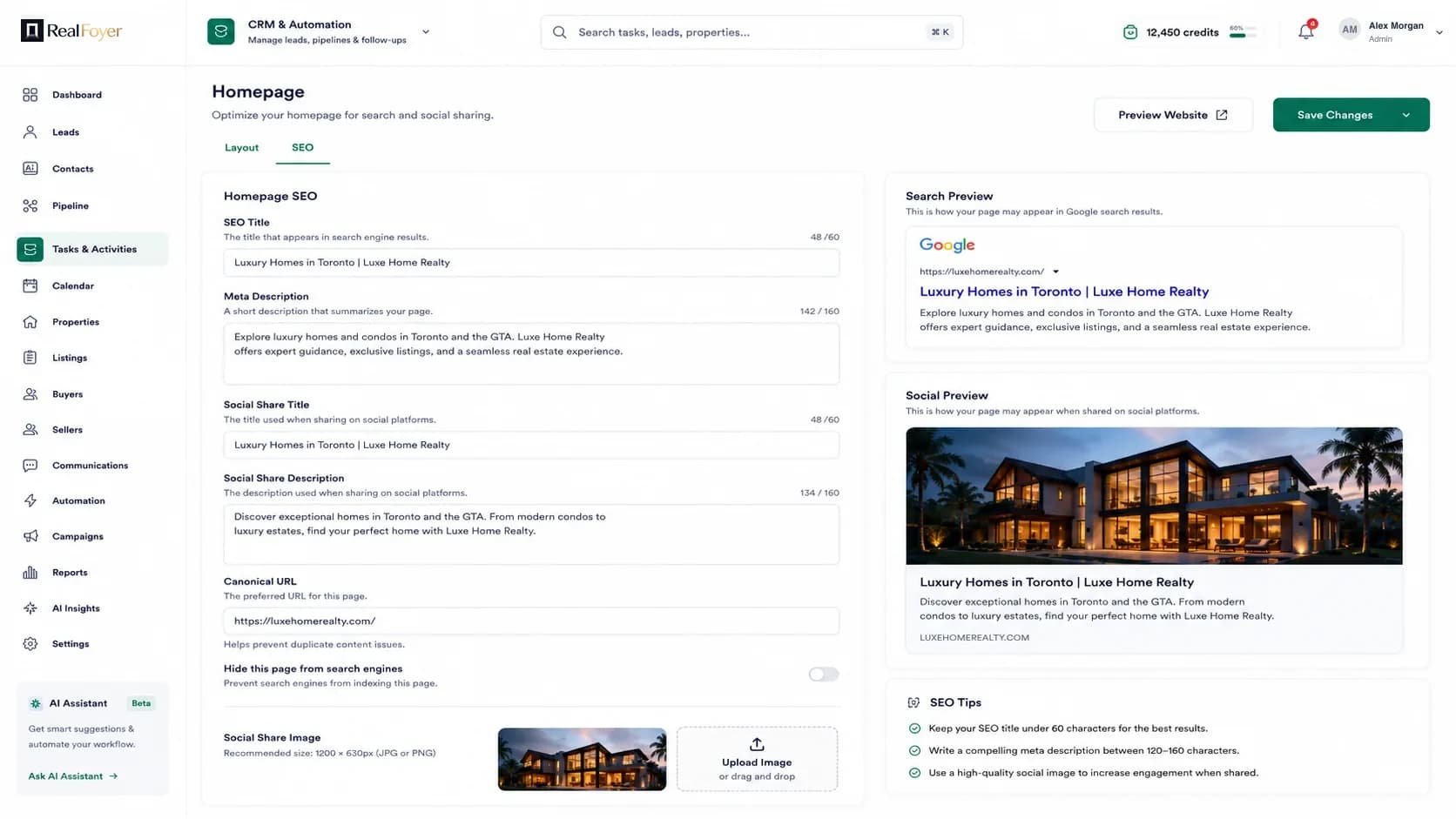
The fields that decide how a page appears in results and when it is shared — editable per page, with a preview of both.

  • SEO title and meta description
  • Canonical URL
  • Social share title, description and image
  • Index and no-index control per page
  • Search and social previews before you publish
Homepage SEO settings with title, meta description, canonical URL and a Google search preview

These are the controls. Rankings depend on your market, your content and the search engine — nobody can promise a position.

DESIGN

Your Brand. Not a Cookie-Cutter Website.

Start from a design that already fits how you sell — luxury, modern, minimal, dark or community-led — then make it yours.

  • A range of pre-built themes
  • Your logo, colours and type across every page
  • Header and footer layouts
  • Section styles you can swap

WEBSITE MANAGEMENT

Run the Site Yourself

The day-to-day of a website, in one place.

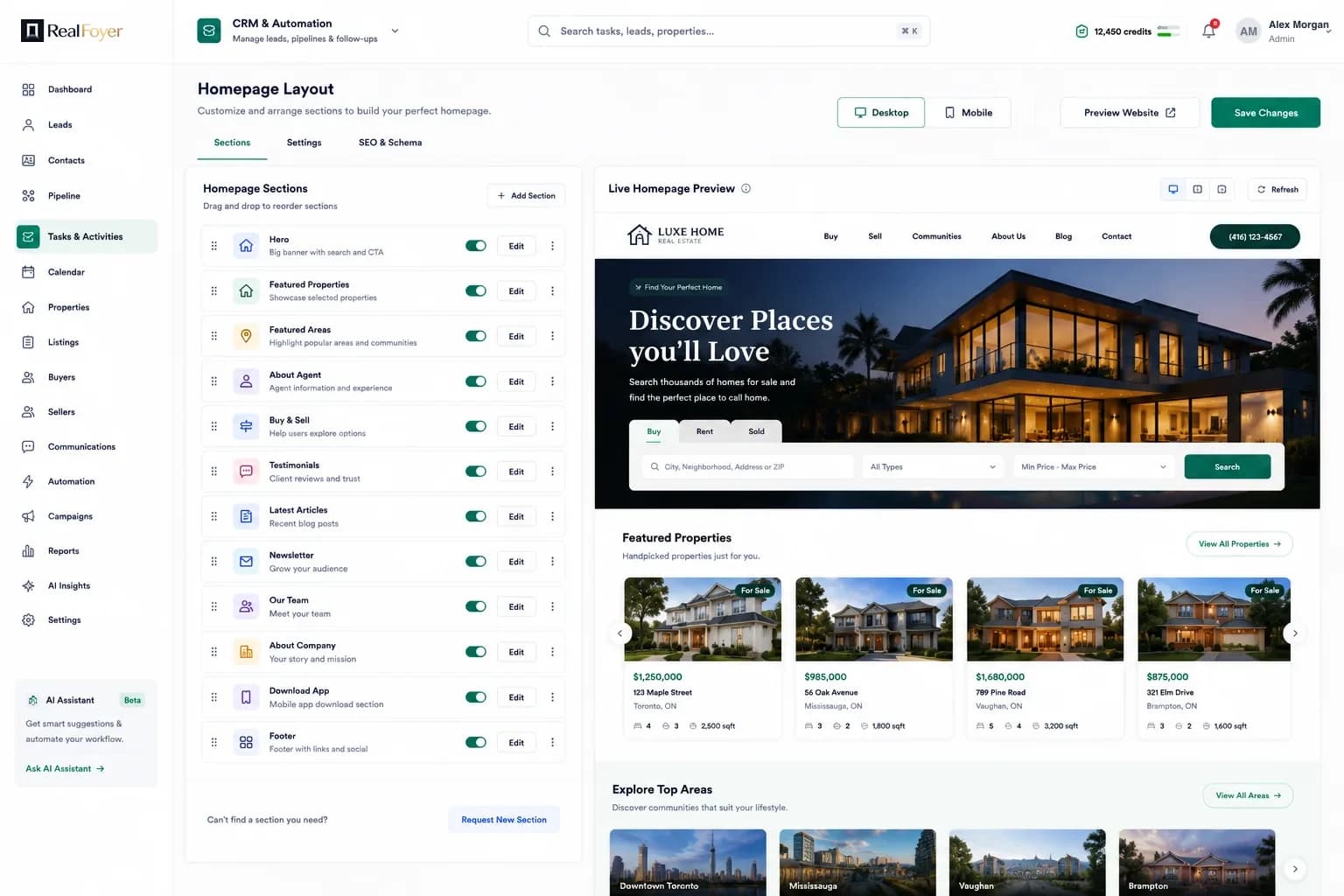
  • Homepage layout manager with section list

    Homepage layout

    Reorder and toggle the sections on your homepage.

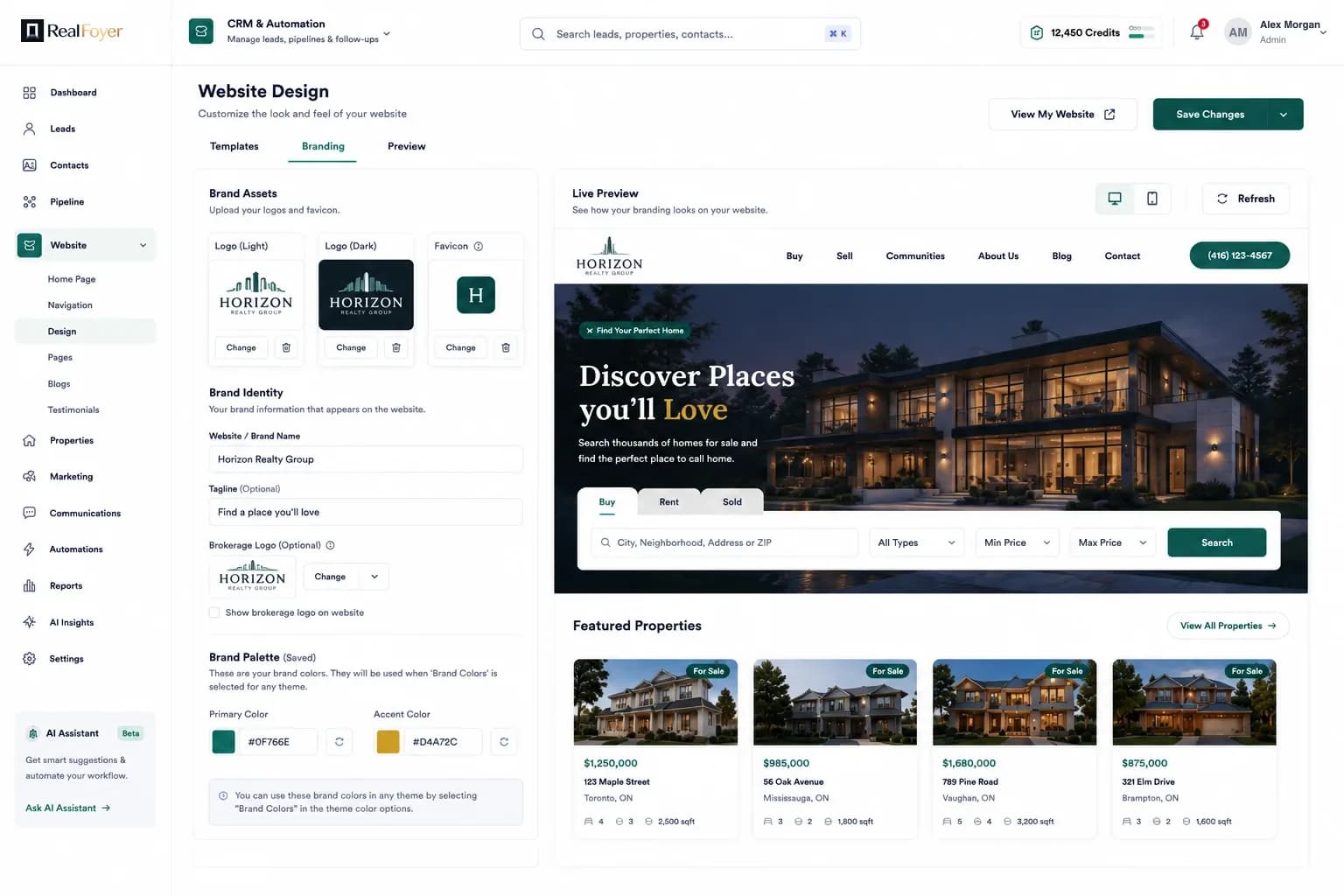
  • Branding settings with logo and colour controls

    Branding

    Logo, favicon, colours and type applied site-wide.

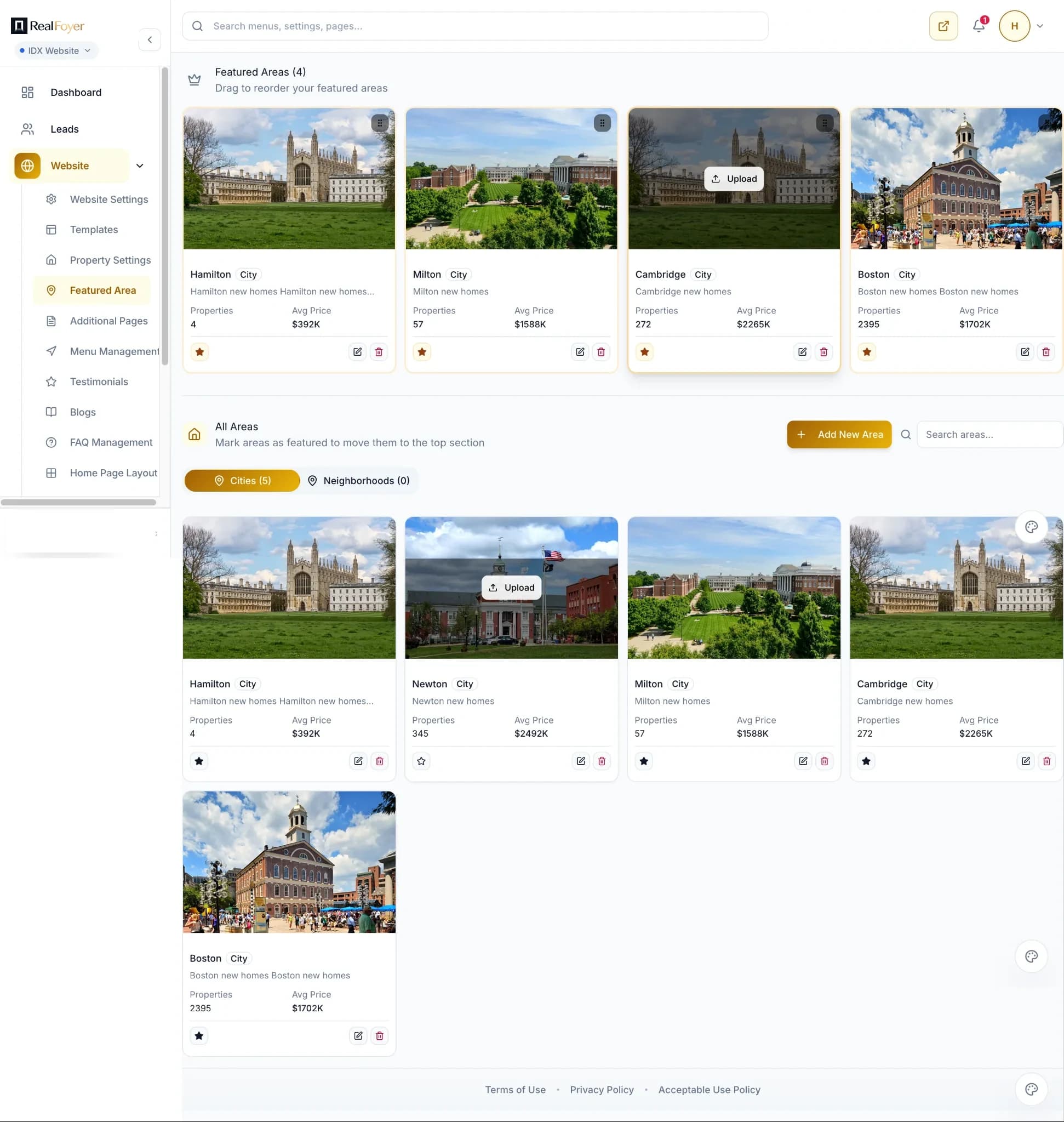
  • Featured areas management screen

    Featured areas

    Choose the areas the site leads with.

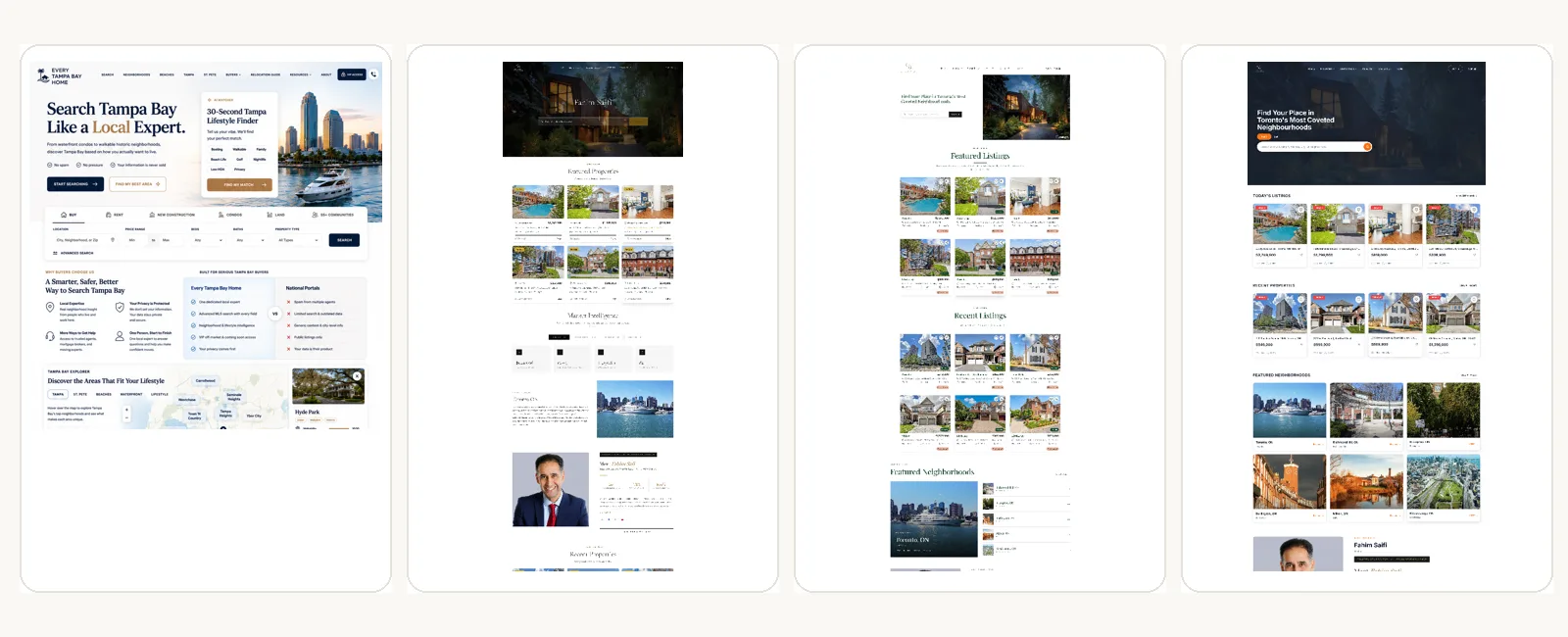
Four RealFoyer website themes shown as full pages

See RealFoyer IDX Websites in Action

Explore different website styles, search experiences and layouts built for agents, teams and brokerages.

QUESTIONS

IDX Websites, Answered

  • What is an IDX real estate website?

    IDX is the arrangement that lets a brokerage or agent display other members' listings. An IDX website is your own site, on your own domain, showing live MLS listings that visitors can search — rather than sending them to a portal.

  • Can RealFoyer connect to my MLS?

    Coverage varies by board. Many North American boards are supported and others need a data agreement or are not available at all. Check your board on the MLS coverage page or ask us before you buy.

  • Can I use my own domain?

    Yes. The site runs on your domain, and you keep it.

  • Can I customize the website design?

    Yes. Start from a theme, then change logo, colours, type, page structure and section content in the builder. Custom code is available where you need it.

  • Do listings update automatically?

    Yes. Listings sync from your board's feed on the schedule the board provides — you do not re-enter them.

  • Can buyers save searches and receive alerts?

    Yes. Visitors can register, save a search and be emailed when matching listings appear.

  • Can I create city and neighbourhood pages?

    Yes. Area pages carry their own content, their own listings and a market snapshot, and link to the listings inside them.

  • Can RealFoyer migrate my existing real estate website?

    Usually. Content and pages can be brought across, and we will tell you honestly what does not transfer cleanly before you commit.

Build a Better Home for Your Real Estate Brand.

Your listings, your areas, your brand — on a site you control.