IDX & MLS
How to Add MLS Listings to Your Website: The Actual Steps
The real process for getting MLS listings onto a real estate website: access, feed route, data mapping, the search layer, display rules and what to test.
Introduction
The short answer is that adding MLS listings to your website is not usually one step, and it is almost never the step people expect. The mental model most agents arrive with — find a plugin, paste a widget, listings appear — describes how a weather widget works, not how listing data works.
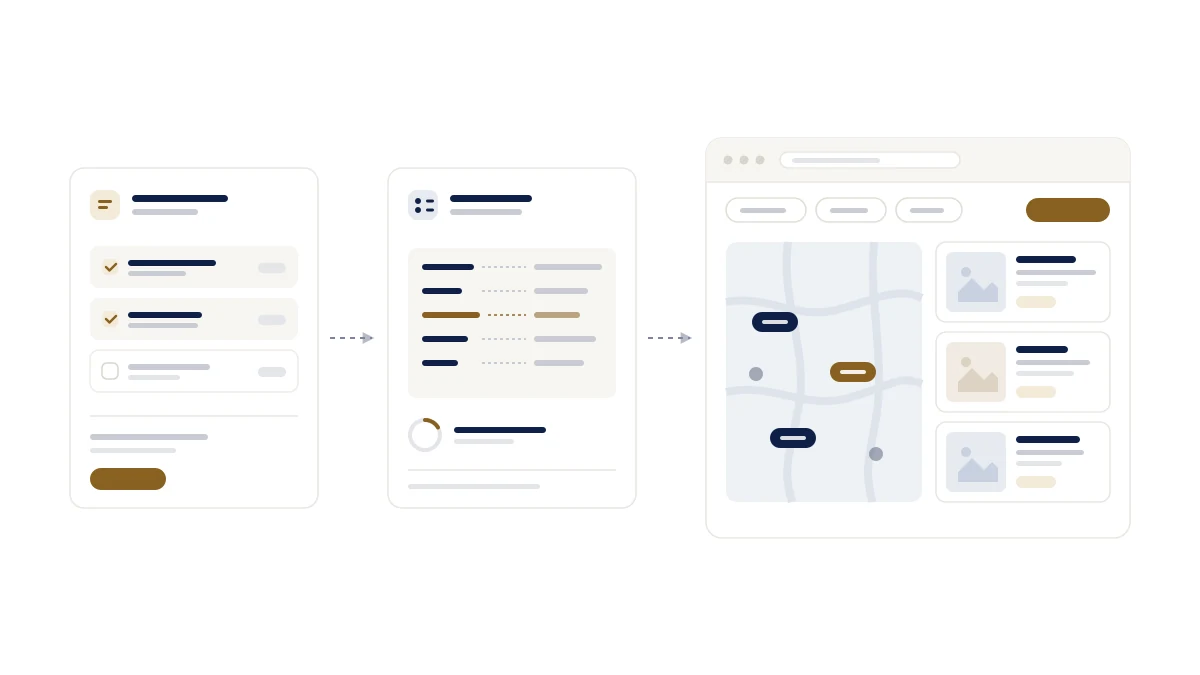
What actually happens is closer to this: you establish that you are allowed to receive the data, you decide how it will reach you, someone connects it and maps it into a shape a website can use, and then a search experience gets built on top. Alongside all of that, your MLS has rules about how the listings may be displayed, and those rules are part of the job rather than an afterthought.
That is five distinct pieces of work, and they belong to different people. This article walks through them in order, so you can tell which parts are yours, which belong to your board, and which belong to whoever builds or hosts your site.
1. Understand what you are actually adding
Three words get used interchangeably in this conversation, and separating them makes the rest of the process legible.
The MLS is the database your board or association operates. Agents put listings into it. It is not a public website and it is not something you install.
IDX is the arrangement that lets you display a subset of that database on your own site. It is a policy framework first and a technology second — which is why two agents with identical websites can be allowed to show different things.
The feed is the mechanical part: the connection that carries listing records from the MLS to whatever runs your website.
So "adding MLS to my website" usually means obtaining IDX permission and connecting a feed, then building search on what arrives. If you want the longer version of what IDX is and what a working IDX site is made of, our guide to IDX websites covers that ground and this article will not repeat it.
2. Confirm what your MLS requires
This is the step that most often stalls, and the honest answer is that requirements vary. Depending on your MLS, board, brokerage and data provider, some combination of the following may apply: membership or participation in the MLS, your broker's approval or signature, a signed IDX or data-licence agreement, and authorisation of whoever will actually receive the feed on your behalf.
Do not take a checklist from an article — including this one — as your board's requirements. Two boards in neighbouring markets can differ on who signs, what is licensed, and whether your vendor needs separate approval. The productive move is to ask your MLS directly what an IDX participant needs to submit, and to ask early: nothing downstream can start until this is settled, and it is the one part of the process no vendor can accelerate for you.
It is worth asking one more question while you are there: what is the MLS's own name for the feed or product you are requesting? Boards use different terminology, and asking for the wrong thing by name is a common source of delay.
3. Decide how the data will reach your site
Once you are permitted to receive listings, there is a question of route. Broadly, three exist.
A direct feed comes from the MLS itself. It keeps that board's own fields and its own publishing cadence, and it has to be built and maintained per board.
An aggregator or data provider — Trestle, MLS Grid and others — sits between many MLSs and many vendors, normalising them into a common shape. That is genuinely useful at scale, and it costs a little of what makes any single board distinctive.
A real estate platform handles the connection as part of the product, so the route is a decision it has already made for the boards it supports.
Not every board supports every route, and that constraint is the board's, not your vendor's. If you want to understand the transports underneath these options — what RETS was, what the RESO Web API is, and why the industry moved — that comparison is written up separately. How the listings then appear on the page is a separate choice again: plugin, widget, hosted pages, platform or custom build, compared in MLS plugin vs IDX widget vs direct integration.
4. Connect the data and get it into usable shape
This is the part that is invisible when it works and maddening when it does not. Whoever connects your feed has to receive the records, map each board's field names onto a consistent internal model, normalise values that boards express differently, handle photographs and other media within whatever the licence permits, keep records current as listings change status, and index everything so that search returns results quickly.
The reason this matters to you, as someone buying rather than building, is that most of the failures you will eventually notice — a listing that lingers after it sold, a photo that never loaded, a filter that quietly excludes properties — originate here rather than in the website you can see. How listing data actually reaches a website covers this pipeline in the detail it deserves; the practical takeaway is to ask whoever is doing it how they handle status changes and removals, because that is where thin implementations show first.
5. Build the search experience buyers actually use
Everything above delivers records. None of it is a website yet.
The layer people interact with is search: filters that match how buyers describe what they want, listing cards that carry the details worth scanning, property pages with enough substance to be worth landing on, and map search where the market makes geography the primary filter. Saved searches and alerts belong here too — they are the difference between a visitor who leaves and one you can follow up with.
There is a further piece that IDX search alone does not give you. Search results are usually not pages a search engine will treat as content, so if you want to be found for a neighbourhood or a city, you need real pages about those places with their own addresses and metadata — not a filtered result set behind a query string. That distinction is the single most consequential one in this section, and it is worth raising with any vendor before you commit.
6. Follow the display rules that apply to you
Your MLS, board or data provider sets rules about how listings may appear, and they are enforced. The categories usually include attribution to the listing brokerage, required disclosures, timestamps showing when data was last updated, what may be done with photographs and other media, whether sold or off-market records may be shown at all, and restrictions on how the data may be reused.
What those rules say, however, varies by MLS, board and provider, and must be verified against the rules that apply to you. Two agents in neighbouring markets can both be fully compliant and run visibly different websites. This article names the categories; it deliberately does not tell you what any particular board requires, because getting that wrong on a live site is expensive. Our compliance overview explains the categories in more depth and, likewise, points you back at your own agreement for the specifics.
7. Test before you launch
A short, honest pass before go-live catches most of what would otherwise be found by a client:
- Listings appear, and the count looks plausible for your market
- Filters and search return what you would expect, including the edge cases you care about
- Property URLs work when opened directly, not only when clicked through
- Images load, including on listings with many photos
- The mobile experience is genuinely usable, since that is where most buyers will see it
- Required attribution, disclosures and timestamps are present where they should be
- Listing pages can be indexed if you intend them to be, and are not if you do not
- Updates are flowing — change something and confirm the site reflects it
- Contact and enquiry forms actually deliver, to the right person
8. What affects how long this takes
Anyone quoting you a fixed timeline is guessing, because the variables are not theirs to control. What genuinely moves the schedule: your board or provider's own process and queue, whether brokerage approval is required and how quickly it is given, which data route you chose, how ready the website or platform is to receive a feed, how much field mapping the board's data needs, and whether any compliance review sits between connection and launch.
The one lever you hold is the first item. Start the MLS conversation before you choose a vendor, not after.
9. Where RealFoyer fits
RealFoyer is a real estate website and marketing platform, not a widget you paste into a site you already have. That distinction is worth being clear about, because it determines whether we are the right answer for you: if your requirement is to add listing search to an existing third-party website, you want a plugin vendor. If you are building or replacing the website itself, the connection, the search experience and the area pages come as one thing rather than three integrations you assemble.
On the platform, listings are imported from MLS feeds on a schedule with media, geocoding and open houses, removed listings are reconciled rather than left behind, and search includes filters, a map and saved searches with alerts. City and area pages are real pages with their own metadata, not results behind a filter. Brokerage attribution, last-updated stamps and the IDX disclosures a market requires render on the listing pages themselves.
Coverage is the part to check first. RealFoyer is connected today to the Toronto Regional Real Estate Board and to MLS PIN; every other board on our list is roadmap rather than live, and we would rather tell you that before you commit than during onboarding. The MLS & IDX integration page covers what the connection carries, the IDX websites page covers the site built on top of it, and the coverage list is public.
Check whether your MLS or board is currently supported before choosing your setup — see MLS coverage.
Related reading
- Real Estate IDX Websites: The Complete Guide
- MLS Integration: How Listing Data Actually Reaches Your Website
- MLS & IDX Compliance: What Your Real Estate Website Must Handle
- RETS vs RESO Web API: What Real Estate Professionals Should Know
- How to Choose an IDX Website Platform: A Practical Checklist
- How Much Does an IDX Website Cost? (2026 Fees)
- How to Handle Multiple MLS Regions on One Real Estate Website
Research Integrity
Published 8 September 2026 in response to a search-intent gap: eleven procedural queries — "how to link mls to my website", "integrate mls into website", "embed mls search in website" and similar — were reaching the MLS/IDX product page, which sells a product rather than explaining a process. No vendor is named except the aggregators Trestle and MLS Grid, which are named as routes that exist rather than compared. No approval timelines, fees, or board-specific requirements appear anywhere in this article, because they vary by board and we have not verified any of them; every such passage points the reader at their own MLS instead. The only coverage claim made is the one RealFoyer publishes elsewhere: TRREB and MLS PIN are connected, and the rest of the board list is roadmap. RealFoyer is described as a platform rather than a plugin, which is the limitation most relevant to a reader arriving from these searches.