IDX & MLS
MLS Plugin vs IDX Widget vs Direct MLS Integration: How Should Listings Reach Your Website?
Five ways MLS listings can reach a website — plugin, embedded widget, hosted IDX pages, an IDX platform or a direct feed build — compared on SEO, lead context, compliance and exit.
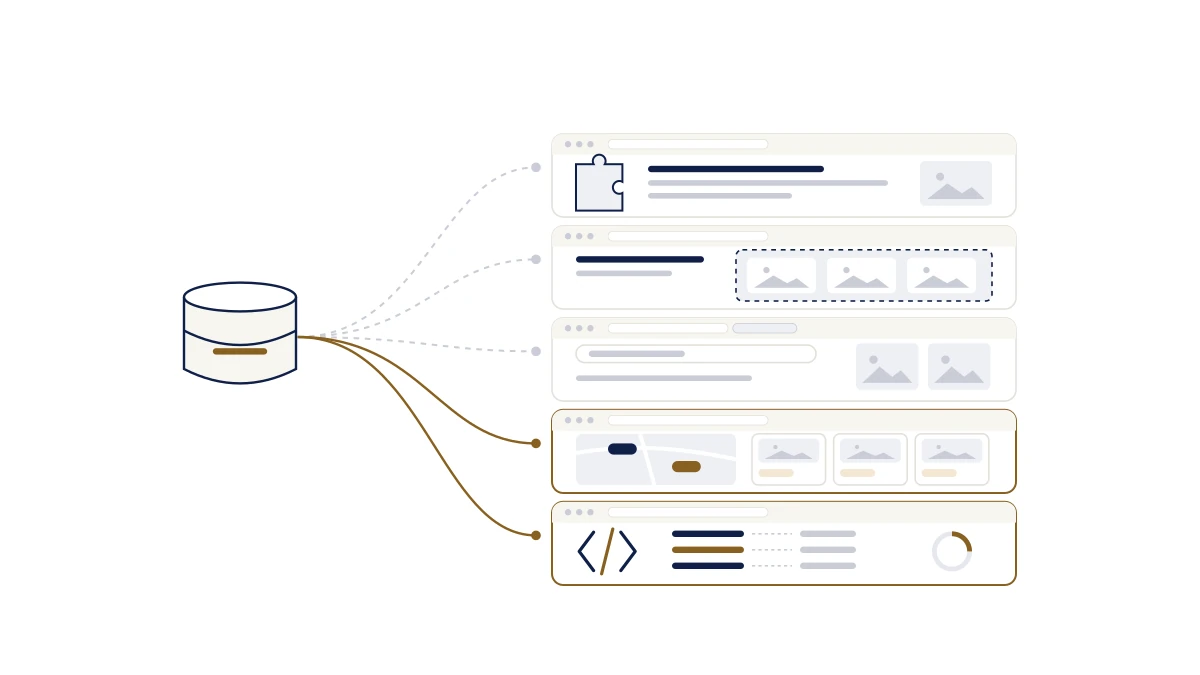
Introduction
An agent has a website they like. It took a year to get right, it ranks for their name, and the contact form works. Then the brokerage suggests adding listings, and the obvious question goes into a search box: is there an MLS plugin?
There are several answers, and the word "plugin" is the least useful part of any of them. Listings can reach a website in five different ways. They look similar in a demo. They behave very differently a year later, when you want to rank for a neighbourhood, when an enquiry arrives at 9pm, and when you decide to change vendors.
This article compares those five formats on the things that are expensive to change. It does not walk through the process of getting MLS data, which the how-to article covers, or the pipeline underneath, which the MLS integration guide explains.
⚡ Quick answer — plugin, widget or integration: which should I choose? Choose by ownership, not by features. The format decides three things the price list does not: whether listing and area pages count as yours to a search engine, where an enquiry lands and what it carries, and what you keep if you leave. A widget or plugin keeps your current site and gives up some of each. A platform or direct integration gives you all three and asks you to move. Whichever you pick, MLS permission comes first, and no software can grant it.
Four words that get confused
MLS is the database your board operates. IDX is the permission that lets you display a subset of it publicly. The feed is the delivery of records from the MLS to whatever runs your site. A plugin is one way of showing what the feed delivers.
The IDX guide covers the first three properly. The point here is that the fourth is the only one that is optional.
The five ways listings reach a website
MLS / board
One authorised feed, under your board's agreement
Keeps the site you have
- 1
CMS plugin
Installed in WordPress or similar
Feed held byThe plugin vendor
Listing pages live onDepends on the plugin — check
- 2
Widget / iframe
A script pasted into a page
Feed held byThe vendor
Listing pages live onThe vendor's frame, not your page
- 3
Hosted IDX pages
Search on a linked subdomain
Feed held byThe vendor
Listing pages live onA subdomain the vendor controls
Is the site
- 4
IDX website platform
Site, feed, search and CRM as one
Feed held byThe platform
Listing pages live onYour domain
- 5
Direct feed build
Developers build on the feed
Feed held byYou
Listing pages live onYour domain, maintained by you
Every route starts with the same permission. The format decides whose pages the listings become, and where an enquiry lands.
- A CMS plugin. Software installed inside a content management system, most commonly WordPress. The range is wide. Some plugins embed a vendor's search inside your pages; others create real listing and search pages under your domain. The label tells you nothing until you know which kind you are looking at.
- An embedded widget or iframe. A script or frame you paste into a page. The vendor renders the search and the results. It is quick to set up, and the content inside a third-party frame is not part of your page as far as search engines are concerned.
- Hosted IDX pages on a subdomain. The vendor runs the search at an address like search.youragency.com and your site links to it. Listing pages exist and can be crawled, but they live on a property the vendor controls, styled to look like yours.
- A full IDX website platform. The website, the feed, the search, the area pages and usually the CRM are one system. You move your site onto it, or build a new one there.
- A direct feed or API build. A developer connects to the board's feed, normalises the data and builds search on top. Maximum control, and every part of the pipeline is yours to maintain.
The first three keep the site you have. The last two are the site.
The comparison that decides it
| CMS plugin | Widget / iframe | Hosted subdomain | IDX platform | Direct build | |
|---|---|---|---|---|---|
| Keeps your current site | Yes | Yes | Yes | No | Usually no |
| Who holds the feed | Plugin vendor | Vendor | Vendor | Platform | You |
| Listing pages indexable on your domain | Depends on the plugin | No | On the vendor's subdomain | Yes | Yes |
| Area pages you can write | Only if it creates real pages | No | Sometimes, on the subdomain | Yes | Yes, if you build them |
| Where an enquiry lands | Usually an email | Usually an email | The vendor's tool, sometimes synced | The platform's CRM, with activity | Wherever you send it |
| Display rules handled by | Vendor, per board; verify | Vendor | Vendor | Platform, per board | You |
| Ongoing upkeep | CMS, plugin and vendor updates | Vendor | Vendor | Platform | A developer, indefinitely |
| If you leave | Listing URLs disappear; site stays | Frame removed; site stays | The subdomain and its rankings stay with the vendor | Depends on domain ownership and export | You keep what you built |
Three rows deserve most of your attention: whose domain the listing pages are on, what an enquiry carries, and what happens when you leave. Everything else can be fixed later.
Where each format breaks
The frame and the search engine. Content inside an iframe belongs to the page that serves it, which is the vendor's. A site with a widget can look complete and have nothing in the index except the pages written by hand. Technical SEO for real estate websites explains the mechanics. The short version: if the listings are not in your page's markup, they are not your content.
The subdomain that ranks for someone else. Hosted pages do get indexed, which is an improvement on a widget. But the rankings those pages earn attach to a setup the vendor controls, and search engines may treat a subdomain as a separate property. Move vendors and the pages, along with whatever they earned, stay behind.
Freshness with three moving parts. A plugin depends on the vendor's sync, the CMS's scheduling and your hosting all working at once. When a sold home lingers, working out which of the three stopped is the job nobody budgeted for. The MLS integration guide covers where staleness enters and why reconciliation matters.
Leads that arrive as email. A widget or plugin enquiry usually lands in an inbox with a name, a phone number and a listing address. What it does not carry is the eleven other properties that person viewed, the search they saved, or the fact that they came back four times. Website conversion explains why that context is most of the value.
Compliance nobody owns. Attribution, disclaimers, timestamps and sold-data rules vary by board. With a plugin on a site you manage, it is not always clear whether the vendor, the theme or you is responsible for what appears next to a listing. IDX and MLS compliance lists the categories; someone has to own each one.
Leaving. Remove a plugin and every listing URL returns a 404. Leave a platform and the questions change: who holds the domain, can you export leads with their history, and can the URL structure be reproduced somewhere else. Ask before signing, whichever route you take.
Which to choose, by situation
You have a site you like and no plans to rank for areas. A plugin that creates real pages under your domain, or a hosted subdomain if the plugin options for your board are weak. Accept that leads will arrive as email, and build the habit of logging them somewhere.
You are a new agent, or replacing the site anyway. A platform, almost always. The site, the feed, the area pages and the CRM arrive as one thing, and the questions that matter become the exit questions in the platform checklist.
You run a team or brokerage. A platform or a direct build. The deciding factors are routing, roles and what happens to a departing agent's data, and a widget addresses none of them.
You have developers and an unusual requirement. A direct build against the board's feed. Budget for maintenance, for field mapping when the board changes something, and for monitoring that notices a failed sync. RETS vs RESO Web API is the transport background your developers will want.
The general rule: the more your business depends on the website producing leads, as opposed to confirming that you exist, the further down the list you should go.
Builder, plugin or custom site?
"IDX website builder" is how many people phrase the platform option, so it helps to map the three buying models onto the formats above.
| Model | Which format | You accept | In exchange for |
|---|---|---|---|
| Website builder with IDX | An IDX platform | Dependence on one vendor | Everything connected, nothing to assemble |
| CMS plus an IDX plugin | A plugin, or hosted pages | Seams between systems, and updates | Keeping the site you have |
| Custom build | A direct feed build | Engineering ownership, permanently | Control over every decision |
None is the right answer in general. The wrong answer is buying one model while expecting the behaviour of another: a plugin that is supposed to rank like a platform, or a builder that is supposed to bend like custom code.
Questions to ask any vendor
Whether the pitch is a plugin, a widget or a platform, six questions expose what the demo does not:
- Which boards do you hold an active feed with today? Named, in writing. A coverage number is not an answer.
- Show me a live client site in my market. Then open a listing URL directly and view the source. Is the listing in the page?
- Where does an enquiry go, and what does it carry?
- What happens when a sync fails, and who is told?
- What is my URL structure, and what happens to it if I leave?
- What does this not do? A vendor who cannot name a limitation is not listening.
The platform checklist extends these to twelve, with the exit questions in full.
A note for Canadian readers
A noticeable share of the searches behind this article are for a "Toronto MLS plugin" or an "MLS plug-in, Canada". The mechanics are the same as anywhere: your board grants access under its own data agreement, and the format question follows. What differs is that each board, the Toronto Regional Real Estate Board included, runs its own approval process and sets its own data terms. So the first question to any vendor, plugin or platform, is whether they hold an active feed with your board today.
RealFoyer holds one with TRREB; the TRREB coverage page sets out what that means. It is a platform, not a plugin, which for an agent with an existing site is exactly the trade-off described above.
Where RealFoyer fits
RealFoyer is an IDX website and marketing platform: format four in the list above. It is not a plugin or a widget. If your requirement is to add listing search to a third-party site you intend to keep, it is not the right tool, and it is better to know that now than at onboarding.
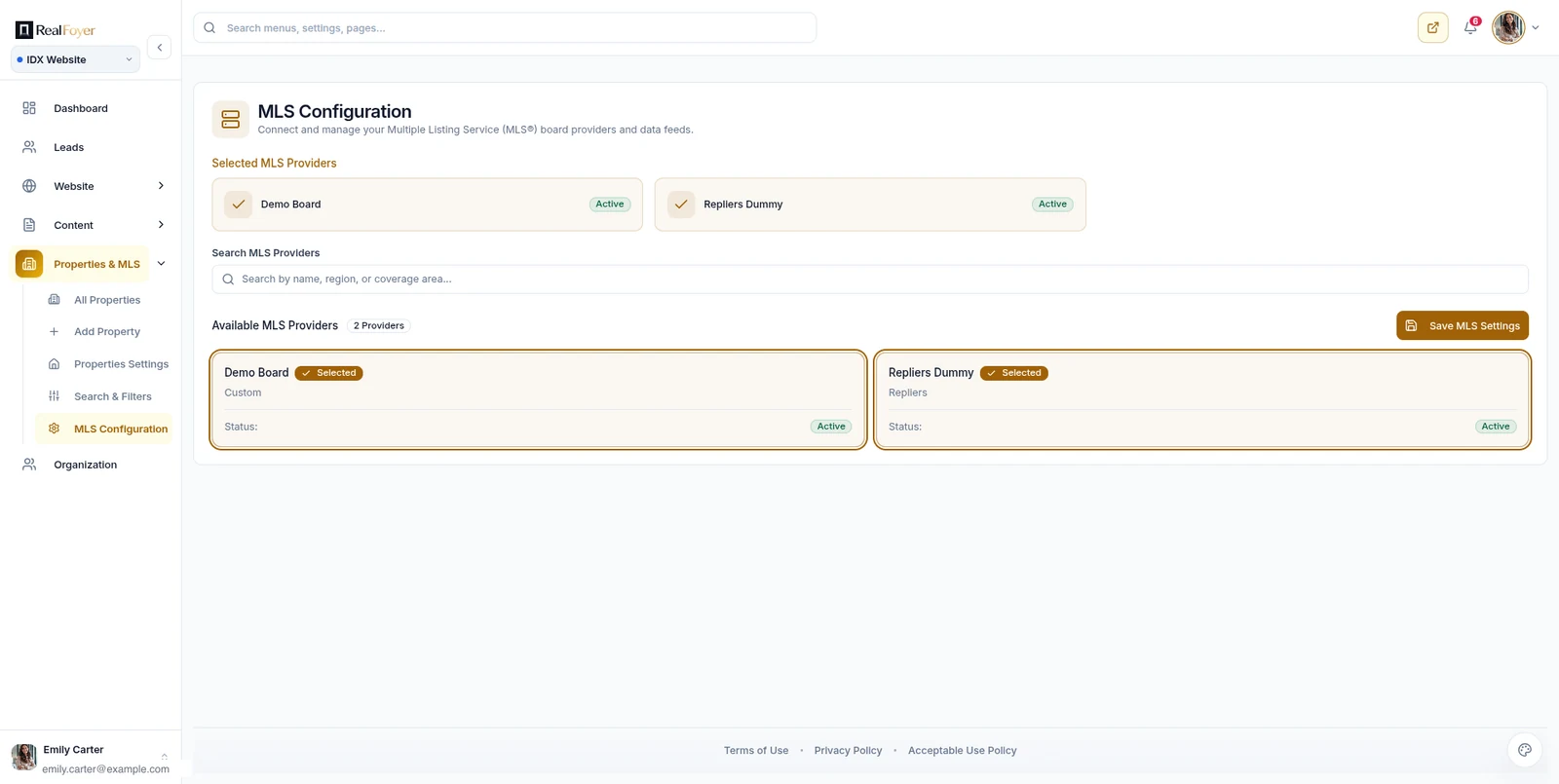
On the platform, listings are imported from the board feed on a schedule, with media, geocoding and room data, and removed listings are reconciled instead of being left behind. Search includes filters, a map, and saved searches with instant, daily or weekly alerts. Listing pages and city and area pages are real, indexable pages on your domain with their own metadata. Enquiries land in the CRM as a lead record with the visitor's property activity attached.
Coverage is the thing to check first. RealFoyer is connected today to the Toronto Regional Real Estate Board and to MLS PIN. Every other board on the public list is roadmap rather than live, and no board count is published because a number would not tell you whether your board is served. Ingestion runs on a schedule, not in real time. And RealFoyer cannot grant MLS access: your board decides what you may display.
FAQ
Can I add MLS listings to Squarespace, Wix, Duda or Showit? Only through a vendor that offers a widget, hosted pages or a compatible plugin for that builder, connected to your board. Check whose domain the listing pages will be on before you commit. RealFoyer does not integrate with those builders; it replaces the site instead of plugging into it.
Is an IDX widget bad for SEO? The widget does nothing to your rankings. What it fails to do is add anything: content inside a third-party frame is not your content, so the listings inside it will not rank for you. If ranking for areas matters, you need pages on your own domain.
Do I need an MLS membership to use a plugin? Yes. Every format depends on your board's IDX permission and a signed data agreement. The vendor connects an authorised feed; it cannot create the authorisation.
Is there an MLS plugin for Toronto? Some vendors offer TRREB-connected widgets and plugins, and the board's data terms apply to all of them. Ask any vendor, in writing, whether they hold an active TRREB feed today. RealFoyer is connected to TRREB as a platform, not as a plugin.
What is the difference between an IDX plugin and an IDX website builder? A plugin adds listings to a site you already run. A builder, or platform, is the site. The plugin keeps your CMS and leaves you seams to manage; the builder gives you one connected system and asks you to move.
What is IDX integration? The work of connecting your board's feed to a website and turning the records into search, listing pages and alerts, under your board's display rules. "Integration" can describe any of the five formats above, so when a vendor uses the word, ask which one they mean and whose pages the listings end up on.
Does RealFoyer offer a plugin or widget? No. RealFoyer is a website, IDX and CRM platform. For an existing third-party site, you want a plugin vendor.
In short
A decision rule instead of a summary. If the website exists to confirm you are real, a plugin or hosted pages on the site you have will do. If it exists to produce leads and rank for the places you sell, the listing and area pages need to be yours, on your domain, with enquiries landing somewhere that remembers what the visitor did. That points to a platform or a direct build, and the questions that matter then are about the exit, not the demo.
Check whether your MLS or board is currently supported before choosing a format, or see RealFoyer IDX websites for what the platform route includes.
Related reading
- How to Add MLS Listings to Your Website: The Actual Steps
- MLS Integration: How Listing Data Actually Reaches Your Website
- How to Choose an IDX Website Platform: A Practical Checklist
- RETS vs RESO Web API: What Real Estate Professionals Should Know
- MLS & IDX Compliance: What Your Real Estate Website Must Handle
Research Integrity
Published 22 September 2026 to answer a comparison that searchers were bringing to the MLS integration product page, which cannot honestly satisfy it: "mls plugin", "mls widget for website", "toronto mls plugin" and "mls plug in canada", along with searches naming website builders. No vendor is named, priced or compared. Each format is described by how it works, not by who sells it, and RealFoyer is placed in one column with its limitations stated in the same section. The point that iframe content is not attributed to the embedding page follows from how crawlers treat frames; the caution about subdomains is stated as a risk rather than a rule, because treatment varies. The only coverage claim is the one RealFoyer publishes elsewhere: TRREB and MLS PIN are connected, and every other listed board is roadmap. No board count appears. The "builder, plugin or custom" section sits here, with a short companion in the platform checklist, so that the smaller "IDX website builder" search family is answered without a third competing page.