Real Estate Email
Campaigns.
Engage. Convert.
Create polished real estate emails, reach the right leads and manage your campaigns from one connected RealFoyer workflow.
- Email Templates
- Audience Selection
- Batch Campaigns
- Scheduling
- Campaign Reporting
- CRM Connected
Designed for agents affiliated with leading brokerages








Everything You Need to Run Successful Email Campaigns
Build a campaign, choose an audience from the lists already in your RealFoyer CRM, send it now or schedule it, and see how it performed. Email lives beside your leads and listings, so a campaign can feature a property and its results land next to the people who opened it.
Real Estate Email Templates
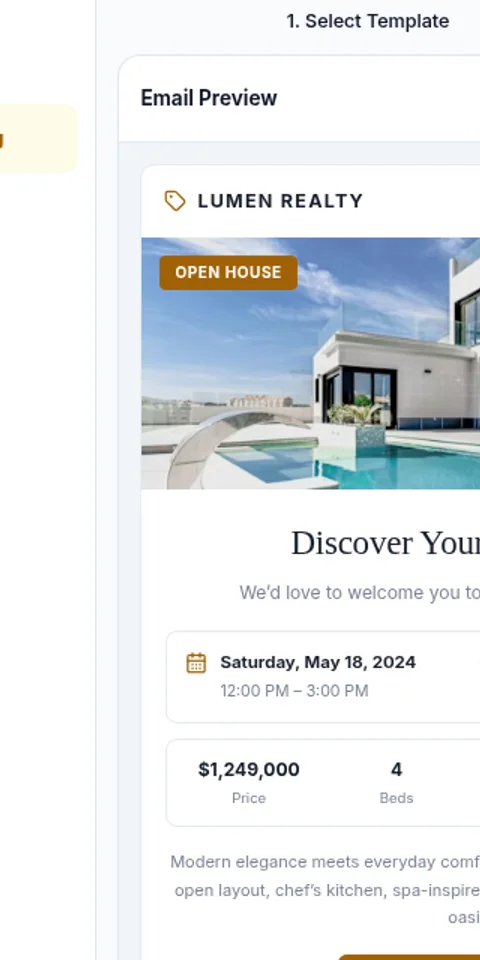
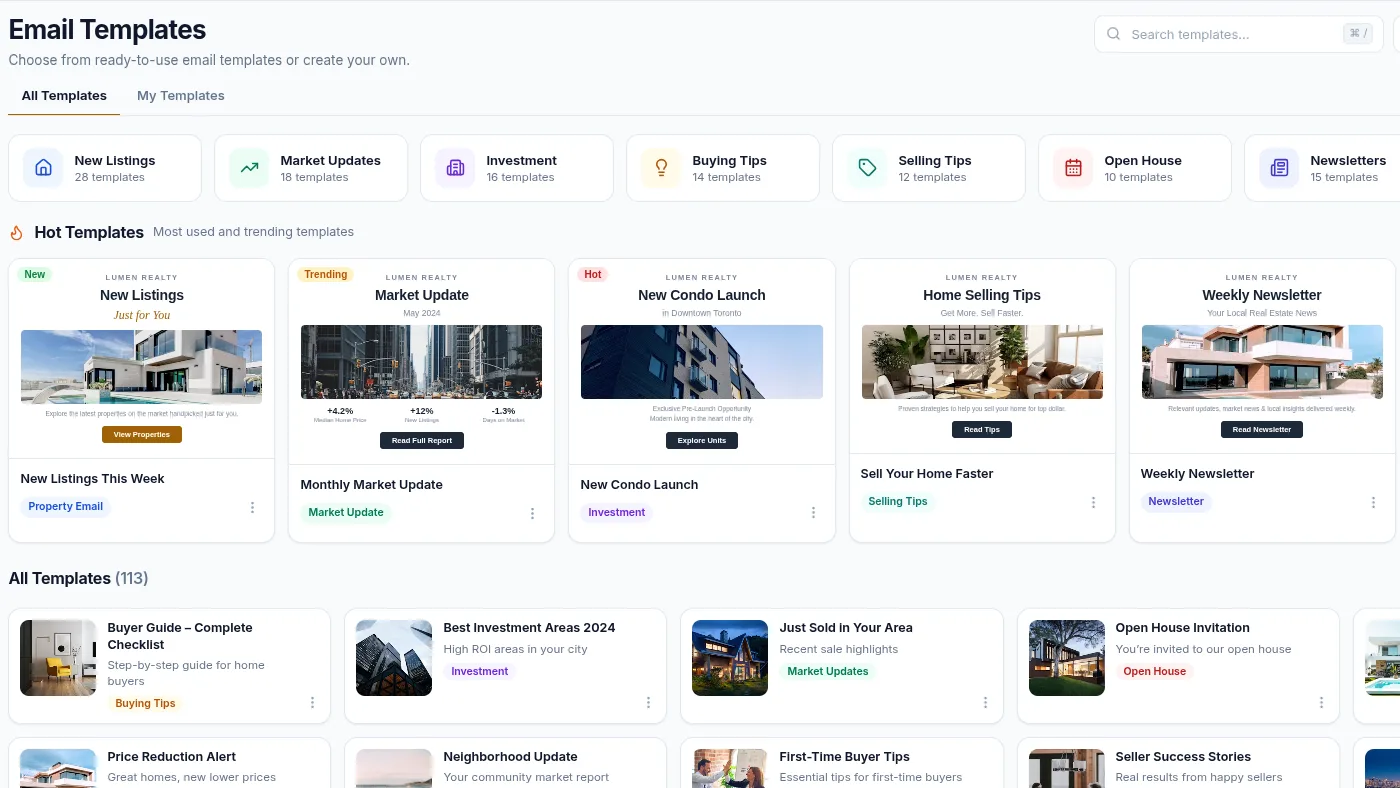
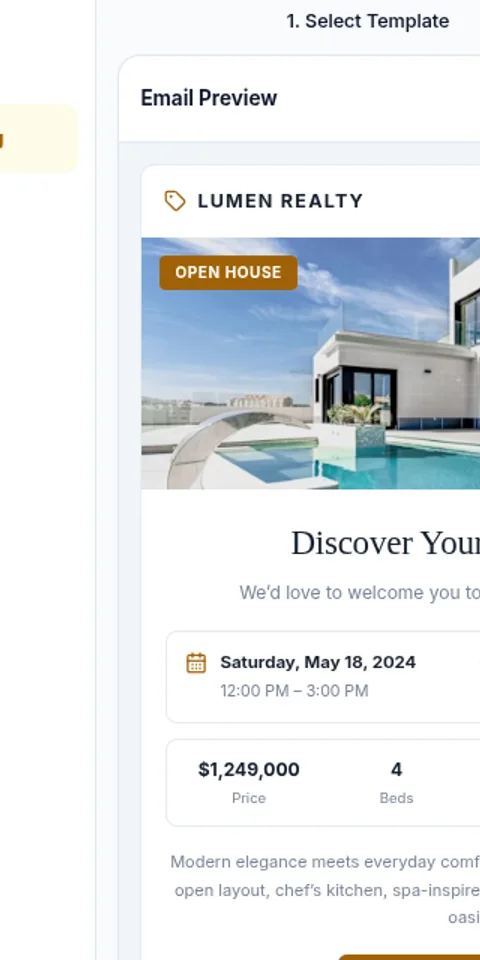
Start from a library of ready-made designs for new listings, market updates, open houses, newsletters and more.
Email Builder
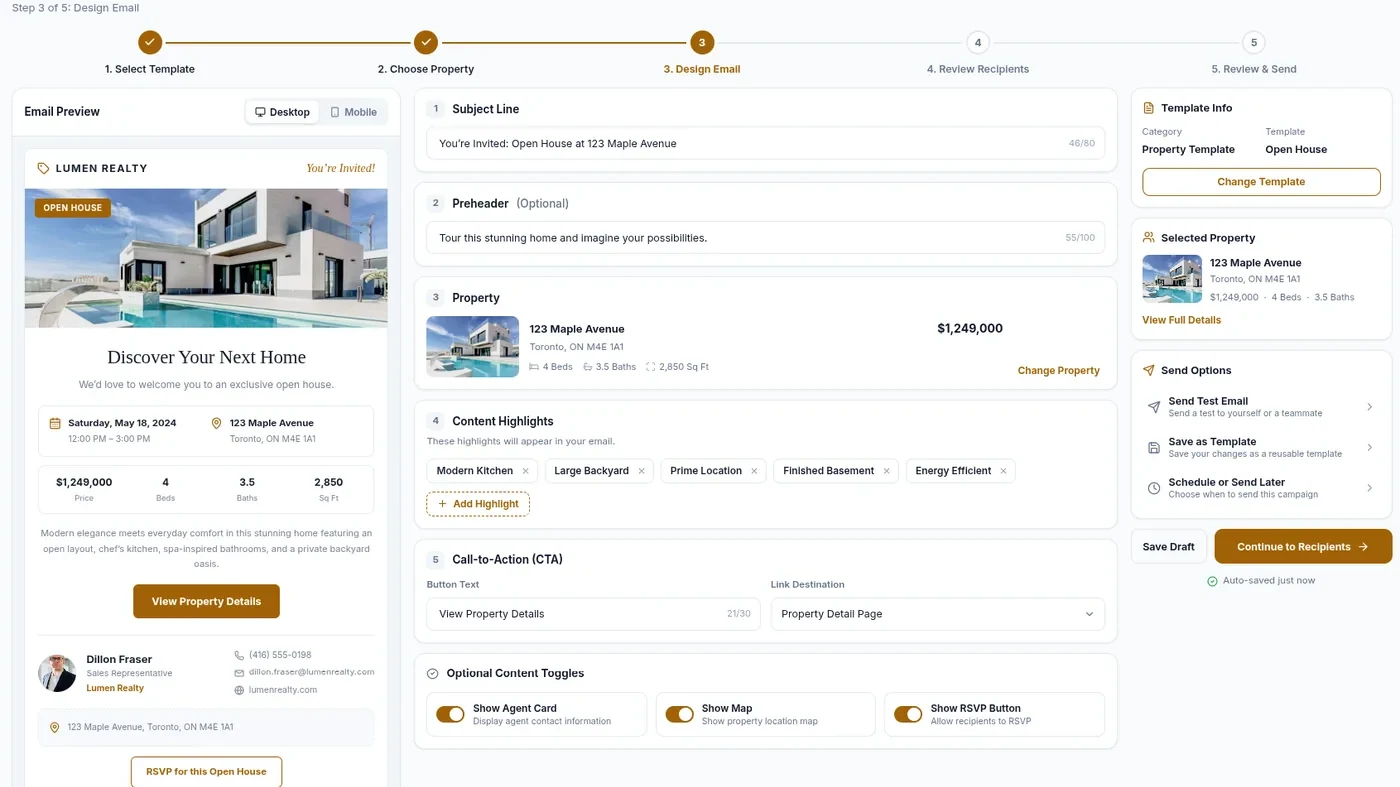
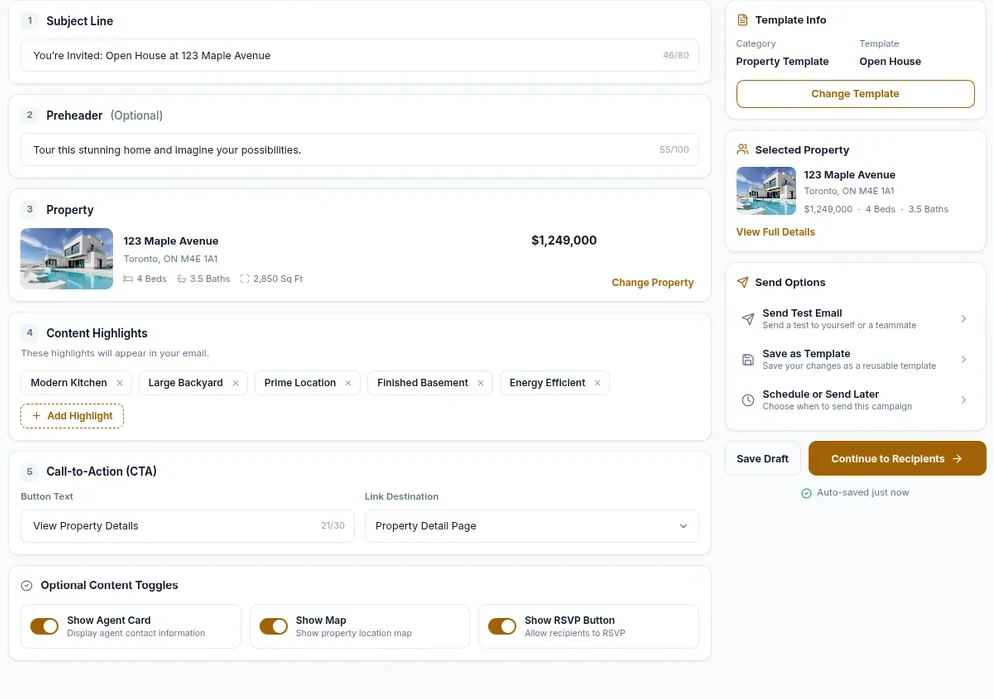
Set the subject, preheader, property, highlights and call to action, with a live desktop and mobile preview.
Select Your Audience
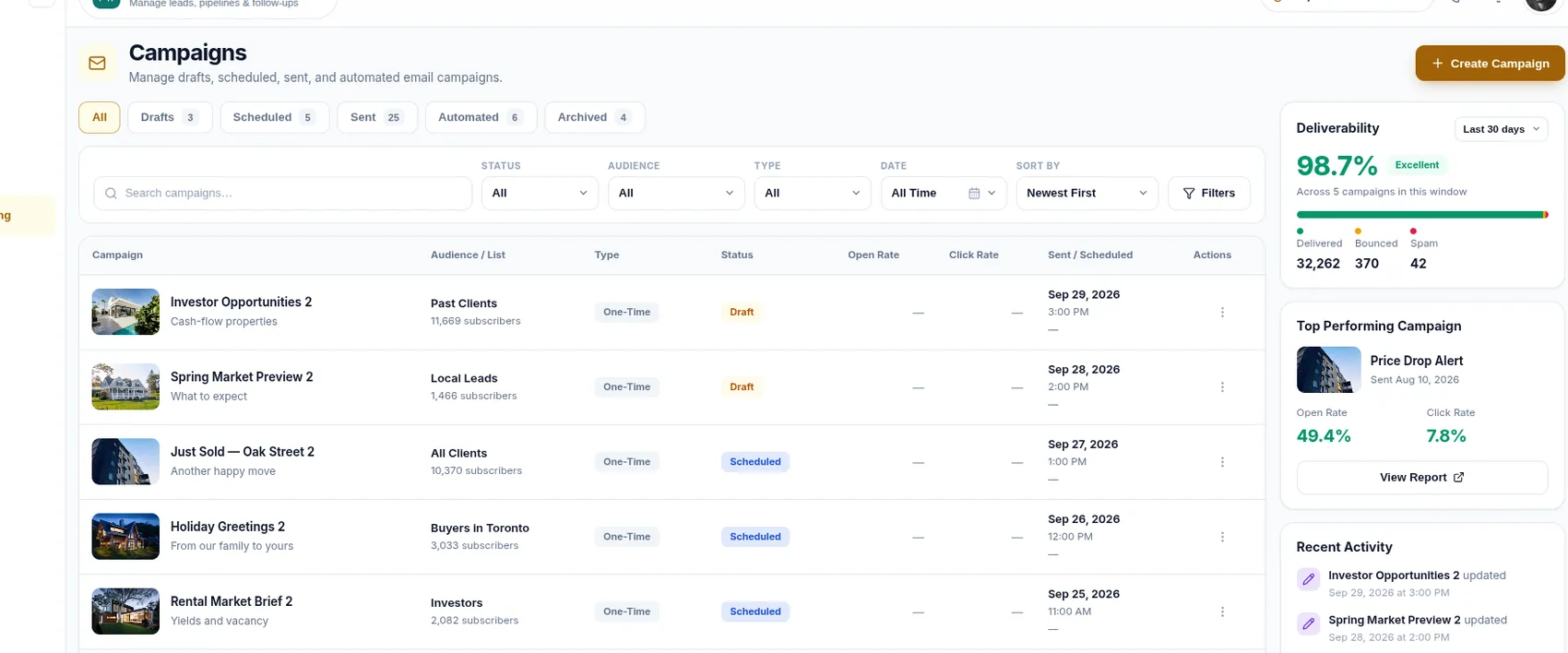
Send to a named list — hot leads, buyers, investors, past clients — and see how many subscribers each holds.
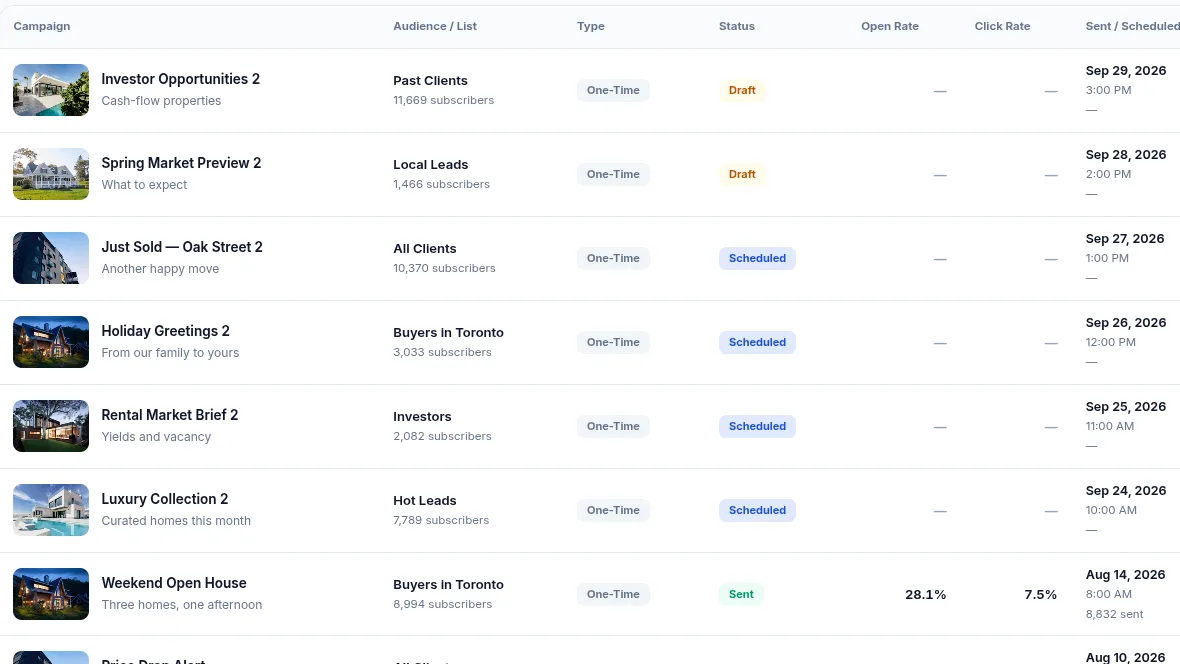
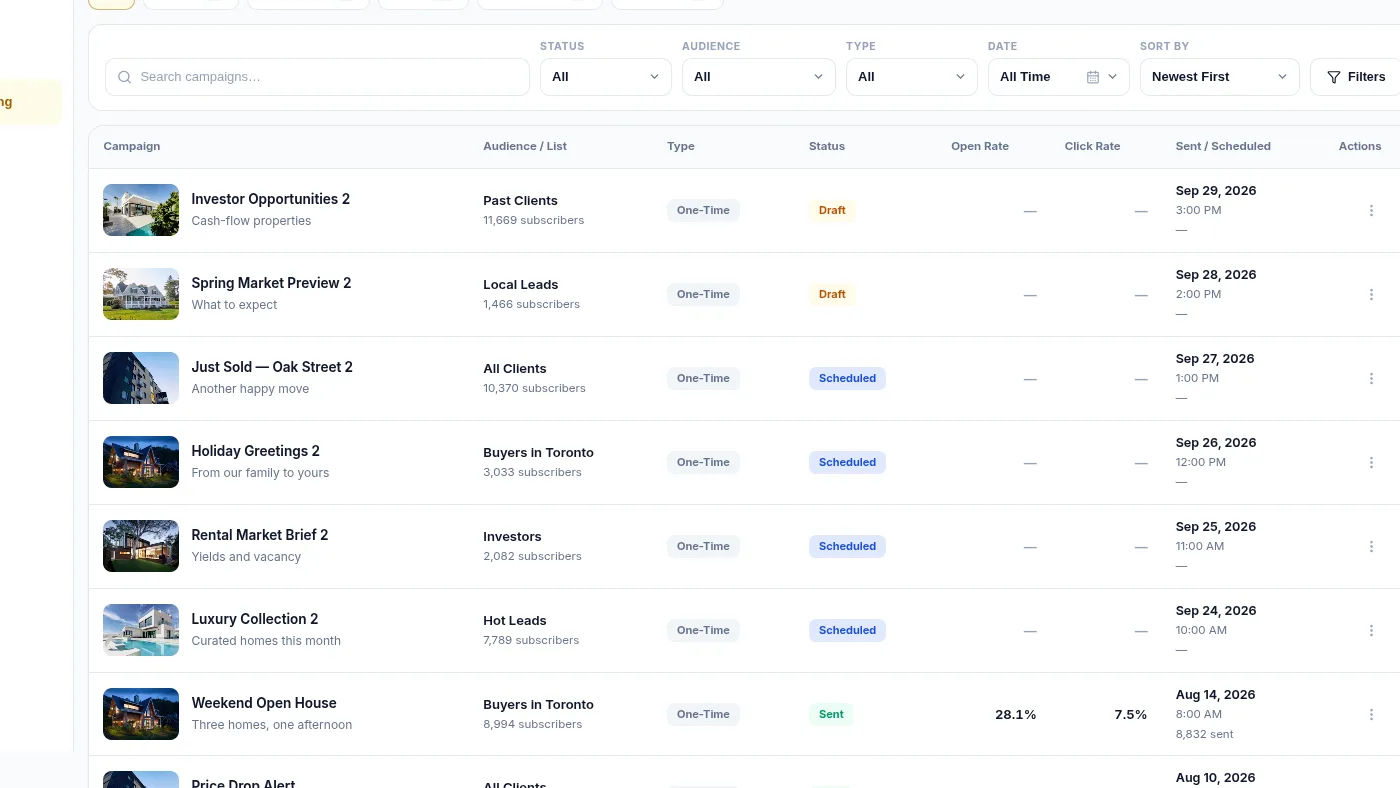
Batch Email Campaigns
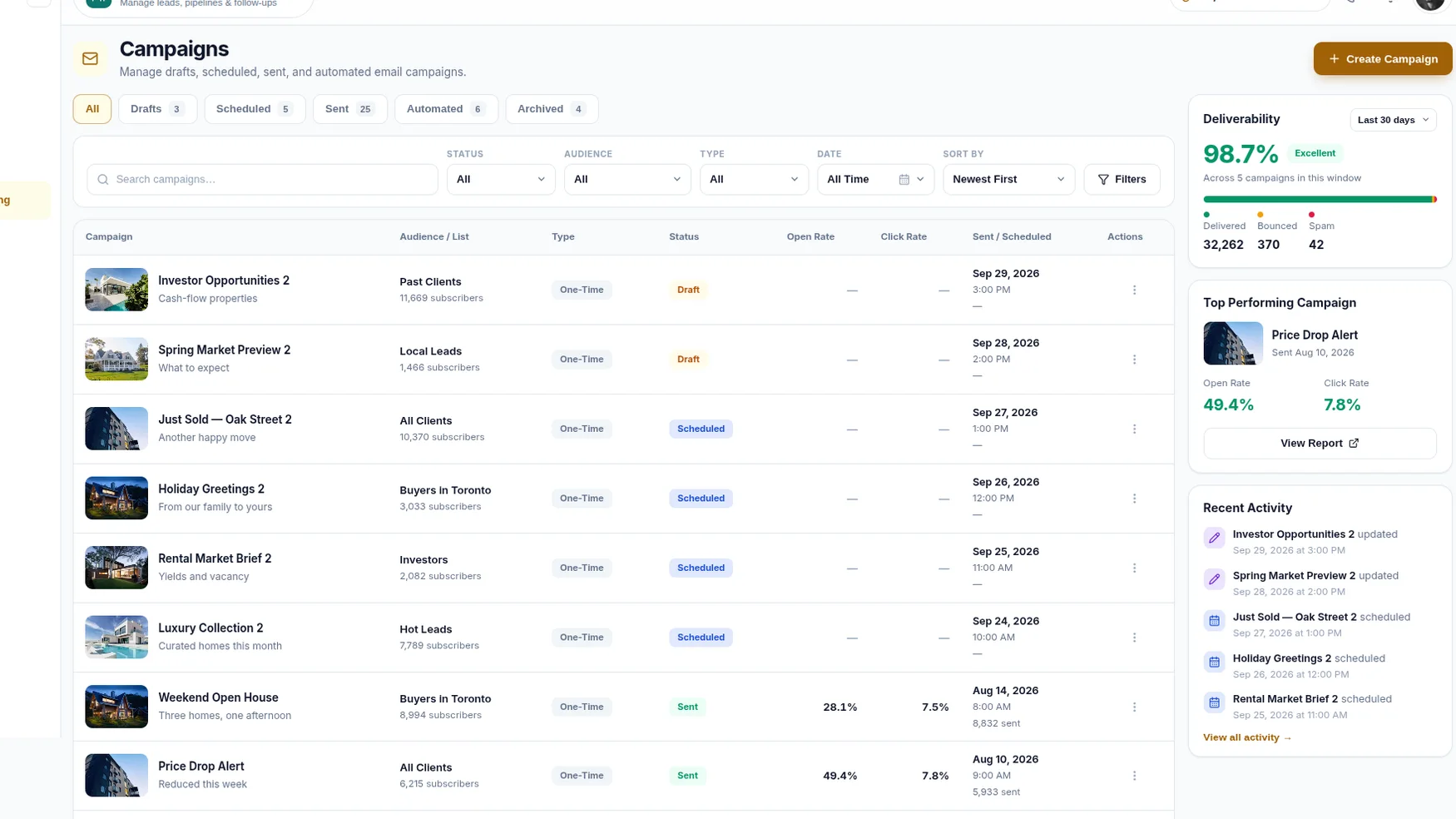
Work drafts, scheduled, sent and automated campaigns from one screen, filtered by status, audience or type.
Schedule Campaigns
Send a test to yourself, save the design as a template, or choose when the campaign should go out.
Sender Validation
Validate your sender identity before sending campaigns, so mail goes out from an address that has been verified rather than an unchecked one.
Campaign Reporting
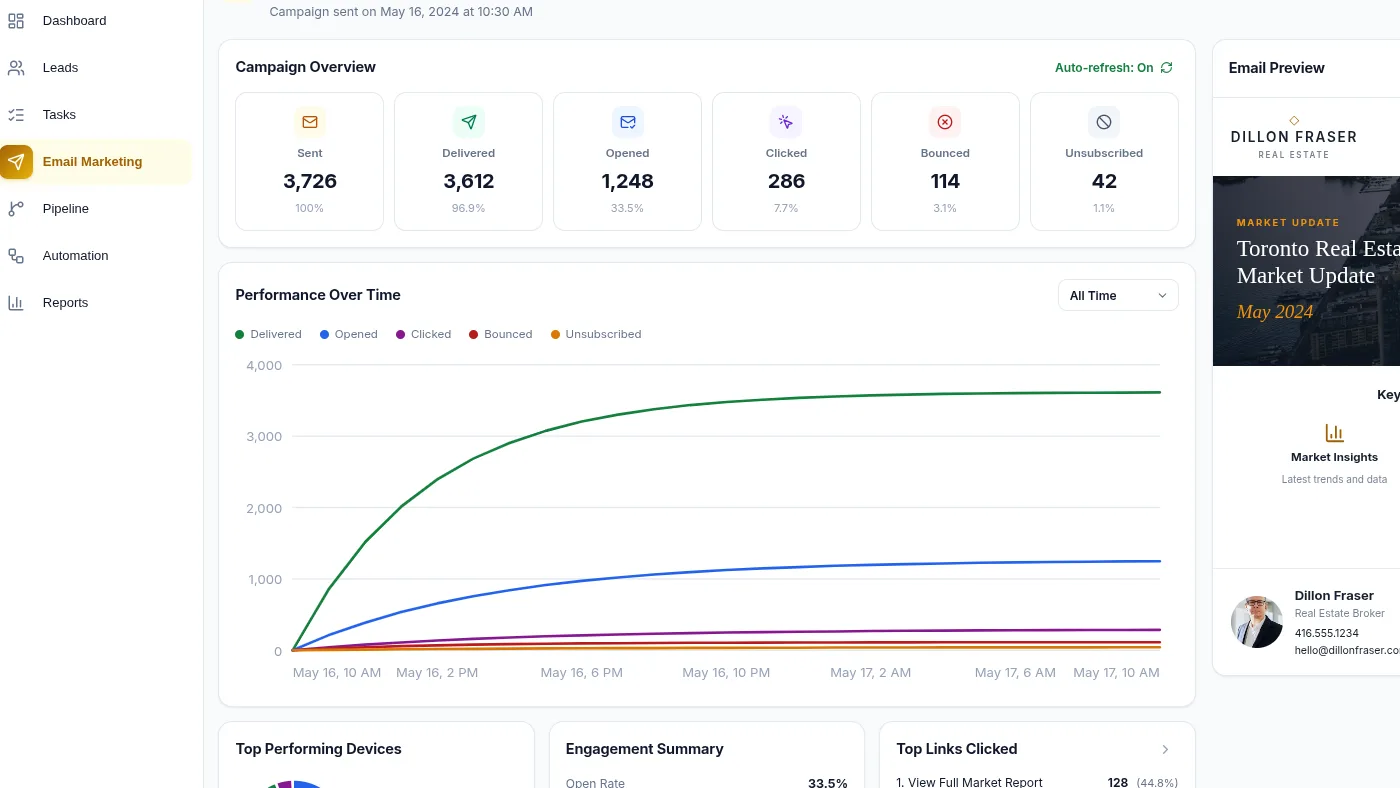
See sent, delivered, opened, clicked, bounced and unsubscribed for each campaign, plus which links were used.
Everything You Need to Grow Your Business
- Email Templates
- Audience Lists
- Listing-Based Emails
- Sender Validation
- Test Sends
- Delivery Reporting
- Email Credits
How Email Marketing Works in RealFoyer
1. Build Your Email
Pick a template and a listing to feature if the design uses one, then set subject, preheader, content and imagery.
2. Select Your Audience
Pick the list to reach; unsubscribed and bounced contacts are left out automatically.
3. Send or Schedule
Send yourself a test, then send now or choose a date, time and time zone.
4. Track Performance
Review sent, delivered, opened, clicked, bounced and unsubscribed.
5. Follow Up
Use campaign activity and CRM context to continue the conversation.
What Each Part Does
Templates and email creation
- A growing library of real estate templates grouped by purpose: new listings, market updates, open houses, newsletters.
- A structured builder: each template's sections have their own fields, edited with a live desktop and mobile preview.
- Save a design as a template.
Audiences and CRM connection
- Campaigns go to named lists built from your CRM contacts, each showing its subscriber count.
- Feature a listing from your inventory; campaign activity sits on the lead's record.
- Lists are the targeting unit; there is no filter-based segment builder.
Scheduling and sending
- Campaigns move through draft, scheduled and sent, plus an automated type.
- Send now, or schedule a date, time and time zone; a test send goes to you first.
- Sending volume may depend on your plan and email credits.
Reporting and engagement
- Six counts per campaign: sent, delivered, opened, clicked, bounced, unsubscribed.
- Which links were clicked.
- Replies are not tracked; they arrive in your inbox as ordinary email.
Sender identity
- Sender validation before sending helps protect deliverability and ensures the sending identity is verified.
- It does not promise inbox placement.
Who It Is For
Agents
Keep in touch with leads and past clients from the same system that holds their record.
Teams
Prepare campaigns once and send consistent communication to shared lists.
Brokerages
Reusable templates and one campaign workflow across a larger contact base.
FAQ
Email Campaigns, Answered
Can I schedule an email campaign?
Yes. Choose a date, time and time zone and it waits in the scheduled state. Or send immediately.
Can I send myself a test email first?
Yes. A test send goes to your own address before you commit the campaign to a list.
How do I choose who receives a campaign?
Pick a named list built from your CRM contacts. Unsubscribed and bounced contacts are excluded.
What campaign metrics does RealFoyer report?
Sent, delivered, opened, clicked, bounced and unsubscribed, plus which links were clicked. Replies are not tracked.
Does RealFoyer verify the sender?
Sender validation runs before sending and confirms the sending identity. It does not guarantee inbox placement.
Does RealFoyer provide automated drip campaigns?
An automated campaign type exists beside drafts, scheduled and sent. A multi-step sequence builder is not configurable today.
Create Better Emails.
Build Stronger Relationships.
Create and manage real estate email campaigns from one connected RealFoyer workflow.
- 14-Day Free Trial
- No Credit Card Required
- Built for Real Estate
Keep exploring
Further reading
In the Help Centre