CRM & Leads
Real Estate Email Marketing: Campaigns, Drip Sequences and Automation for Agents
How agents and realtors run email people read: the three kinds of email, which campaigns to send, list consent, sequence design, and what reports can and cannot tell you.
Introduction
A new listing goes live on a Thursday morning. By lunchtime it has been emailed to everyone in the database: 2,300 people, of whom perhaps forty are looking for a three-bedroom semi in that price band. The other 2,260 have just learned something about your emails, which is that they are not about them.
That is how most real estate email marketing fails. Not through bad design, and not through sending too little. Through sending the same message to people who are in the database for completely different reasons.
This article is about doing it deliberately: which emails an agent should send, to whom, how a sequence differs from a campaign, and what the reports can tell you once the send button has been pressed. It applies whatever software you use. Where RealFoyer's own email tools are relevant, they are described precisely, limits included.
⚡ Quick answer — what should a real estate email campaign do? One thing, for one group of people, for a reason you could say out loud. A listing email goes to buyers whose saved criteria it matches, not to the whole database. A market update goes out when a figure has changed, not because it is the first of the month. Separate the three kinds of email an agent sends, build lists you can name in one sentence, give every campaign one action, and judge it by what people did afterwards instead of by opens.
The three kinds of email an agent sends
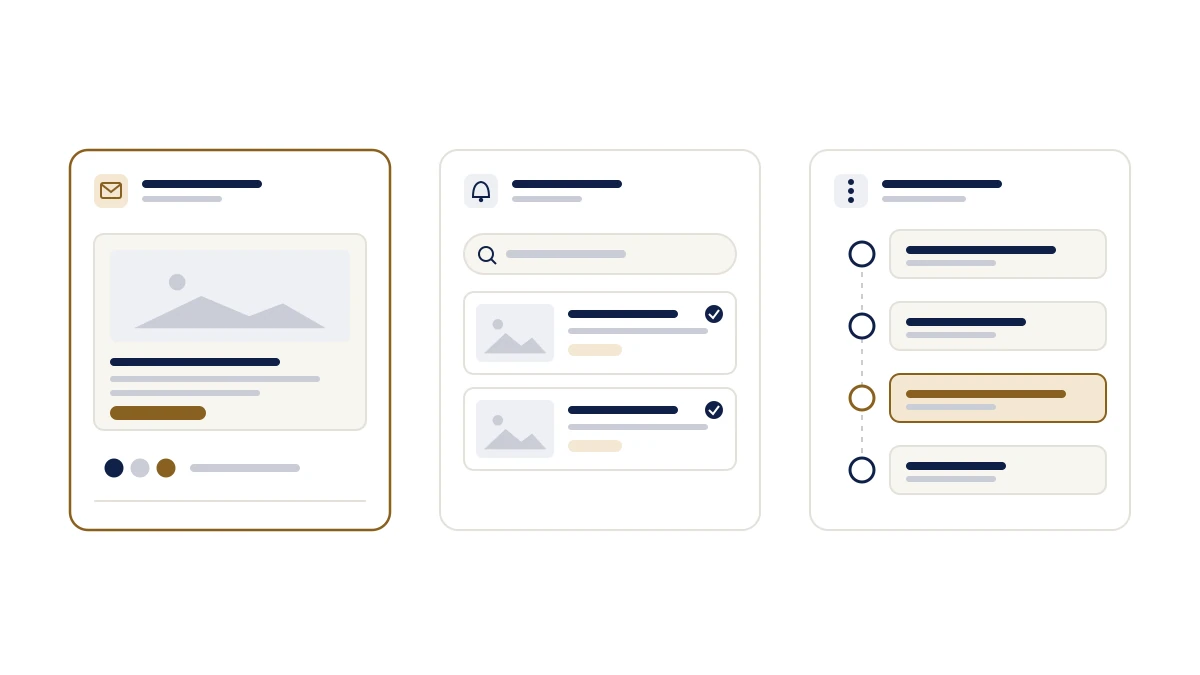
Most advice treats "email" as one channel. On a working agent's site it is three different systems that happen to arrive in the same inbox, and mixing them up is where the noise comes from.
Campaign
Discretionary — it needs a reason
- Triggered by
- You deciding to send it
- The reader expects
- Something relevant to why they know you
- Sent from
- Your email tool, to a named list
- Judged by
- Delivered, clicked, unsubscribed; then what happened next
Alert or notification
Transactional — the reader asked
- Triggered by
- The visitor: a saved search, an account
- The reader expects
- Exactly what they asked for, and nothing else
- Sent from
- Your IDX website, automatically
- Judged by
- Whether it fired, and whether it was accurate
Follow-up sequence
Automated, but personal
- Triggered by
- Something the lead did: an enquiry, a valuation request, silence
- The reader expects
- A person who noticed
- Sent from
- Your CRM's automation
- Judged by
- Replies, appointments, stage changes
Most email problems are one of these pretending to be another: a promotion inside an alert, or a campaign sent to people who only asked for alerts.
A campaign is a message you decide to send to a list. A new listing, an open house, a market note. Nobody asked for this particular email, so it has to earn its place.
An alert or notification is one the reader asked for. A buyer saved a search, and the site tells them when something matches. That is transactional mail: the buyer set the terms and the site keeps its promise. Bolting a promotion onto it breaks the promise.
A follow-up sequence starts from something a lead did: an enquiry, a valuation request, a long silence. It sits between the other two. It is automated, but it should read as though someone noticed.
Keep the three apart in your head and in your tooling, and most email problems become obvious. The listing blast in the introduction is a campaign pretending to be an alert. The monthly newsletter sent to a buyer who only wanted alerts is a campaign ignoring what the reader signed up for.
The campaigns worth sending
There are only about six campaigns an agent sends regularly, and each has a natural audience that is smaller than the database.
| Campaign | Send it to | Send it when | What it needs |
|---|---|---|---|
| New listing | Buyers whose criteria match the area, type and price band | The listing is live and the photos are in | Three facts a buyer would ask about first, and one link |
| Open house | Buyers in that area and band, plus recent enquirers on similar homes | Several days before, with a reminder only if they asked for one | Date, time, address, parking, and what to bring |
| Just sold | Valuation leads and homeowners nearby | Soon after closing, where your board permits sold data and the seller is content | The sale fact, stated plainly; no client details |
| Market update | People who asked for market news; seller leads especially | A figure has changed and you can source and date it | The number, the source, the date, and what it means this quarter |
| Newsletter | Past clients and long-timeline leads | On a cadence you can keep, monthly at most | Three items with local specifics, not a template with a place name |
| Re-engagement | Contacts silent for six months or more | You have a reason: a comparable sale, a change in their area | A question they can answer in a sentence |
Two habits separate these from noise. The first is the "why now" test: if the only reason to send is that it has been a month, do not send. The second is the audience test. The listing email goes to the people whose criteria match it, which in most databases is a few dozen, not a few thousand.
The "just sold" row carries a caution of its own. What you may publish about a sale is set by your board and, in some places, by privacy rules. Check before you send, and never include anything about the people involved.
Building a list you are allowed to email
Every campaign depends on a list, and every list depends on how the people on it arrived.
Record the source with the contact. Website registration, a saved search, a valuation request, an open-house sign-in sheet, a past transaction, a referral. Six months later, the source tells you what the person agreed to and what they will recognise.
Treat consent as a category, not a checkbox. Someone who registered to save a listing agreed to alerts about listings. They did not necessarily agree to a monthly newsletter. The rules differ by country: in Canada, CASL governs commercial electronic messages; in the United States, the CAN-SPAM Act. Look up the regime that applies to your recipients, or have someone qualified set the rule once. This article is not legal advice, and it does not summarise either law, because the details are the part that matters.
Name lists by why people are on them. Past clients. Active buyers, west end. Seller leads, 2026. Open house, 14 Elm. If you cannot name the list in a phrase, you cannot write to it.
Honour every unsubscribe. Including the person who unsubscribed from the newsletter but still wants their listing alerts. That is a distinction your tools should respect and your team should understand.
Prune. A contact with a bounced address and no activity in four years is weight, not history. Archive the record and stop sending.
Anatomy of a listing email
The listing email is the campaign agents send most, and the one most often built as a brochure. A structure that holds up:
Subject: the address or the one fact. "14 Elm Street: 3 bed semi with laneway parking" beats "You won't want to miss this one!" The reader is deciding whether it is relevant, not whether it is exciting.
Preheader: the missing detail. Price band, open-house day, or the feature the subject had no room for. Do not repeat the subject.
The property block. Photo, price, and the facts a buyer asks first: beds, baths, size where the board supplies it, parking, and the one thing that distinguishes this home.
Three highlights from the listing record. Not adjectives. "New roof, 2023." "Separate basement entrance." "South-facing garden, 18 ft." The locked-facts habit from listing copy applies here too, and so does the fair housing rule that comes with it: describe the home, never who it would suit. AI content and fair housing lists the phrasings that cause trouble.
One call to action. View the listing, or book a viewing. Not both, and not four social icons competing with them.
Footer: who you are, where you are, and how to stop. Identity and a working unsubscribe are not decoration. In most jurisdictions they are required.
When a series beats a single send
Drip campaigns get sold as automation. They are a design problem first, and the design question is always the same: what has to happen for the next message to make sense?
A useful sequence has an entry rule, a purpose for each step, and an exit rule. Most published sequences only have the first.
| Sequence | Entry | What each step is for | Exit or hand-off |
|---|---|---|---|
| New buyer enquiry | An enquiry on a listing | Answer the question asked, then make the search easier | Any reply; a showing request; the agent's first call |
| Saved-search lead | A saved search with no enquiry | Confirm what the alert will do; a week later, ask whether the criteria are right | The search is edited; the same home is viewed repeatedly |
| Seller valuation | A valuation request | Confirm what they will receive and when; explain what moves a valuation; offer a conversation | A person delivers the valuation; they say "not yet" |
| Open-house attendee | A sign-in | Send the details and the answer to what they asked; next day, ask for a reaction | Any reply; a second property viewed |
| Dormant lead | Six months of silence | One message that admits the gap and asks whether the plan changed | Any reply, including "no" |
The seller sequence deserves a note, because it is the one most often over-automated. A homeowner who asked what their home is worth is often a year from deciding, and three automated emails in ten days reads as pressure. Home valuation lead capture covers that timeline, and the sequence should respect it.
Stop rules matter more than copy. Stop when they reply. Pause when they say "next spring", and resume then. Never run two sequences on one person at once.
Name the person who takes over. A sequence that keeps sending after a buyer has booked a viewing is worse than no sequence at all. The moment a lead shows intent, a named agent owns it. Speed to lead covers the human half, and lead routing covers who that person should be.
What sequences cannot do is have the conversation. That is a point about the category, not about one product: automation holds the door open, and a person has to walk through it.
Sending
Send yourself the test, on a phone. Most of your readers will open it on one, and a layout that looked fine on a monitor is where the call to action slides below three photos.
Schedule for the reader's time zone, not yours. Obvious, and routinely wrong for agents with relocation clients.
Let frequency follow relevance. A buyer list with active inventory can hear from you weekly. Past clients should not. If you find yourself asking how often to send, the answer is as often as you have something specific to say to that list, and no more.
Send when the facts are final. A listing email with a price that changes the next morning costs more than a day's delay.
What the reports can and cannot tell you
| Metric | What it tells you | What it does not |
|---|---|---|
| Sent and delivered | The sending worked and the addresses exist | Anything about interest |
| Bounced | List quality: addresses to fix or retire | Whether the message was any good |
| Opened | A directional signal at best | Attention. Some mail apps load images before anyone reads the message, so opens over-count; others block images, so they under-count |
| Clicked | Something in the message earned an action | Which link mattered, unless the report shows per-link activity |
| Unsubscribed | Relevance or frequency broke trust | Who, specifically, unless you look |
The open-rate problem is not a theory. Apple's Mail Privacy Protection, for example, downloads remote content in the background when a message arrives, instead of when it is viewed. An "open" from that reader tells you the email was delivered, not that it was read.
The more useful question is what happened next. Did anyone view the property? Edit a saved search? Reply? Book a viewing? Those events live on the lead record, not in the campaign report, which is the argument for email that is connected to your CRM instead of running beside it. The CRM guide covers what a lead record should hold.
What not to do: compare open rates across campaigns sent to different lists and draw conclusions. The lists differ more than the emails do.
What to look for in real estate email marketing software
A good share of the searching around this topic is for software. Without naming vendors, these are the questions that separate tools built for agents from generic ones:
- Do audiences come from your CRM, or from a separate upload? A list you export and re-import goes stale the day you do it.
- Can a campaign feature a listing from your inventory, with the photos and facts pulled in instead of pasted?
- Is there a real preview on desktop and mobile, and a test send?
- Can you schedule with a time zone?
- Are unsubscribed and bounced contacts excluded automatically, or is that your job before every send?
- Does the report show sent, delivered, opened, clicked, bounced and unsubscribed per campaign, and which links were used?
- Does campaign activity appear on the person's record, where the follow-up happens?
- Are transactional alerts kept separate from campaigns, in sending and in reporting?
What not to weight heavily: template counts, "AI writes it for you", and any promise about inbox placement. Nobody can guarantee inbox placement. A vendor who says otherwise is describing something they do not control.
Where RealFoyer fits
RealFoyer's email tools are built for the campaign column of the diagram above, connected to the CRM that holds the leads.
Campaigns go to named lists built from CRM contacts, each showing its subscriber count. Templates are grouped by purpose: new listings, market updates, open houses, newsletters. The builder is structured, with fields for subject, preheader, property, highlights and call to action beside a live desktop and mobile preview, and a finished design can be saved as a template. You can send a test, send now, or schedule by date, time and time zone. Unsubscribed and bounced contacts are excluded from audiences automatically. Reporting covers sent, delivered, opened, clicked, bounced and unsubscribed, plus which links were used, and campaign activity sits on the lead's record. Listing alerts and agent notifications are separate transactional mail and report separately.
The limits, stated plainly. The builder is structured, not drag-and-drop. Lists are the targeting unit; there is no filter-based segment builder. There is no A/B testing and no reply tracking, so replies arrive in your inbox as ordinary email. The AI tools do not write the email. Follow-up sequences are CRM automation, which can respond to a new enquiry and prompt the assigned agent; a configurable multi-step email sequence builder is not part of the email product today. Sending allowances depend on your plan. And as with every email tool, nothing here guarantees inbox placement or legal compliance. Consent remains yours to manage.
FAQ
How often should a real estate agent send marketing emails? As often as you have something specific to say to that list. A buyer list with new inventory can hear from you weekly; past clients monthly at most. Watch unsubscribes and replies, not a calendar.
What is the difference between an email campaign, a drip campaign and a listing alert? A campaign is a single send you chose to make. A drip campaign is a sequence triggered by something a lead did, with an exit rule. A listing alert is transactional: the buyer saved criteria and the site tells them when inventory matches. Only the first two are marketing.
Do email campaigns for realtors still work when buyers use the portals? Yes, for a different job. Portals are where buyers browse. Email is how you stay the person they call when they are ready, provided each message is about them.
Can I send a new listing to everyone in my CRM? You can, and you should not. Send it to the buyers whose criteria match. Everyone else learns that your emails are not for them, and the unsubscribe rate follows.
Does RealFoyer do drip campaigns? RealFoyer's CRM runs follow-up and lead-nurture automation that can respond to new enquiries and prompt the assigned agent, and the email tool has an "automated" campaign state. A configurable multi-step email sequence builder is not available today. Design your sequences as described above, and treat any software's version as the mechanism, not the plan.
What is the best email marketing software for real estate? The one that answers the eight questions above for your situation. Start with whether audiences come from your CRM and whether campaign activity lands back on the lead record. Those two decide whether email becomes part of follow-up or stays beside it.
In short
Five rules cover most of it:
- Separate campaigns, alerts and sequences, and never let one pretend to be another.
- Send each campaign to the people it is for, which is usually a few dozen, not the database.
- Build lists by source and consent, and name them so you could write to them.
- Give every sequence an exit rule and a named person who takes over.
- Judge email by what people did next, not by opens.
Explore RealFoyer Email Marketing — campaigns sent to the lists already in your CRM, a listing pulled in from inventory, and every send reported from delivery to unsubscribe. Or book a demo and bring a campaign you sent last month.
Related reading
- Real Estate CRM: How Agents, Teams and Brokerages Should Actually Use One
- Saved Searches vs Contact Forms
- Speed to Lead in Real Estate
- Home Valuation Lead Capture
- AI Marketing for Real Estate Agents
Research Integrity
Published 22 September 2026 because email searches from agents, from "real estate email campaigns" to "email campaigns for realtors", were reaching the email product page, which sells the tool without explaining the practice. No open-rate, click-rate or deliverability benchmark appears, because the figures in circulation are vendor averages across lists that cannot be compared. The point about opens over-counting rests on how Apple documents Mail Privacy Protection, and is stated as a property of that feature rather than as a measured effect. CASL and CAN-SPAM are linked to their official government sources and named as the laws to consult, not summarised; nothing here is legal advice. RealFoyer capabilities are limited to what the email product describes: named lists, a structured builder, test and scheduled sends, automatic exclusion of unsubscribed and bounced contacts, and campaign reporting. Features the product does not have, including a multi-step email sequence builder, are stated rather than left to inference.