IDX & MLS
MLS Integration: How Listing Data Actually Reaches Your Website
What an MLS data feed is, the types you will hear named — IDX, VOW, RESO Web API, aggregator — and how a feed becomes listing pages.
Introduction
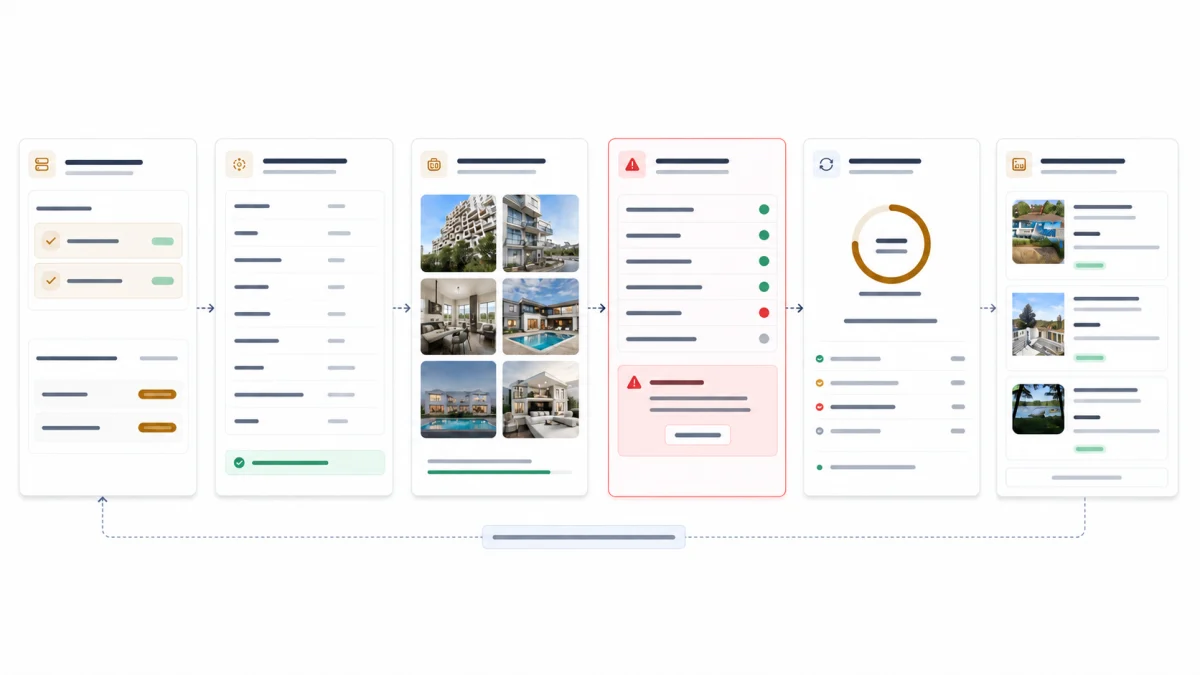
Ask a vendor whether they integrate with your MLS and you will get a yes. The honest answer is longer, because "integration" is not one thing. It is a chain of seven or eight steps, each of which can fail without producing an error message.
The symptoms are familiar to anyone who has run an agent site for a year. Square footage is blank on half the listings. A home that sold in March is still showing as active. Photos load slowly, or load in the wrong order. None of these look like integration failures. All of them are.
This article walks the pipeline from the MLS to a listing page, and points out where things go wrong.
⚡ Quick answer — How does MLS data get onto a website? Your MLS exposes listing data through an authenticated feed, usually the RESO Web API. A platform pulls records and media on a schedule, maps each board's fields into one consistent shape, stores them, and builds a search index. The website queries that index rather than the MLS directly. Data is a copy, refreshed on a cadence — not a live view.
Why this isn't "installing IDX"
The phrase "IDX plugin" does a lot of damage. It suggests listings are a feature you switch on, like a contact form.
Two things make it harder than that. The first is that every MLS is its own system, with its own field names, its own permitted-use rules and its own quirks. A platform supporting 200 boards is not running one integration 200 times; it is running 200 configurations against a shared pipeline.
The second is that you are not reading from the MLS when someone searches your site. You are reading from your own copy. Everything downstream depends on how faithfully and how recently that copy was made.
- 1
MLS / board
The database of record
- 2
Feed or API
Authenticated access to your board
- 3
Ingestion
Pull records and media on a schedule
- 4
Normalization
Map each board's fields to one shape
- 5
Database
Your copy of the listing record
- 6
Search index
Makes millions of records queryable
- 7
Website
Search, detail pages, saved searches
- 8
Lead → CRM
A contact record carrying what they viewed
A break at any hop is usually silent. Nothing errors — fields simply arrive empty, or a listing lingers after it has sold.
What is an MLS data feed?
An MLS data feed is the authorised delivery of listing records and media from an MLS, or from a data provider acting for one, to the system that runs your website. It is a transport, not a product. A feed on its own gives you records, not a search page.
The same thing goes by several names, and they are not interchangeable.
| Term you will hear | What it means |
|---|---|
| MLS feed / MLS data feed | The general term: listing data delivered from the board under an agreement |
| IDX feed | A feed scoped to what may be displayed publicly under your board's IDX rules |
| VOW feed | A broader feed for display behind registration, within a broker–consumer relationship, where the board offers one |
| Direct board feed | The board's own feed, with its own fields and schedule; built and maintained per board |
| Aggregator feed | A data provider sitting between many boards and many vendors, normalising them into one shape; some board-specific detail can be lost in the translation |
| RESO Web API | The current transport standard, and the one most boards now use: OData, JSON and OAuth |
| RETS | The older transport, deprecated by RESO and still running at some boards |
| "Live feed" | A marketing phrase, not a feed type; see "Is my website showing live MLS data?" below |
Which of these your board offers, and which your platform can consume, is the first question in any integration conversation. RETS vs RESO Web API covers the transport difference; the rest of this article is what happens after the feed arrives. If your question is how the feed gets onto a website you already have, MLS plugin vs IDX widget vs direct integration compares the formats.
Getting access
Before any code runs, there is paperwork. You need MLS membership in good standing and a signed agreement covering the data you intend to display. Your board then issues credentials for a specific feed, scoped to what your agreement permits.
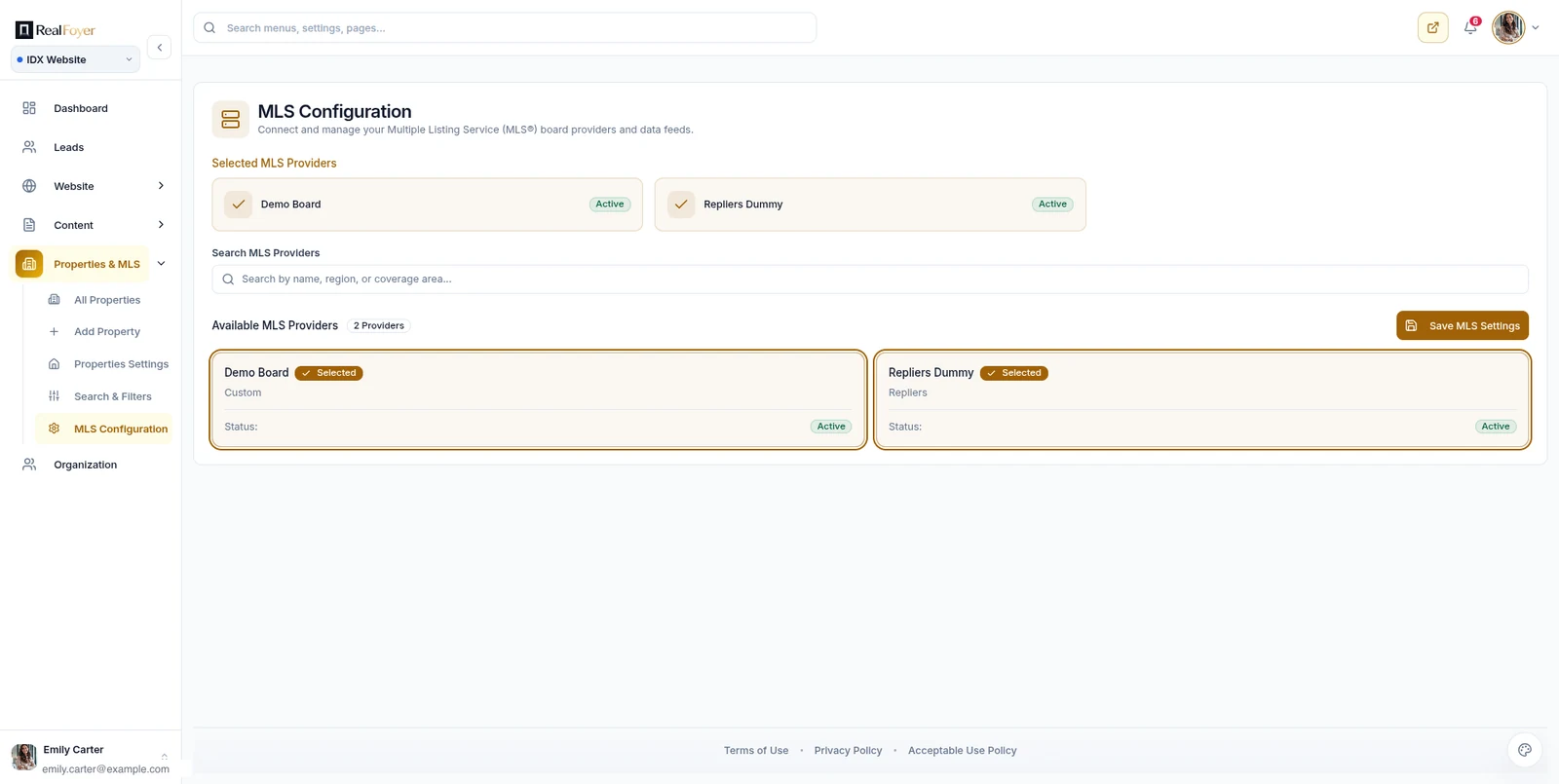
Two practical notes. Approval timelines vary widely between boards, so ask yours directly rather than relying on a vendor's estimate. And credentials are usually issued to the brokerage rather than the vendor — worth knowing, because it determines who controls the feed if you change platforms.
Most boards now serve data through the RESO Web API. Some still run older RETS servers. The distinction matters more to your developers than to you, but it does affect what a vendor has to build.
Read next: RETS vs RESO Web API: What Real Estate Professionals Should Know.
Ingestion: pulling the data
The platform authenticates against the feed and pulls records. The first run is a full sync — every active listing, every photo. Subsequent runs are incremental: only what changed since the last successful pull.
Incremental sync is where most staleness originates. If a run fails and nothing notices, the site keeps serving yesterday's data with no visible symptom. The fix is not a faster schedule; it is monitoring that treats a missed run as an incident, plus periodic reconciliation against the source.
Media deserves its own mention. Photos usually arrive as URLs pointing at the MLS. Hotlinking them is generally not permitted and would be fragile anyway, so images are fetched, resized and served from your own infrastructure. For a market with tens of thousands of listings at twenty-plus photos each, that is a substantial pipeline in its own right — and the most common cause of a slow listing page.
Normalization: making boards agree
This is the least visible step and the one that determines whether your listing pages look complete.
Different boards name the same thing differently. Living area might arrive as LivingArea from one and something else entirely from another. Property types differ. Status vocabularies differ — one board's "Pending" is another's "Under Contract", and some distinguish states others collapse.
Normalization maps all of it into one internal shape so the rest of the system can be written once. The RESO Data Dictionary exists precisely to reduce this problem, describing itself as "the real estate industry's universal language for data." Adoption is widespread but not universal, and boards extend it with local fields.
When mapping is wrong, nothing errors. A field simply arrives empty and the listing page renders without it. If your listings are missing facts your competitors show, this is usually why.
Storage and search
Normalized records land in a database — your copy of the market.
Querying that database directly does not scale to the kind of search buyers expect: filters across a dozen fields, map-boundary queries, sorting, all returning in under a second. So records are also written to a search index built for that job. The website queries the index.
The consequence is one more place for data to drift. A record can be correct in the database and stale in the index, which shows up as search results that disagree with the listing page. Any change has to propagate through both.
- 1
Initial full sync
Every active listing and its media, once
- 2
Incremental updates
Only records changed since the last successful run
Staleness risk — A missed run leaves a silent gap — nothing errors
- 3
Change types
New listing · price change · status change · media update
Staleness risk — Status changes matter most: a sold home still showing is the visible failure
- 4
Search index update
Re-index so the change is findable, not just stored
Staleness risk — Database updated but index not: search shows the old price
- 5
Website refresh
Caches and pages pick up the new state
Staleness risk — An aggressive cache can outlive the data it holds
- 6
Periodic reconciliation
Compare the full set against the source and repair drift
Update cadence and reconciliation expectations are set by your MLS agreement and differ between boards.
Status changes and stale data
Of everything the pipeline handles, status changes matter most, because they are the failure a consumer notices.
A home that sold two weeks ago and still shows as active on your site is worse than no listing at all. It produces enquiries you cannot fulfil, and it is a credibility problem that lasts longer than the listing did. Withdrawn and expired listings carry the same risk, and boards typically set expectations for how quickly they must disappear.
Reconciliation is the safeguard. Rather than trusting the incremental stream indefinitely, the platform periodically compares its full set against the source and repairs the difference. Incremental sync keeps you current; reconciliation keeps you honest.
What breaks, and how you find out
Integration failures are quiet. In rough order of how often they occur:
- A sync run fails silently. Everything looks normal; the data is simply old.
- Field mapping drifts after a board adds or renames a field. Facts go blank.
- Media backs up. Listings appear with missing or partially loaded photos.
- The index falls behind the database. Search and detail pages disagree.
- Credentials expire. Often the loudest failure, because everything stops.
The common thread is that none of these announce themselves. Monitoring has to be deliberate: alert on the absence of a successful run, not just on errors.
Why different MLSs need different handling
It is tempting to assume that once one integration works, the rest are copies. They are not.
Boards differ in the transport they offer, the fields they expose, the vocabularies they use, how frequently they permit polling, what may be displayed publicly, and what must be shown alongside a listing. Some expose sold data; many do not. Some require specific attribution wording.
This is why "we support your MLS" is a question about your specific board, not about a number on a marketing page. Ask which boards a platform holds active feeds with today.
Attribution and display obligations are a subject of their own — see MLS & IDX Compliance.
What this means when you're buying
You are not evaluating whether a platform can display listings. They all can. You are evaluating the parts you cannot see:
- Does it hold an active feed with your board, today?
- How is a failed sync detected, and who is told?
- Is there periodic reconciliation, or only incremental updates?
- Where do photos come from when a page loads?
- Who holds the MLS credentials — you or the vendor?
The honest version of this pipeline is the difference between a site that quietly rots and one that stays accurate without anyone thinking about it. It is also most of what a platform like RealFoyer is doing between the board and the search box — the work its MLS and IDX integration exists to do.
FAQ
Is my website showing live MLS data? Almost never, and it does not need to. Sites serve a synchronized copy refreshed on a cadence. What matters is how quickly changes propagate and whether gaps are detected.
What is the difference between an MLS feed and an IDX feed? Scope. "MLS feed" is the general term for listing data delivered under an agreement; an IDX feed is one scoped to what your board permits on a public website. A VOW feed can carry more, behind registration. Your agreement names which you have.
How often should listings update? Expectations are set by your MLS agreement and vary by board. Ask what yours requires, then confirm your platform meets it.
Why are some fields blank on my listings? Usually field mapping. The data exists in the feed under a name the platform is not reading. It is fixable, and worth reporting with a specific example listing.
Can I use one feed across several websites? That depends on your agreement. Some boards licence per site or per participant. Confirm before assuming.
What happens to my listing data if I leave the platform? Your MLS feed follows your membership, not the vendor. The content and contact history you built may not — settle that in writing before signing.
In short
MLS integration is a pipeline, not a switch. Records are pulled, normalized, stored, indexed and served, and every hop can degrade without failing loudly. The questions worth asking a vendor are about detection and reconciliation, not about whether listings appear.
See which boards are supported on the MLS coverage page, or book a demo to review your market specifically.
Related reading
RETS vs RESO Web API: What Real Estate Professionals Should Know
MLS & IDX Compliance: What Your Real Estate Website Must Handle
How to Choose an IDX Website Platform: A Practical Checklist
How to Handle Multiple MLS Regions on One Real Estate Website
Research Integrity
Rewritten 16 August 2026. The RESO Data Dictionary description is quoted from RESO's own documentation. Claims about update cadence, approval timelines and board coverage are deliberately unquantified: they vary by MLS, and the previous version of this article stated figures that could not be sourced. Those have been removed rather than replaced with estimates.
Updated 22 September 2026 with a definition of "MLS data feed" and a glossary of feed terms, added because searches used that phrasing and the article did not. The definitions describe categories; which feed an agent receives is set by their board and agreement, and no sync cadence or coverage figure is given. The RETS and RESO Web API descriptions match RESO's own documentation, cited in the RETS vs RESO article.