IDX & MLS
How to Add MLS Listings to Wix, Squarespace or WordPress
MLS listings on a Wix, Squarespace or WordPress site: vendor apps and plugins, embed code and the limits each builder documents, and when to switch instead.
Introduction
You built your site on Wix, Squarespace or WordPress, and now you want MLS listings on it. The listings come from an IDX vendor that holds a feed with your board, through whatever that builder lets a vendor plug in.
What the builder allows differs a lot. WordPress runs plugins on your own site. Wix has an app market and an embed element. Squarespace has code blocks. Each route has limits that the builder itself documents, and those limits decide whether the listings become part of your site or sit in a frame on someone else's.
This article covers the builder side of the job. For the full process (board approval, the feed, display rules, testing), read how to add MLS listings to your website.
⚡ Quick answer — can I add MLS listings to Wix, Squarespace or WordPress? Yes, through an IDX vendor that supports the builder and your board. On WordPress that is a plugin. On Wix it is a vendor's Wix app, or embed code that Wix runs in an iframe. On Squarespace it is a vendor's integration or a code block, which needs a Core, Plus or Advanced plan for iframes or JavaScript. You need MLS membership and board approval first.
Before any builder: the board and the vendor
Every route below depends on two things that have nothing to do with the builder:
- Your board's permission. You need MLS membership and approval to display IDX listings. The vendor connects an authorised feed; it cannot create the authorisation.
- A vendor that holds a feed with your board. Ask in writing. A vendor that supports Wix but not your board is no use to you.
Once those are settled, the builder decides how the listings get onto the page.
WordPress: plugins
WordPress is the most flexible of the three, because a plugin runs inside your own site. Several IDX vendors publish WordPress plugins. They differ in where they put listing pages, and the vendors say so themselves:
- Showcase IDX: "NEVER uses a subdomain (e.g. search.yourwebsite.com) or iframe", per its WordPress.org listing.
- iHomefinder (Optima Express): "No framing, wrappers, or subdomains are required", per its listing.
- IDX Broker (IMPress): "IDX Broker hosts your IDX data on a subdomain (e.g., search.yoursite.com)", per its listing.
- Buying Buddy and Realtyna also publish WordPress plugins.
WordPress IDX plugins compared sets out each vendor's published price and format.
One WordPress-specific check. Confirm that your WordPress hosting lets you install plugins before you choose a vendor.
Wix: vendor apps or the embed element
Wix gives you two routes.
A vendor's Wix app. Some IDX vendors publish an app for Wix. iHomefinder's Wix app page says: "With no framing or subdomains, all IDX content is indexed directly on your domain." Buying Buddy's Wix page describes its app as "No HTML. No coding." An app is the route to look at first, because the vendor has built it for Wix.
Wix's embed element. If a vendor gives you embed code instead, Wix's own help article on embedding sets out the limits:
- "The HTML and URL elements in our editor are iFrames. Therefore, the code or site you are embedding won’t be responsive, even if it is originally."
- "Only HTTPS codes and URLs are displayed."
- "Some sites have security policies that forbid them from being embedded on external platforms such as Wix."
- "We cannot provide support for external codes that were not created or tested by Wix."
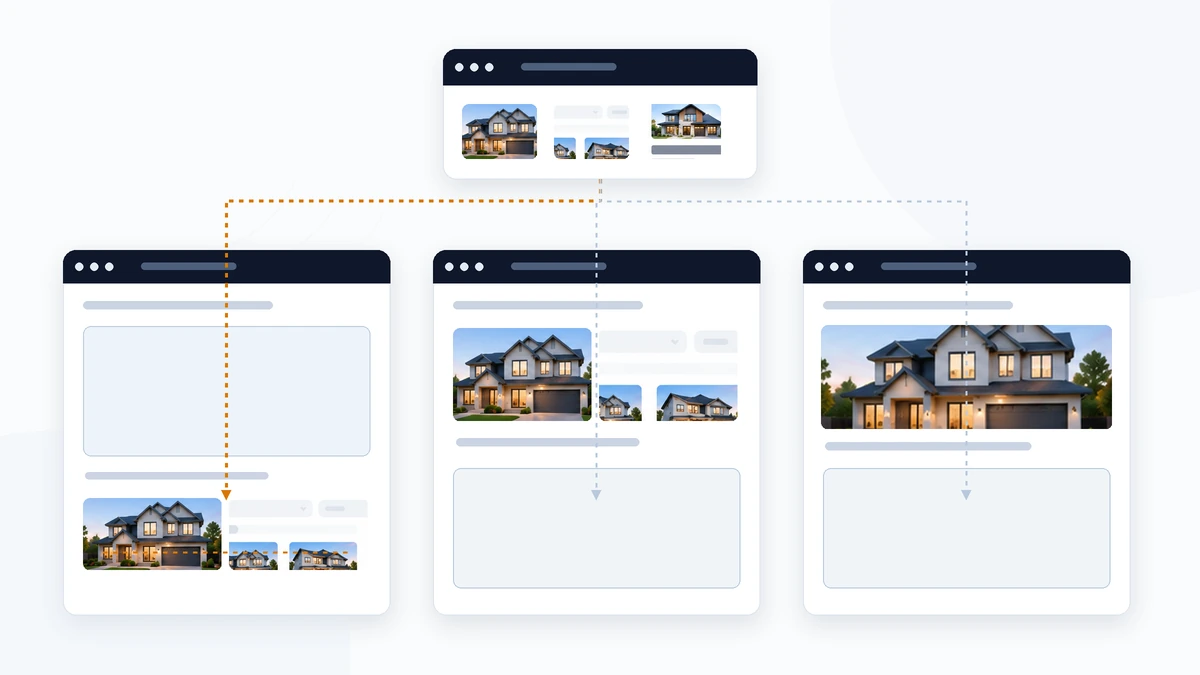
The first point matters most. Listing search pasted into a Wix embed element runs inside an iframe, so it is a separate document from your page. The plugin-vs-widget comparison explains what that means for search: content in a frame is not reliably counted as yours.
Squarespace: vendor integrations or code blocks
On Squarespace, the routes are a vendor's own integration or a code block.
A vendor's integration. Buying Buddy's Squarespace page says: "No iframes and no subdomains keeps traffic on your site." iHomefinder's pricing page says it works with "GoDaddy, WordPress, Wix, and Squarespace", and IDX Broker's board pages list Squarespace and Wix among the website providers it works with. Ask each vendor how its Squarespace integration places listings: on your pages, on a subdomain, or in a frame.
Squarespace code blocks. Squarespace's own help article on code blocks sets out the limits:
- "To add JavaScript or an iframe to a code block, your site needs to be on the Core, Plus, or Advanced plan."
- "Code blocks have a 400 KB limit, or about 300,000 characters."
- "Our support team can’t help you add custom code to your site or troubleshoot issues that arise from using it."
- "As a security measure, your code sometimes doesn't appear while you're logged in, even when visitors can view it."
That last point catches people out: check the listings in a logged-out browser before deciding they do not work.
The three builders side by side
| WordPress | Wix | Squarespace | |
|---|---|---|---|
| Main IDX route | Vendor plugin | Vendor Wix app | Vendor integration |
| Fallback | Vendor embed code | Embed element (runs as an iframe, per Wix) | Code block (iframes and JavaScript need Core, Plus or Advanced, per Squarespace) |
| Who supports the code | The vendor | The vendor; Wix does not support external code | The vendor; Squarespace does not support custom code |
| Ask the vendor | Your domain or a subdomain? | App or embed code? | Your pages, a subdomain, or a frame? |
When to stop adding and switch
A vendor app or plugin on the builder you have is the right answer when the site already does its job and listings are an addition. It is the wrong answer when the site exists to rank for neighbourhoods and produce leads, because then you want listing and area pages on your own domain and enquiries that arrive in a CRM with the visitor's activity attached. Patching that onto a builder through embed code is where most of the limits above show up.
MLS Plugin vs IDX Widget vs Direct MLS Integration compares the five ways listings can reach a website and is the decision to make before paying for any of them.
Where RealFoyer fits
RealFoyer does not integrate with Wix, Squarespace or WordPress, and it does not offer a widget, app or plugin for them. It is a hosted website, IDX and CRM platform: if you choose it, it replaces the site you have rather than adding listings to it. If you want to keep your Wix, Squarespace or WordPress site, one of the vendor routes above is the way to do it, and RealFoyer is not.
If you are open to moving the site, RealFoyer has integrations with TRREB, through PropTx, and MLS PIN; a feed is activated for each agent after that agent's board approves it, and other boards are on the roadmap. Starter is $39 a month in US dollars or $49 in Canadian dollars, with no setup fee on annual plans.
FAQ
Can I add IDX to Wix? Yes, through an IDX vendor's Wix app or through embed code. Wix says its HTML and URL elements are iframes and that embedded content won't be responsive, so an app built for Wix is the route to check first.
Can I add IDX to Squarespace? Yes, through a vendor that supports Squarespace. If the vendor gives you code, Squarespace requires a Core, Plus or Advanced plan for iframes or JavaScript in a code block.
What is the easiest way to add MLS listings to WordPress? A WordPress IDX plugin from a vendor that serves your board. The plugins differ in whether listing pages live on your domain or a subdomain.
Will embedded listings help my site rank? Listings inside an iframe are a separate document, and search engines do not reliably credit that content to your page. Vendors that publish apps or plugins without frames say their listings sit on your domain.
Do I still need MLS approval if I use a Wix app? Yes. Every route depends on your board's permission and a vendor that holds a feed with your board.
Does RealFoyer have a Wix, Squarespace or WordPress integration? No. RealFoyer is a hosted platform that replaces the site rather than plugging into it.
In short
All three builders can show MLS listings, but only through an IDX vendor that supports both the builder and your board. On WordPress, use a plugin and check whether it puts listings on your domain. On Wix and Squarespace, prefer a vendor's app or integration over pasted embed code, because both builders document that embedded code runs with limits and without their support. If the site needs to rank and produce leads, compare a platform before patching the builder.
Compare plugin, widget and platform or check whether your board is supported.
Related reading
- How to Add MLS Listings to Your Website: The Actual Steps
- MLS Plugin vs IDX Widget vs Direct MLS Integration
- WordPress IDX Plugins Compared (2026 Prices)
- Technical SEO for Real Estate Websites
- How Much Does an IDX Website Cost? (2026 Fees)
Research Integrity
Published 21 October 2026 for builder-specific searches ("squarespace idx integration", "wix idx", "add mls listings to wordpress") that reach RealFoyer's MLS pages, which cannot answer them because RealFoyer does not integrate with these builders. The article says so in its own section. Every builder limit is quoted from the builder's own help article: Wix's "Embedding a Site or a Widget" and Squarespace's "Code blocks", both retrieved on 21 October 2026. Every vendor statement is quoted from that vendor's own page, retrieved the same day: the WordPress.org listings for Showcase IDX, Optima Express and IMPress for IDX Broker; iHomefinder's Wix app and pricing pages; Buying Buddy's Wix and Squarespace pages; and IDX Broker's per-board pages. No vendor is ranked, and no claim is made about a vendor's integration beyond its own description. The statement that RealFoyer offers no widget, app or plugin for these builders follows the product record in the site's board-page configuration.