Conversion
What Should a Real Estate Agent Website Include? 15 Features That Earn Their Place
What a real estate agent or realtor website needs: identity and proof, IDX search, indexable listing and area pages, saved searches, a seller path, mobile, disclosures, a CMS and an exit plan.
Introduction
Two proposals land on an agent's desk in the same week. One lists forty-one features, including a chatbot, a mortgage calculator, a video background and "AI-powered everything". The other lists twelve. The second one costs more, and it is probably the better site.
A real estate agent website has three jobs. Prove who you are to someone who has never met you. Help a buyer or seller do the thing they came to do. And keep enough of what they did that the next conversation does not start from zero. Every feature either serves one of those jobs or it is decoration.
This article lists the features that serve them: what each one is for, how to tell whether a vendor has done it properly, and which ones you can leave for later. It is about the whole site. The IDX components get a paragraph each and a link, because the IDX guide covers them in full.
⚡ Quick answer — what does a real estate agent website need? A domain you own; identity and brokerage details a visitor can confirm in five seconds; proof, in the form of reviews and transactions in named places; property and map search; indexable listing pages; saved searches with alerts; enquiries that arrive carrying what the visitor looked at; a seller path; one lead record shared with your CRM; area pages with something only you know; local resources; a contact page that matches everywhere else; a site that works with a thumb; per-page SEO controls with the disclosures your board requires; and a CMS you can edit, with an exit plan. Fifteen things. The rest is optional.
The job of an agent website
Most buyers browse the portals. That is not an argument against having a site. It is the argument for what the site is for. A portal is a rented audience where your listings sit beside everyone else's and the enquiry goes to whoever pays for it. Your site is an owned one: the person who saves a search there is yours, with their behaviour attached.
That is why searches for "real estate portals for agents" or an "agent-branded property portal" are asking the right question in the wrong words. An agent does not need a portal in miniature. You need a site that does the three jobs above, and the portals do none of them for you.
The fifteen features
- A
Prove who you are
- B
Help them do what they came for
- C
Remember what they did
Identity & trust
Serves A
- 1A domain you own
- 2Who you are, in five seconds
- 3Proof you can verify
Listings & search
Serves B
- 4Property and map search
- 5Indexable listing pages
- 6Saved searches and alerts
Capture & hand-off
Serves C
- 7Enquiries that carry context
- 8A seller pathCan wait
- 9One lead record, shared with the CRM
Local content
Serves A · B
- 10Area pages with local knowledge
- 11Resources for your jurisdictionCan wait
- 12A contact page that matches everywhere
Technical & ownership
Serves A · B · C
- 13Works with a thumb
- 14SEO controls and board disclosures
- 15Editability, and the exit
Numbers match the article. A feature that serves none of the three jobs is decoration, however it is described in a proposal.
Identity and trust
1. A domain you own. Registered in your account, not the vendor's, with HTTPS working. Everything else on this list can be rebuilt. The domain is the continuity, and a domain held by a vendor turns "changing platforms" into "starting over". How to judge: whose name is on the registration.
2. Who you are, in five seconds. Your name, your brokerage relationship, the market you work and how to reach you, visible before anyone scrolls. A visitor should never wonder whether this is an agent, a portal or a lead form wearing a headshot. How to judge: show the homepage to someone for five seconds and ask what they saw.
3. Proof. Reviews imported from where clients left them, not retyped; sold history where your board permits it; transactions in named places. "Top producer" is a claim. "Sold 14 Elm Street in March" is evidence, and it corroborates the areas you say you work. How to judge: could a sceptical relocation buyer verify any of it?
Listings and search
4. Property search that matches how buyers think. Price, beds, baths, type and area are the start. Map search matters because most buyers narrow by geography before anything else. Which further filters exist depends on what your board's feed carries. How to judge: run the search a real client asked you for last week.
5. Listing pages that are indexable and complete. Photos, facts, a map, the attribution and disclaimers your MLS requires, and a way to enquire on the same screen. Listing pages behind a registration wall are not search landing pages, whatever the conversion rate says; website conversion explains the arithmetic. How to judge: open a listing URL in a private window.
6. Saved searches and listing alerts. A contact form captures someone ready to talk. A saved search captures the far larger group who are months away and know what they want. Visitors should choose the alert frequency, and the alerts have to arrive. Saved searches vs contact forms covers why this is the rung most sites are missing. How to judge: save a search on a demo site and see whether anything turns up.
Capture and hand-off
7. Enquiries that carry context. An enquiry from a listing page should arrive with that listing attached, and ideally with the other properties the person viewed. A notification that says "new lead" and nothing else makes the agent rediscover what the site already knew. How to judge: ask to watch an enquiry arrive in the vendor's CRM.
8. A seller path. Buyers have listings to look at. Sellers need a reason to identify themselves, and a valuation request is the most reliable one. The form must be honest about what happens next: a page that promises an instant number and delivers a phone call loses the person. Home valuation lead capture covers the flow. How to judge: does the form say what the seller will receive, and when? Essential for anyone who lists; a buyer-only agent can wait.
9. One lead record, shared with the CRM. The site and the CRM should write to the same record, so whoever picks up the lead sees the views, saves and searches beside the name. Two systems joined by an export do not do this. The CRM guide covers what the record should hold. How to judge: open a lead in the CRM and look for their website activity.
Local content
10. City and area pages with something only you know. Real pages with their own URLs and metadata, inventory drawn from a boundary you set, and copy that could not have been written about another city. These are the pages that rank; individual listings come and go. City and market pages and neighbourhood pages cover how to build them. How to judge: delete the place name from the page. Could it be about anywhere?
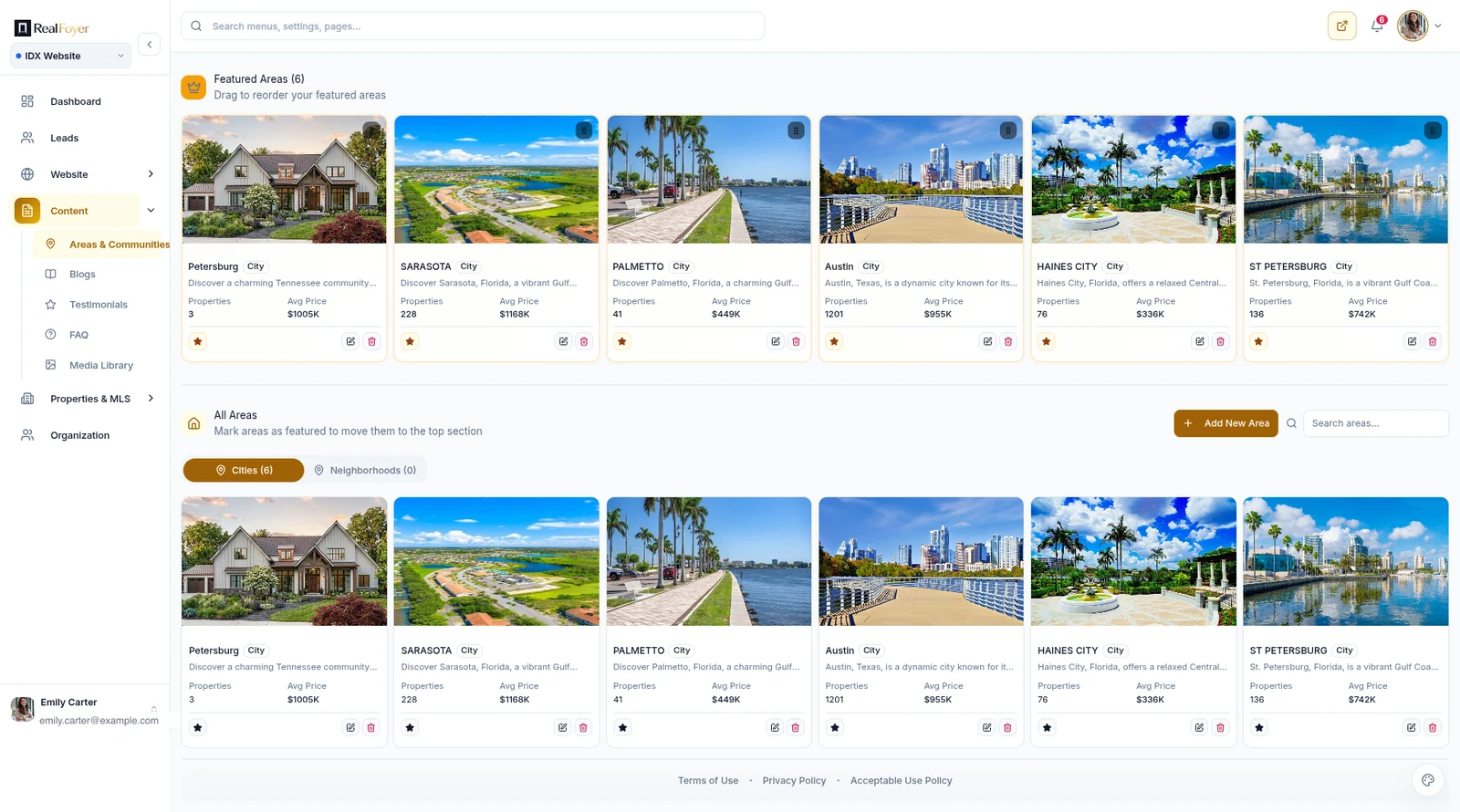
11. Resources for your jurisdiction. Closing costs in your province or state, what an inspection covers where you work, how offers run in your market. This is where links come from, and where answer engines look. A blog is only a URL decision; what matters is that the content is true where you work and less true elsewhere. Can wait: optional in the first months, expected by the second year.
12. A contact page that matches everywhere else. Full business details in text, in exactly the form they appear on your Google Business Profile and directory listings. It is the website's job in local search, and the cheapest item on this list. Local SEO for agents explains why consistency matters more than volume. How to judge: put the contact page and the Business Profile side by side.
Technical and ownership
13. A site that works with a thumb. A lot of property browsing happens on a phone. The save action has to be reachable one-handed, galleries have to swipe, filters have to work with the keyboard open, and a listing page has to load with twenty photos on it. A responsive hero banner proves nothing. How to judge: search, save and enquire on your own phone, on mobile data.
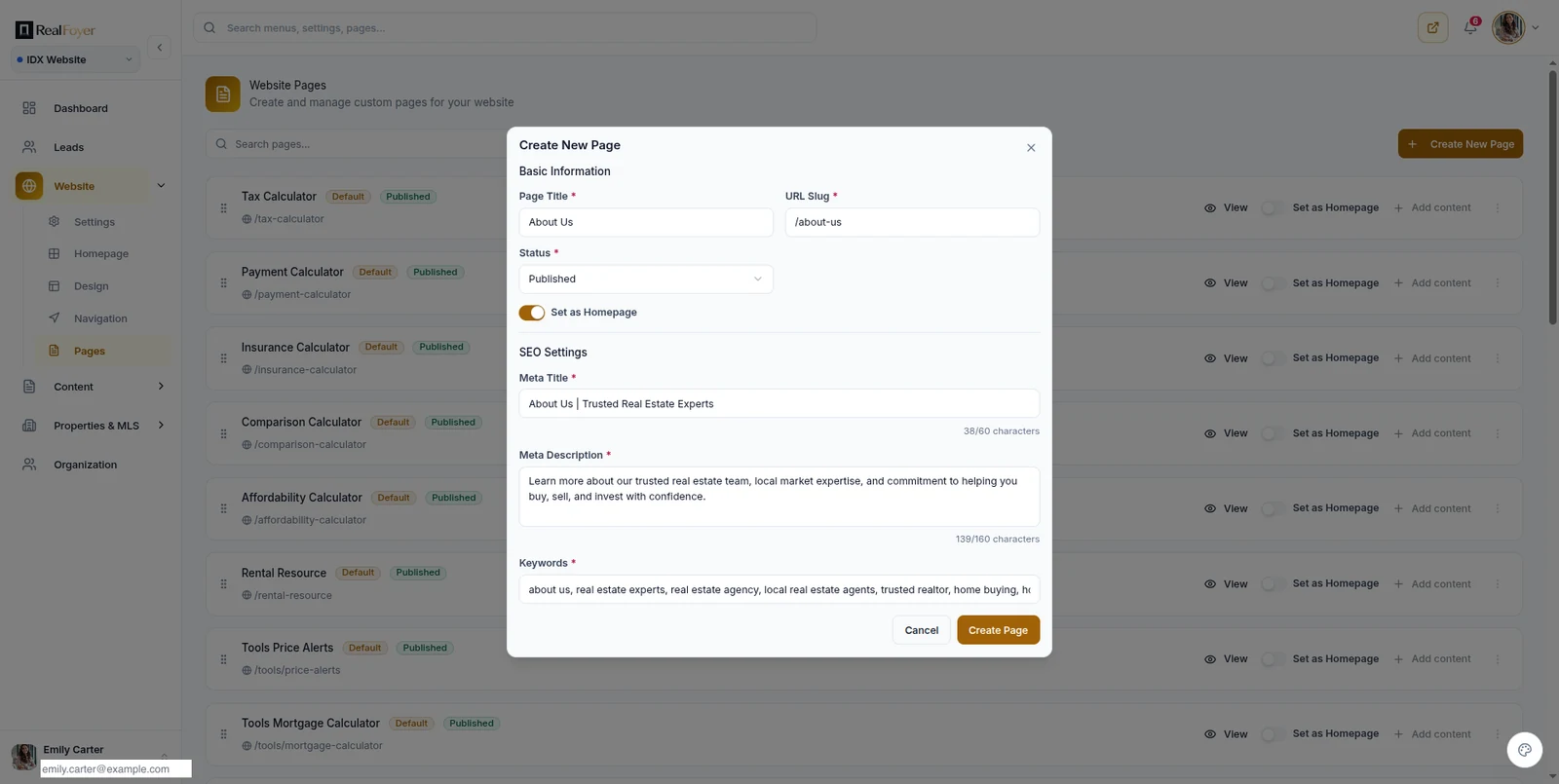
14. Per-page SEO controls, and the disclosures your board requires. Two halves of "what appears on the page". The first: title, description, canonical, an index setting and a sitemap, editable without a support ticket. The second: brokerage identity, listing attribution, timestamps, disclaimers and privacy notices, which vary by board and jurisdiction. Technical SEO and IDX compliance cover each half. How to judge: ask to edit a page's meta title on the demo, and ask how attribution changes between two boards.
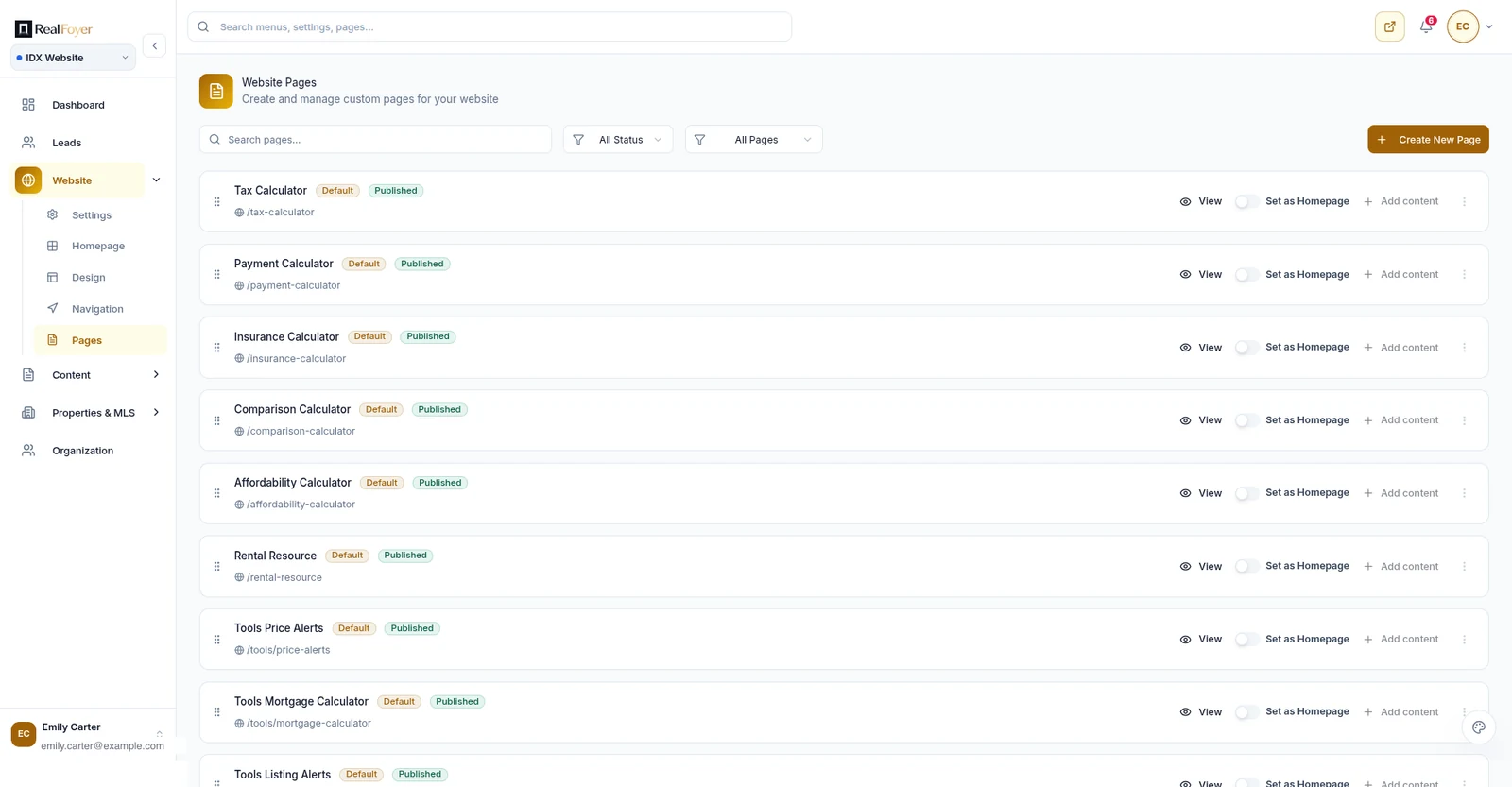
15. Editability, and the exit. You should be able to change an area description, a menu item, a testimonial or a page without a developer, because a site you cannot edit stops being edited. And before you sign, know what leaves with you: the domain, an export of leads with their history, and whether your URL structure can be reproduced elsewhere. The platform checklist has the exit questions in full. How to judge: ask for a sample lead export and the cancellation process, in writing.
Features worth less than they look
Template count. Twenty themes, of which you will use one. Ask instead whether you can change yours later without rebuilding.
Homepage motion. Video backgrounds and animation compete with the listing photos for bandwidth and attention, and the photos are what the visitor came for.
A chat nobody answers. A live chat that goes unanswered teaches visitors the site does not work, for the same reason an unanswered form does.
"AI-powered" on every line. AI is useful where it removes work, such as a first draft of an area description you then rewrite from what you know. As a label on ordinary features it is noise, and generic AI area copy is exactly the content that does not rank.
Forced registration. It lifts the conversion rate by shrinking the denominator, and it can reduce the total number of leads. Judge it on absolute numbers, not on the rate.
Calculators. Fine as a low-commitment step, since they ask for nothing. Not a reason to choose a platform.
Solo agent, team or brokerage
The list above is written for an individual agent. Two things change with size.
A team adds routing and ownership: who receives which lead, on what rule, and what happens when nobody responds. Lead routing covers the strategies. The website feature that matters is that the enquiry arrives somewhere a rule can act on it.
A brokerage adds agent sites, roles and permissions, brand consistency across sites, and the question nobody asks until it is urgent: what happens to a departing agent's leads, content and pages. Settle it in writing before the first site launches.
Do not buy the brokerage problem as a solo agent. And do not buy the solo workflow when six people need to know who owns a lead.
The checklist
| # | Feature | Essential? | The one test |
|---|---|---|---|
| 1 | A domain you own | Yes | Whose name is on the registration? |
| 2 | Identity in five seconds | Yes | Five-second test with a stranger |
| 3 | Proof | Yes | Could a sceptic verify it? |
| 4 | Property and map search | Yes | Run last week's real client search |
| 5 | Indexable listing pages | Yes | Open a listing in a private window |
| 6 | Saved searches and alerts | Yes | Save a search; does anything arrive? |
| 7 | Enquiries with context | Yes | Watch one arrive in the CRM |
| 8 | A seller path | If you list | Does the form say what happens next? |
| 9 | One shared lead record | Yes | Open a lead; is site activity there? |
| 10 | Area pages with local knowledge | Yes | Delete the place name |
| 11 | Jurisdiction-specific resources | Later | Is it true only where you work? |
| 12 | A matching contact page | Yes | Compare it to your Business Profile |
| 13 | Works with a thumb | Yes | Enquire from your own phone |
| 14 | SEO controls and disclosures | Yes | Edit a meta title on the demo |
| 15 | Editability and the exit | Yes | Ask for a sample export in writing |
Where RealFoyer fits
RealFoyer sites can cover the list like this. A custom domain with SSL. Property search, map search and listing pages, with price and sold history where the board permits. Saved searches, favourites and listing alerts at instant, daily or weekly frequency. City and area pages with market data and their own metadata. A home valuation request form with address autocomplete. Enquiry forms and a website chat assistant. Testimonials, with Google Reviews import. A CMS with pages, menus, blog and FAQ, per-page SEO fields and sitemap generation. Listing pages are ungated by default. Every enquiry becomes a lead record in the CRM with the visitor's property activity attached, and a team can add routing, roles and permissions on top.
The limits. Capabilities can depend on plan and market, which is why "RealFoyer sites can" is the accurate phrasing and "every site includes" is not. Which MLS fields and display rules apply depends on your board, and coverage has to be confirmed for your board before the website is a decision at all: RealFoyer is connected today to TRREB and MLS PIN, with other boards on the roadmap. The valuation feature is a capture flow, not an appraisal, and no accuracy is claimed for any figure. And there is no plugin version. RealFoyer is the site, not an add-on to one.
FAQ
Do most real estate agents have their own website? Most have a profile on their brokerage's site, and many have a personal site that works as a brochure. Fewer have one that does the three jobs above. The useful question is less whether you have one than whether it captures anything.
Does a real estate agent website need IDX? If buyers are part of your business, yes: property search and saved searches are how anonymous traffic becomes someone you can contact. An agent whose business is entirely referral and seller-side can start without it, but the seller path and area pages still apply.
What is the difference between an agent website and a real estate portal? Ownership of the lead and the data. A portal shows your listings beside everyone else's and sells the enquiry. Your site keeps the person, their saved searches and what they viewed. You will not beat a portal on inventory, and you do not need to.
Should a realtor website require registration to view listings? Pages you want indexed should be reachable without a login. Saving, alerts and favourites can ask for an email, because they cannot work without one. That is the whole distinction.
How many area pages should the site have? As many as you can write with real local knowledge and keep current, which is usually fewer than a vendor's template suggests. A handful of real pages will do more for you than hundreds of generated ones. How many neighbourhood pages works through where the line is.
In short
An agent website earns its place by doing three jobs: proving who you are, helping a visitor do what they came to do, and remembering what they did. The fifteen features above are the ones that serve those jobs.
Judge any proposal by the tests in the checklist, not by the length of the feature list. Then spend the time you save on the two things no vendor can supply: the area pages only you can write, and the follow-up only you can do.
Explore RealFoyer IDX websites — property and map search, area pages with their own metadata, saved searches with alerts, and enquiries that reach the CRM with the visitor's activity attached. Or book a demo and run the fifteen tests on a live site.
Related reading
- Real Estate IDX Websites: The Complete Guide
- Real Estate Website Conversion
- How to Choose an IDX Website Platform: A Practical Checklist
- Local SEO for Real Estate Agents
- Neighborhood Pages That Actually Rank
Research Integrity
Published 22 September 2026. Search Console showed "agent websites", "real estate agent website", "websites for agents", "real estate website platform" and "real estate agent websites with IDX" rising faster than any other query family on the site, with no page written for them; the homepage was absorbing the impressions. This article is deliberately about the whole site; the IDX layer belongs to the IDX guide, which it links to instead of repeating. No statistic about agent website adoption, conversion or traffic is cited, and the FAQ answer on how many agents have websites is an observation, not a figure. The fifteen features are a judgement about what serves the three jobs named in the introduction, and the two marked as able to wait are labelled as such. RealFoyer capabilities are limited to what the IDX website, CMS and lead capture products provide. No theme count, build time, trial term or mobile app is mentioned.