Conversion
Saved Searches vs Contact Forms: What Converts More Real Estate Visitors?
Two lead-capture mechanisms compared on friction, intent, information captured and follow-up value — and why treating them as alternatives is the real mistake.

Introduction
The question is usually posed as a contest: which captures more leads, the contact form or the saved search?
It is the wrong question, and the framing causes real damage — sites choose one, and the one they choose is almost always the form, because a form produces something that looks like a lead today.
The better question is what each mechanism is for, and what a visitor at a given moment is actually willing to do.
⚡ Quick answer — which converts better? Nobody can honestly tell you, because it depends on your traffic, your market and what you count as a conversion. What can be said with confidence: they capture different people at different moments. A form captures someone ready to talk now. A saved search captures someone months away who is not ready to talk to anyone — which is most of the people on your site. Sites that only have forms are capturing the small ready-now group and letting the rest leave anonymously.
Why "which converts better" cannot be answered
Three reasons, worth understanding before dismissing any benchmark you are shown.
The denominators differ. Form conversion is usually measured against all visitors. Saved-search signup is often measured against people who ran a search. Different populations, incomparable rates.
"Conversion" means different things. A form submission is a contactable lead immediately. A saved search is an email address plus stated criteria, which becomes a conversation later — or does not. Counting them as the same event flatters one and undervalues the other.
Traffic composition dominates. A site whose traffic is mostly single-listing arrivals from a portal behaves completely differently from one whose traffic arrives on area pages. The same two mechanisms produce opposite results.
Any benchmark quoting a specific multiplier is comparing things that are not comparable. Run your own numbers; that is the only version of this that means anything.
What each one actually is
| Contact form | Saved search | |
|---|---|---|
| What the visitor is agreeing to | Starting a conversation with a person | Letting the site remember what they liked |
| Friction | Higher — it implies a call back | Lower — the value is immediate and impersonal |
| When it happens | When they are ready to talk | While they are still browsing |
| What you learn | What they chose to type, often approximate | Criteria they composed for themselves — area, price, beds, baths |
| Ongoing signal | One event, then silence | Keeps producing — refined criteria, repeat views, alerts opened |
| What follow-up sounds like | “You enquired about 12 Main Street” | “Three homes matched your search this week — the one on Elm is the closest” |
| Timeline it suits | Ready now | Months out, which is most buyers |
Not a verdict on which converts better — no defensible data supports a universal answer. They are sequential rather than alternative: most people save before they enquire.
A contact form asks the visitor to start a conversation. That is a meaningful commitment. They expect a call, and they are agreeing to be someone's lead.
A saved search asks the visitor to let the site remember them. No conversation is implied. The value is immediate and impersonal: the site will tell them when something matches.
Those are different transactions, and the willingness to make them peaks at different moments. Someone browsing at 10pm on a Tuesday is frequently willing to do the second and not the first.
The information asymmetry
The most underrated difference, and it runs opposite to what most people assume.
A form gives you what someone chose to type. Often approximate, sometimes wrong. Budget in particular is guessed at, rounded, or deliberately understated. "Looking in the west end, around $900k, need three bedrooms" is a sentence written to be sent.
A saved search gives you criteria the person composed for themselves, in a system where getting them wrong means bad alerts. West end, $900k–$1.1M, 3+ beds, 2+ baths. Nobody is performing for an audience — the incentive is accuracy, because the output is emails they will actually read.
And it does not stop. Saved searches get modified, which is one of the strongest and least-tracked signals available: someone who widened their price band last week is actively working the problem. Alerts get opened or ignored. Properties get viewed repeatedly.
A form is one event followed by silence. A saved search is a signal that keeps producing.
What follow-up sounds like
This is where the difference becomes concrete.
After a form: "Hi, you enquired about 12 Main Street — are you still looking?" Fine, and it depends entirely on the recipient still caring about a listing they may have moved past.
After a saved search: "Three homes matched your search this week. The one on Elm is the closest to what you set up — it's the only one on your street with the finished basement you filtered for."
The second is not a better sales technique. It is a better conversation, because you know something real about what they want. That is the actual argument for saved searches, and it has little to do with conversion rate.
They are sequential, not alternative
The framing error, stated plainly.
Most people who eventually enquire have browsed first. The identification ladder — anonymous, returning, soft identified, contactable, qualified — treats these as rungs rather than options. A saved search is rung three. A form is rung four.
A site with only a form has removed rung three, so everyone who is not ready for rung four leaves anonymously. Given that most buyers are months out, that is most of your traffic.
A site with only saved searches has removed the path for someone who wants to ask a question right now, which is an easier mistake to avoid and less common.
Website conversion covers the full ladder.
Getting each one right
The form
- Fewer fields. Name, email, message. Every extra field costs completions.
- Phone optional, and mean it. Requiring it costs enquiries, and much of what you receive is fabricated anyway.
- Carry the context. A form on a listing page should reference that listing. A generic "contact us" throws away what you knew.
- Do not ask for budget. People answer inaccurately and it costs completions. Ask in conversation.
- Confirm receipt immediately, then respond like a person — see speed to lead.
The saved search
- Ask at the moment of intent — on the listing or the search results they are looking at, not in a modal on arrival.
- Ask for the email only. Not a phone number. The email is what makes the feature work; anything else is you taking advantage of the moment.
- Say what happens next in one sentence. "We'll email you when a matching listing appears."
- Let them choose frequency. Instant, daily, weekly. Someone choosing weekly is telling you about their timeline.
- Then actually deliver. A saved search that produces nothing for three weeks teaches them the site does not work. This is the whole mechanism — everything else is setup.
Measuring them honestly
Four numbers, and the fourth is the one that settles the argument for your site:
Identified visitors per month, absolute. Both mechanisms, one number. Not a rate.
Saved-search signups. The leading indicator for everything downstream.
Enquiries. The ready-now group.
Appointments, attributed to origin. Of the appointments you booked this quarter, how many started as a form and how many as a saved search? That is the only comparison that means anything, and you can run it yourself.
Expect the second number to look weak monthly and strong over ninety days. Saved searches convert on a delay by design, which is exactly why sites judging them monthly conclude they do not work.
Where RealFoyer fits
This is one of the more direct product connections in this cluster, so it is worth being specific about what exists.
RealFoyer supports saved listings, saved neighbourhoods and saved searches, with listing alerts delivered instantly, daily or weekly at the visitor's choice. Visitors can create an account — including social login — and return to everything they saved. Enquiry forms carry the context of the page they came from.
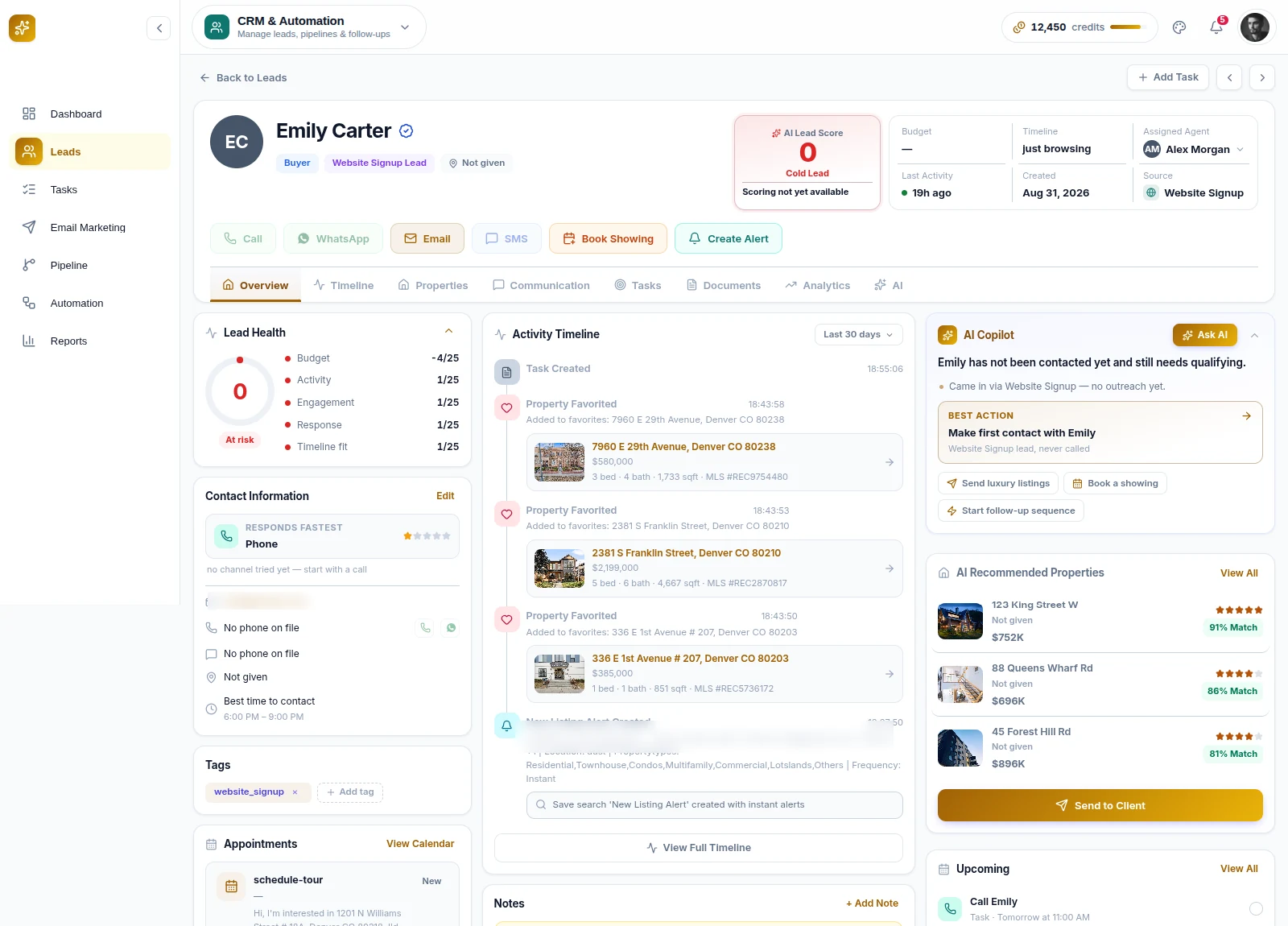
The part that closes the loop: the properties a lead viewed and the searches and alerts they set appear on their record in the CRM, and an agent can edit or pause those alerts on the lead's behalf. So the follow-up conversation described above is available from the lead record rather than reconstructed from memory.
Two boundaries. Capabilities can be plan-dependent, so "RealFoyer can" is the accurate phrasing. And an alert is not a follow-up. It reaches the buyer; the conversation is still yours to have, whether you start it yourself or through a follow-up workflow in the CRM. Nor is an alert a campaign: real estate email marketing explains why the two need to stay separate.
FAQ
Should I remove my contact form? No. Some people want to ask a question now, and making that hard is not a strategy.
Do saved searches work without an IDX feed? Not meaningfully. The mechanism is matching new listings against saved criteria, which requires live inventory.
What about a phone number on the saved-search signup? Do not. It converts the transaction from "remember me" into "call me", which is the thing they were avoiding.
How many saved searches does one person create? Often several, and the ones they modify are the ones that matter.
Is an account required for saved searches? Not necessarily — an email address is enough to make alerts work. An account adds the ability to return and manage them, which is worth offering and not worth forcing.
Which should I build first? Whichever you lack. Most sites have a form and no saved search, which makes that the gap.
In short
They are not competitors. A form captures someone ready to talk; a saved search captures someone months out who is not — and gives you better information about what they want, because they composed it for themselves and the incentive was accuracy.
The mistake is treating them as a choice. The rung most sites are missing is the saved search, and the rung most buyers are on is the saved search.
Explore RealFoyer lead capture — saved searches, saved listings and neighbourhoods, instant/daily/weekly alerts, accounts and enquiry forms, with the resulting property activity visible on the lead record.
Related reading
- Real Estate Website Conversion
- Home Valuation Lead Capture
- Speed to Lead in Real Estate
- Real Estate CRM: How to Actually Use One
- Real Estate IDX Websites: The Complete Guide
Research Integrity
Published 16 August 2026 and corrected 23 August 2026. The article declines to claim which capture mechanism converts better because the denominators and traffic mix differ. RealFoyer supports saved listings, neighbourhoods and searches, listing alerts, enquiry forms, property activity on the lead record, plus automated follow-up and nurture after capture. Corrected 22 September 2026: a sentence saying RealFoyer runs no follow-up sequences predated the 23 August confirmation of CRM follow-up workflows and was brought into line with it.